





Tools: imports, exports, bulk changes and repairs
Simple Points and RewardsUpdated October 27, 2026
The Tools page brings the import, export, bulk change and repair tools together in one place. Go to Points & Rewards › Tools. Each card describes a tool and has a button that opens it.
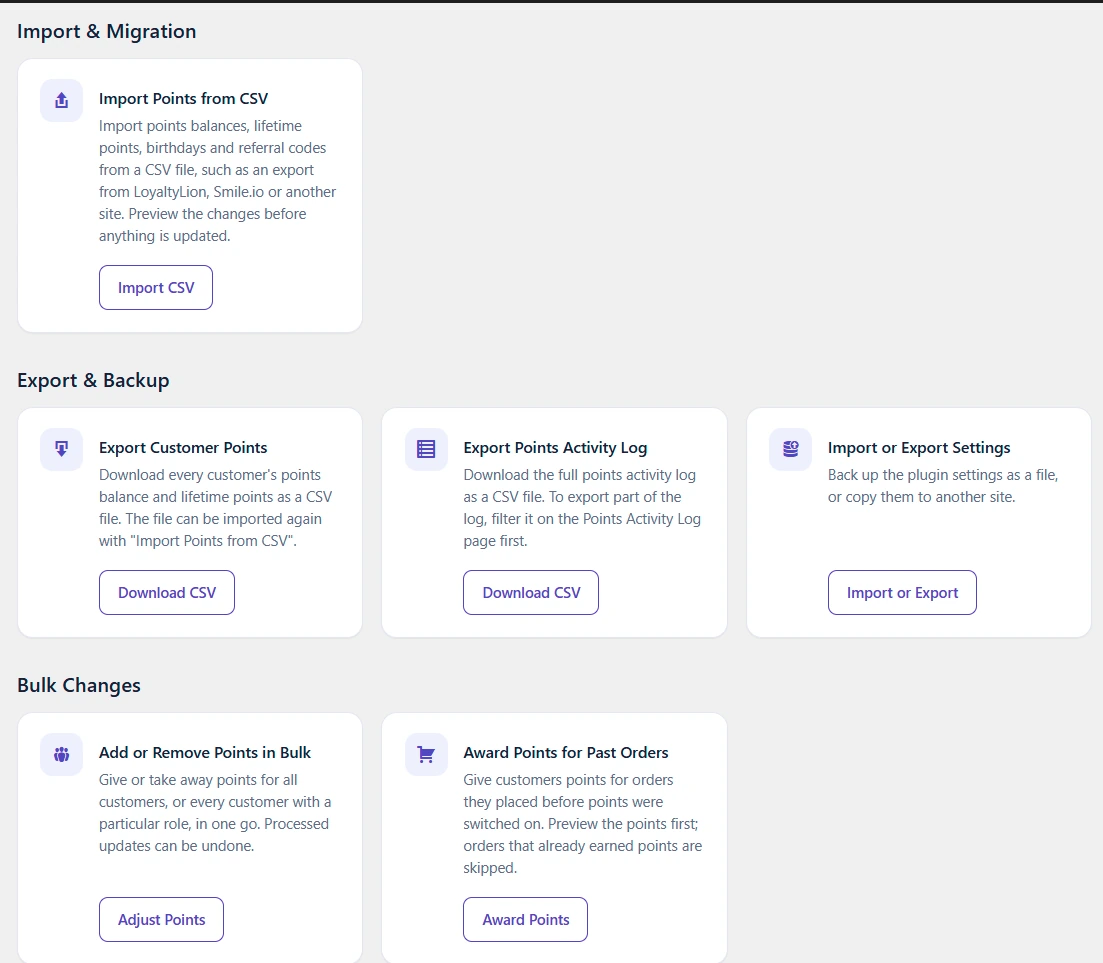
Import & Migration
- Import Points from CSV: import balances, lifetime points, birthdays and referral codes from a CSV file, for example an export from LoyaltyLion, Smile.io or another site. See Import points from a CSV file.
- Migrate from Another Plugin: copy points from another WooCommerce points plugin. This card only appears while a supported plugin is active. See Migrating from Another Plugin.
Export & Backup
- Export Customer Points: downloads every customer’s balance and lifetime points as a CSV file. The columns are user_id, username, email, display_name, points_balance and lifetime_earned, so the file can be imported again with Import Points from CSV.
- Export Points Activity Log: downloads the points activity log as a CSV file. To export only part of the log, filter it on the Points Activity Log page and export from there.
- Import or Export Settings: back up all plugin settings as a JSON file, or copy them to another site. See Export and import your data.
Bulk Changes
- Add or Remove Points in Bulk: opens the Customer Points page with the Add or Remove Points panel set to All Users. Enter a positive number to add points or a negative number to remove them, and optionally limit it to one User Role. Customers are updated in batches, and you can stop part way or undo the updates already made.
- Award Points for Past Orders: gives customers the points they would have earned on older orders. See Award points for past orders.
- Run Points Expiry Now (Pro): appears when points expiry is on. Its button, Go to Customer Points, opens the Customer Points page.
Maintenance
- Repair Lifetime Points: checks each customer’s lifetime “Total Earned” points against the activity log and repairs totals that are wrong. See Repair lifetime points.
Preview before you change anything
The CSV import, Award Points for Past Orders and Repair Lifetime Points all work the same way. Click Preview first to see what will change, with a summary and a CSV report you can download. The button that makes the changes only becomes active after a preview with the same settings. If you change a setting after the preview, preview again. A preview stays valid for one day.