





Floating Rewards Widget (Pro)
Simple Points and RewardsUpdated October 26, 2026
The Floating Rewards Widget is a small, always-visible button that floats on every page of your store, giving customers one-click access to their points balance and rewards. It’s a great way to keep your loyalty programme front-of-mind. Configure it under Points & Rewards › Settings › Rewards Widget.
What It Does
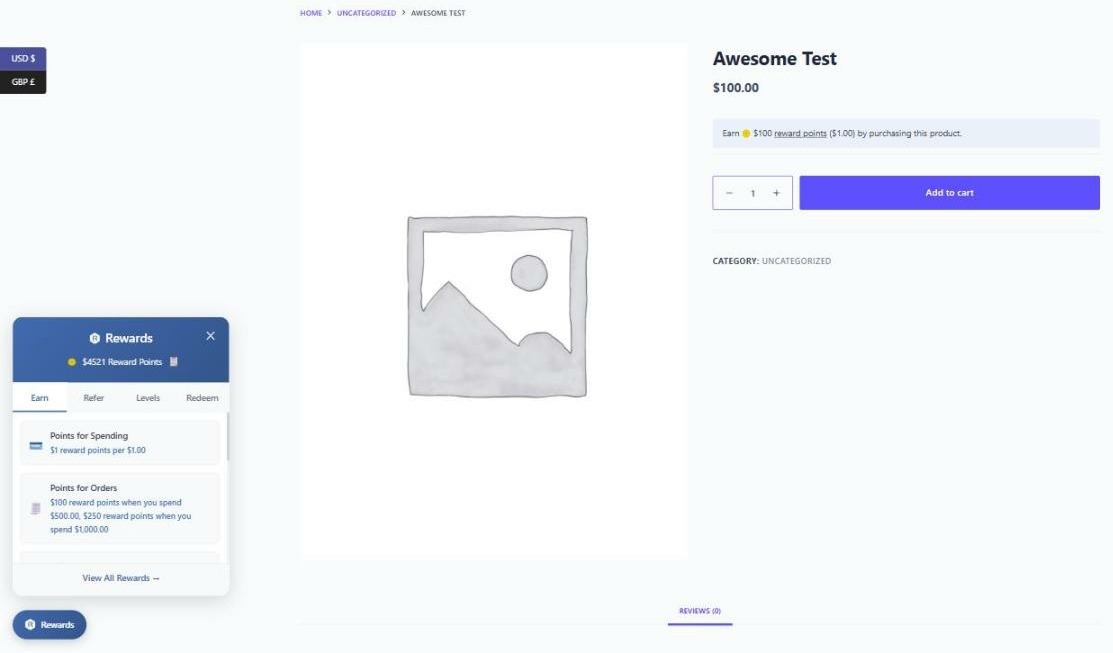
The widget shows a floating icon (typically in a corner of the screen). When clicked, it expands to reveal the customer’s current points balance and quick links into their rewards dashboard. For logged-out visitors it can encourage sign-up.
The Earn and Refer tabs
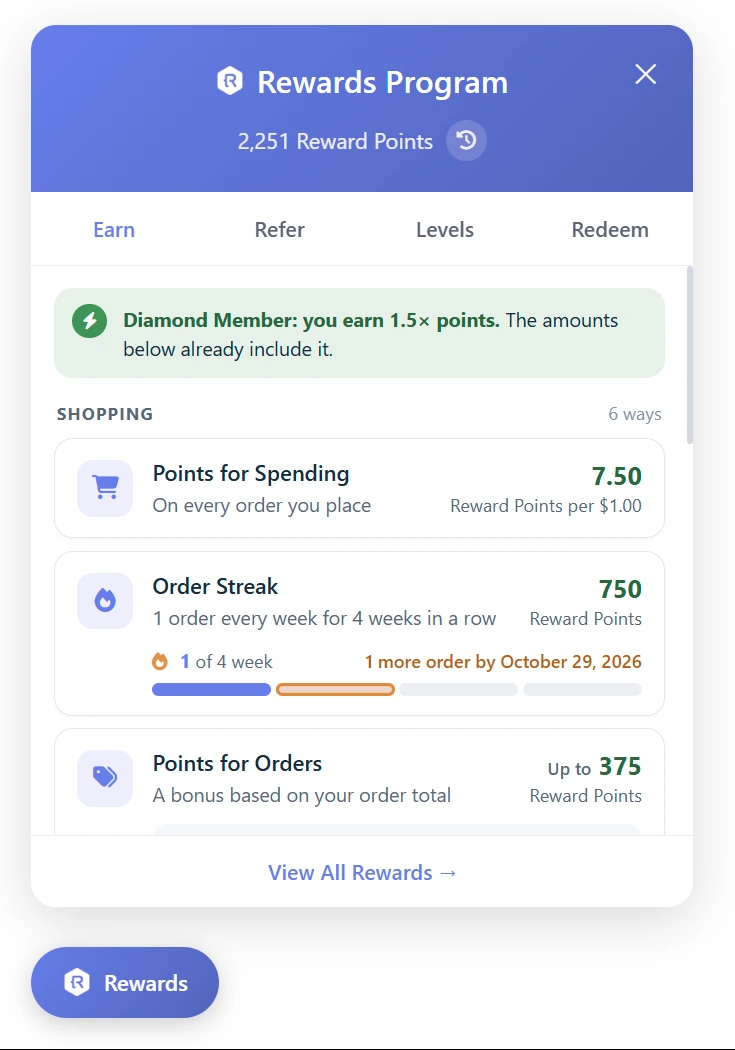
The Earn tab shows each way to earn in its own box, with what it earns on the right. Ways are grouped under Shopping, Activities and Refer friends, as on the rewards dashboard. If the customer’s level gives a points bonus, it is explained once at the top, and the amounts below already include it.
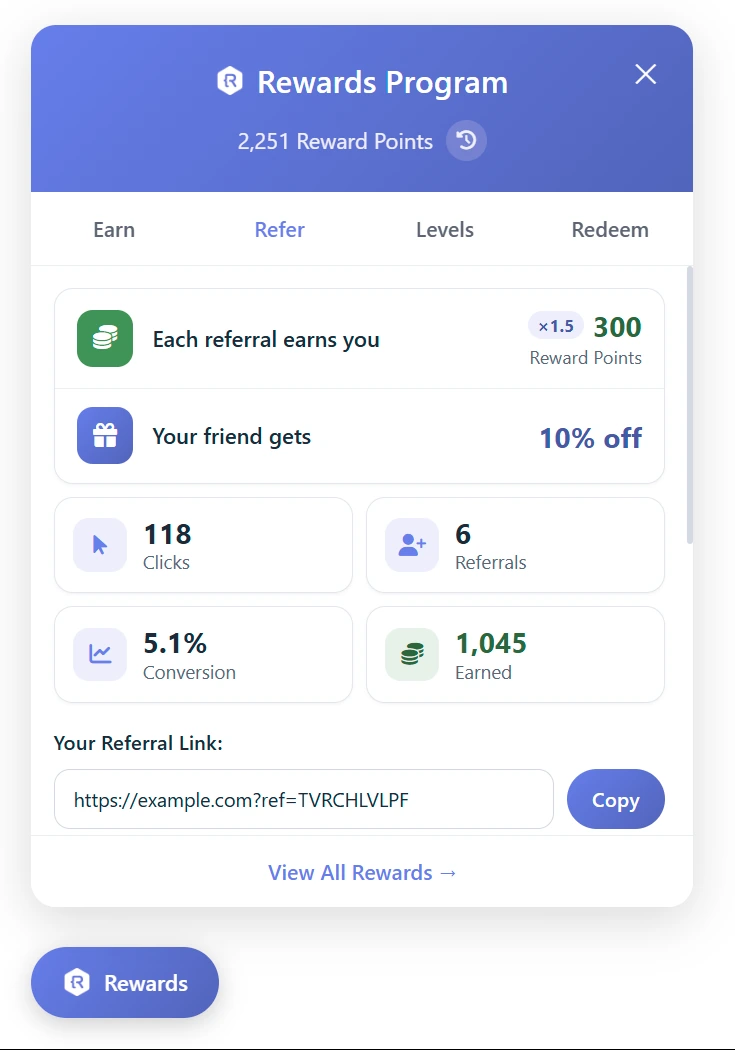
The Refer tab starts with what the customer earns for each referral. When the referral offer is on, it also shows the discount their friend gets. Below that are the customer’s referral stats, their referral link and their referral coupon.
Configuration Options
- Enable Widget – Toggle the floating widget on or off.
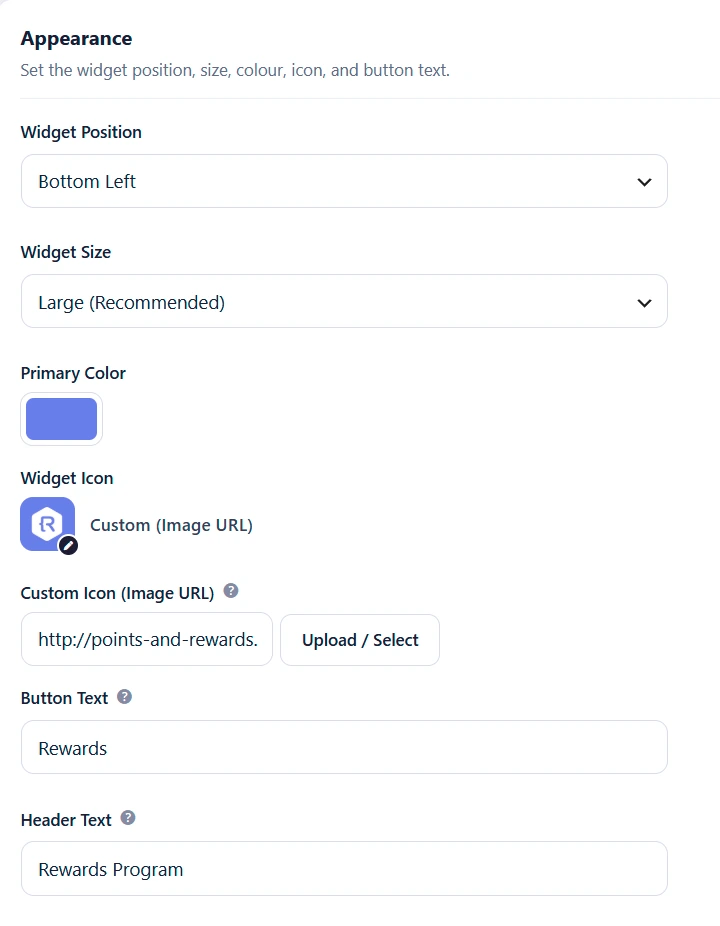
- Position – Choose where the widget appears: bottom-right, bottom-left, top-right, top-left, center-left (vertical), or center-right (vertical).
- Colours – Customise the widget’s background and accent colours to match your brand.
- Icon – Choose the icon displayed on the floating button.
- Widget Size: Regular, Large (Recommended), Extra Large or Full Height. Large is the default for new stores. Stores that already chose a size keep it.
- Button Text: the text on the button that opens the widget. The default is “Rewards”.
- Header Text: the text at the top of the widget when it is open. Leave it empty to use the Button Text.
- Dark Mode – Enable a dark theme for the widget panel.
Performance
The widget content is loaded via AJAX (lazy-loaded) so it does not slow down your initial page render. The points balance is fetched only when needed, keeping the widget fast and cache-friendly.
Tips
- Use a position that doesn’t conflict with other floating elements (live chat, cookie banners, back-to-top buttons).
- Match the widget colours to your store’s primary brand colour for a cohesive look.
- The widget is an effective way to surface the loyalty programme to customers who never visit the My Account page.