





Where customers see and use store credit
Simple Store CreditUpdated September 14, 2026
Store credit shows up in four places on the storefront, each of which can be switched on or off independently. Nothing appears to a customer who has no credit available, so a store with the plugin freshly installed looks unchanged until balances start to exist.
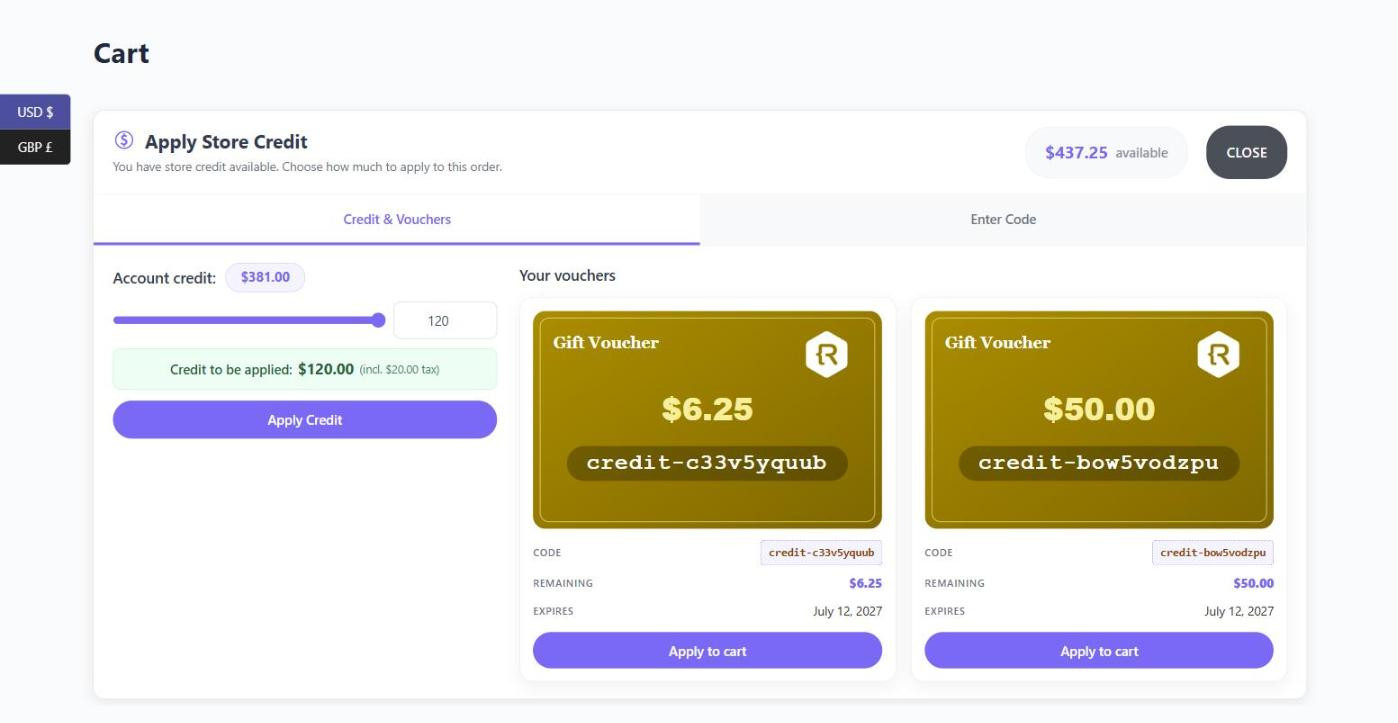
The credit redemption tool
This is the main panel, shown above the cart and checkout. It lets a customer apply their account balance, pick vouchers to use, and – if you allow it – type a voucher code to claim. Control it under Store Credit › Settings › Credit Redemption.
The compact cart widget
A single line inside the cart and checkout totals reading something like “You have $381.00 store credit” with an apply or remove control beside it. It is a quieter alternative to the full tool and only ever handles the account balance, never vouchers.
The store credit payment method
An optional checkout payment option that settles the whole order from the account balance. It only appears for logged-in customers, and never on an order that is itself buying store credit.
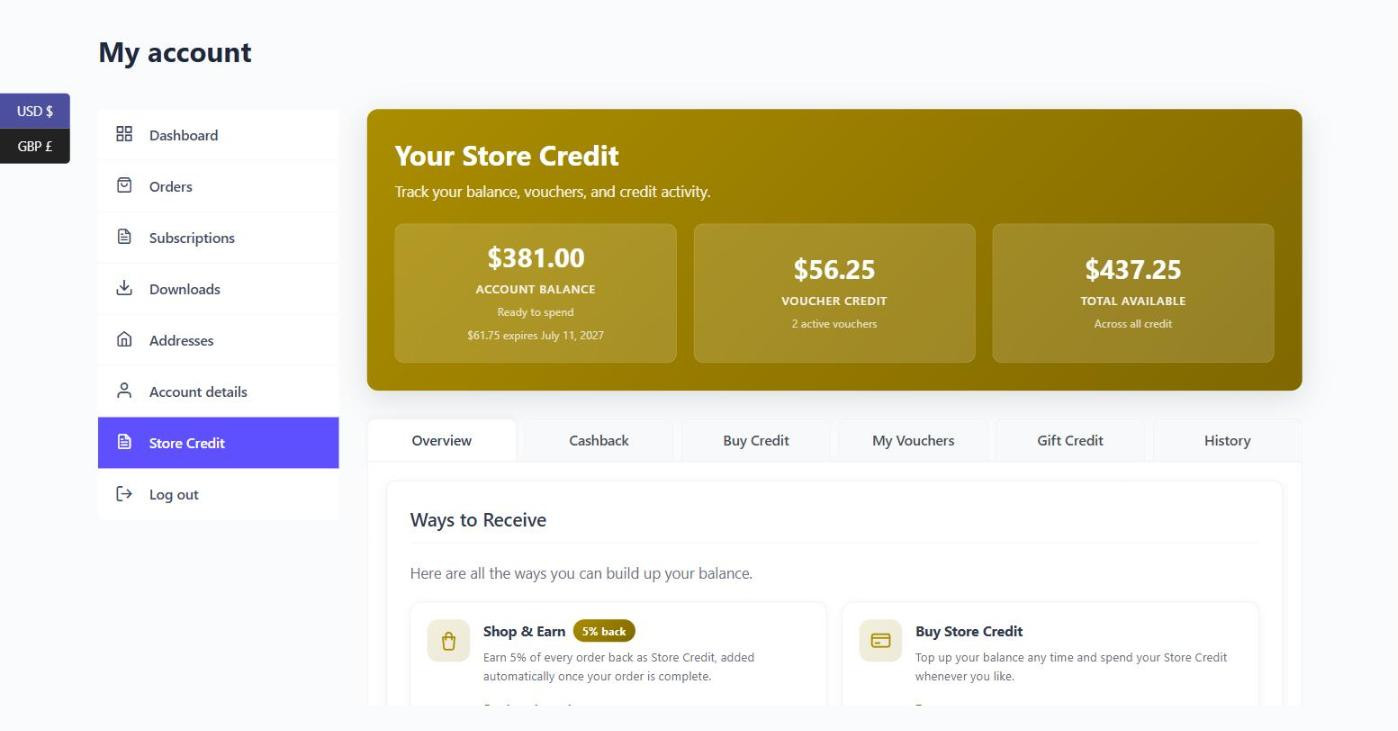
The My Account dashboard
A dedicated Store Credit page in the WooCommerce account area with balance summary cards and a set of tabs – Overview, Cashback, Buy Credit, My Vouchers, Gift Credit and History. Each tab appears only when the feature behind it is enabled.
Anywhere else, with shortcodes
Four shortcodes let you place a balance, the activity table, the buy-credit form or a public voucher lookup on any page or post. See the shortcodes reference for the full list and their attributes.