





Set up the credit redemption tool
Simple Store CreditUpdated September 14, 2026
The credit redemption tool is the panel customers use to apply their credit at the cart and checkout. Configure it under Store Credit › Settings › Credit Redemption. Nothing is shown to a customer with no credit available, so the pages look unchanged for everyone else.
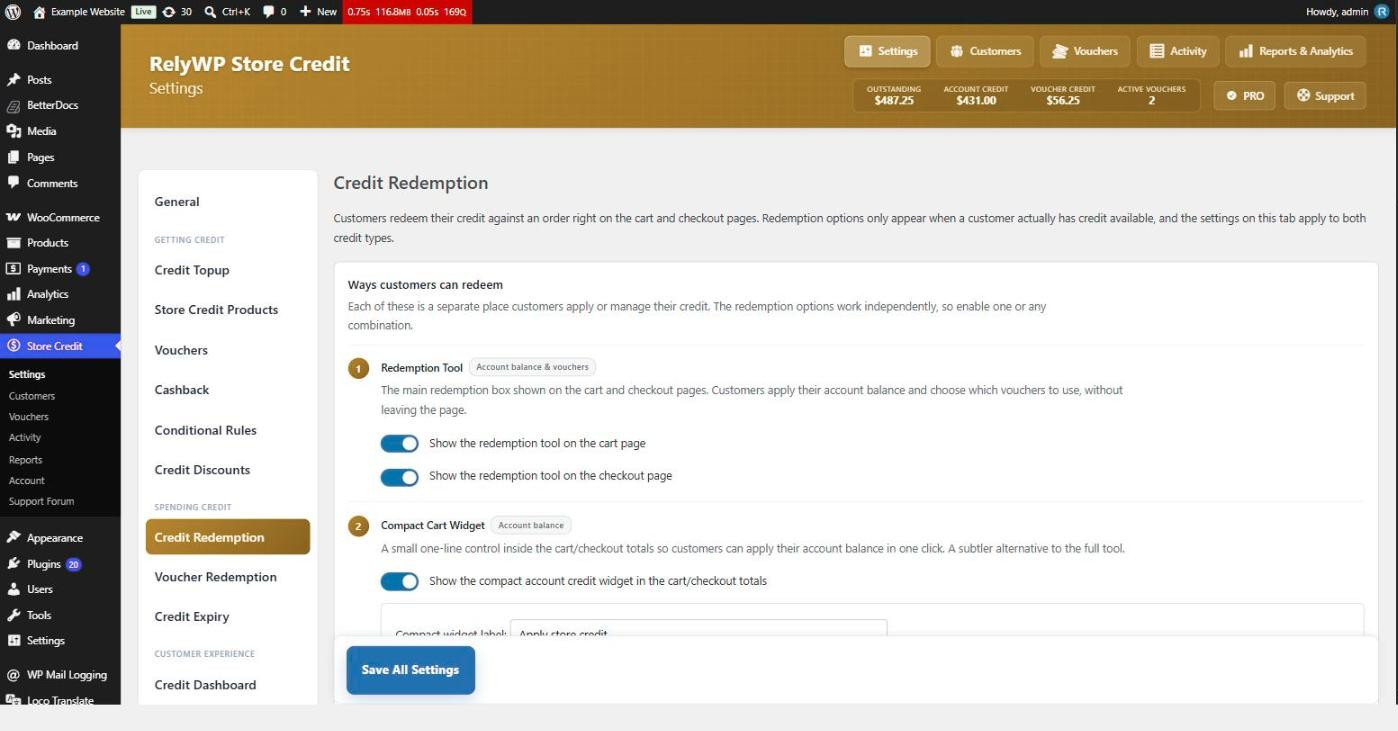
Choose where it appears
Show the redemption tool on the cart page and Show the redemption tool on the checkout page work independently, so you can put it in one place or both. It is compatible with the block-based Cart and Checkout as well as the classic shortcode versions.
The compact cart widget
For a quieter option, Show the compact account credit widget in the cart/checkout totals adds a single line inside the totals with an apply and remove control. Set the wording with Compact widget label. It handles the account balance only, never vouchers, so a voucher-only store will not see it.
The two can both be enabled at once, though most stores pick one.
Partial redemption
With Allow customers to enter a custom amount of credit to apply switched on, the tool shows a slider and amount field so the customer chooses how much of their balance to spend. Turn it off and applying credit always covers as much of the order as your limits allow.
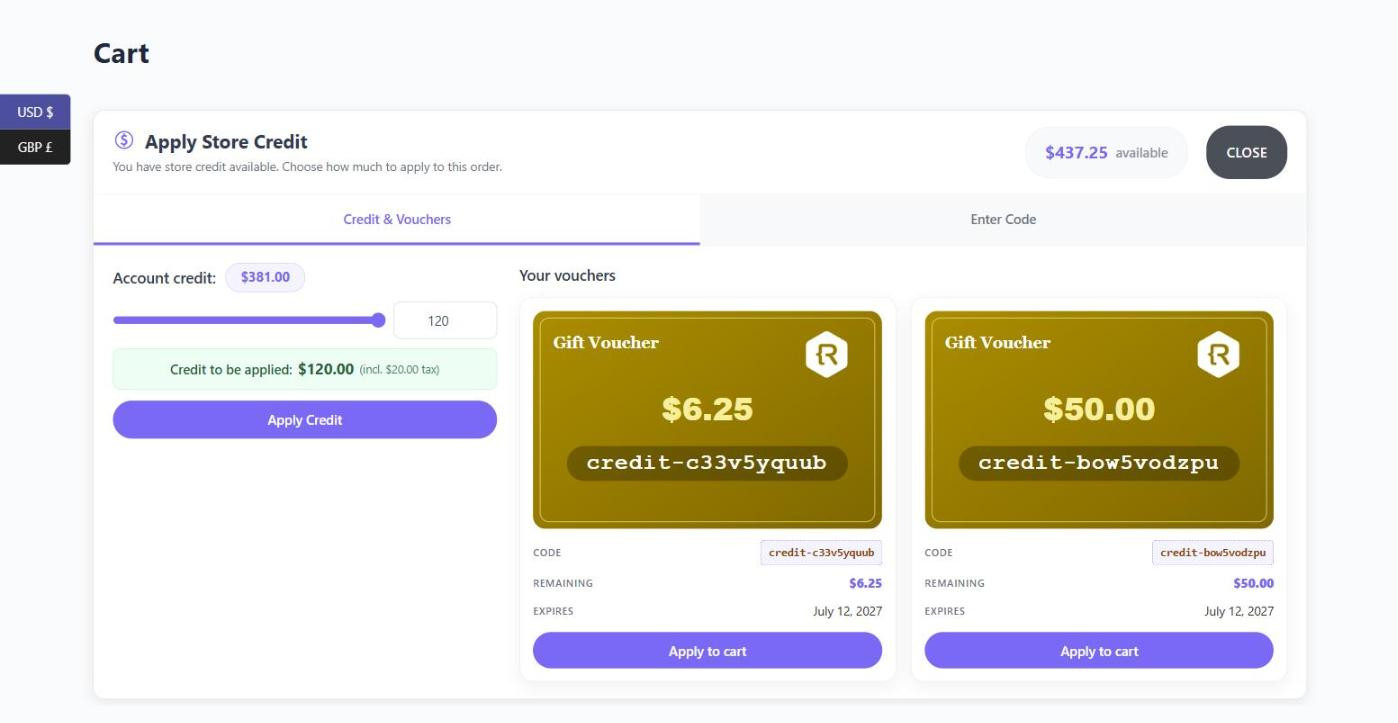
Wording
The Text & Labels section covers the tool title, its description, the button that opens it, the apply button and the remove link. The prompt above the voucher code field lives on the Voucher Redemption tab as Voucher entry label, alongside the switch that enables code entry at all.
Appearance
- Layout – Default, Compact or Very compact, for progressively tighter versions of the panel.
- Color scheme – Light or Dark.
- Primary color and Accent color – shared across the plugin’s front-end elements, not just this tool.
- Show an icon in the redemption tool header.