





Give cashback on purchases (PRO)
Simple Store CreditUpdated September 21, 2026
Cashback automatically awards a percentage of each order back to the customer as store credit. It is a PRO feature, configured under Store Credit › Settings › Cashback, and it needs at least one credit system enabled because the reward is paid out as credit.
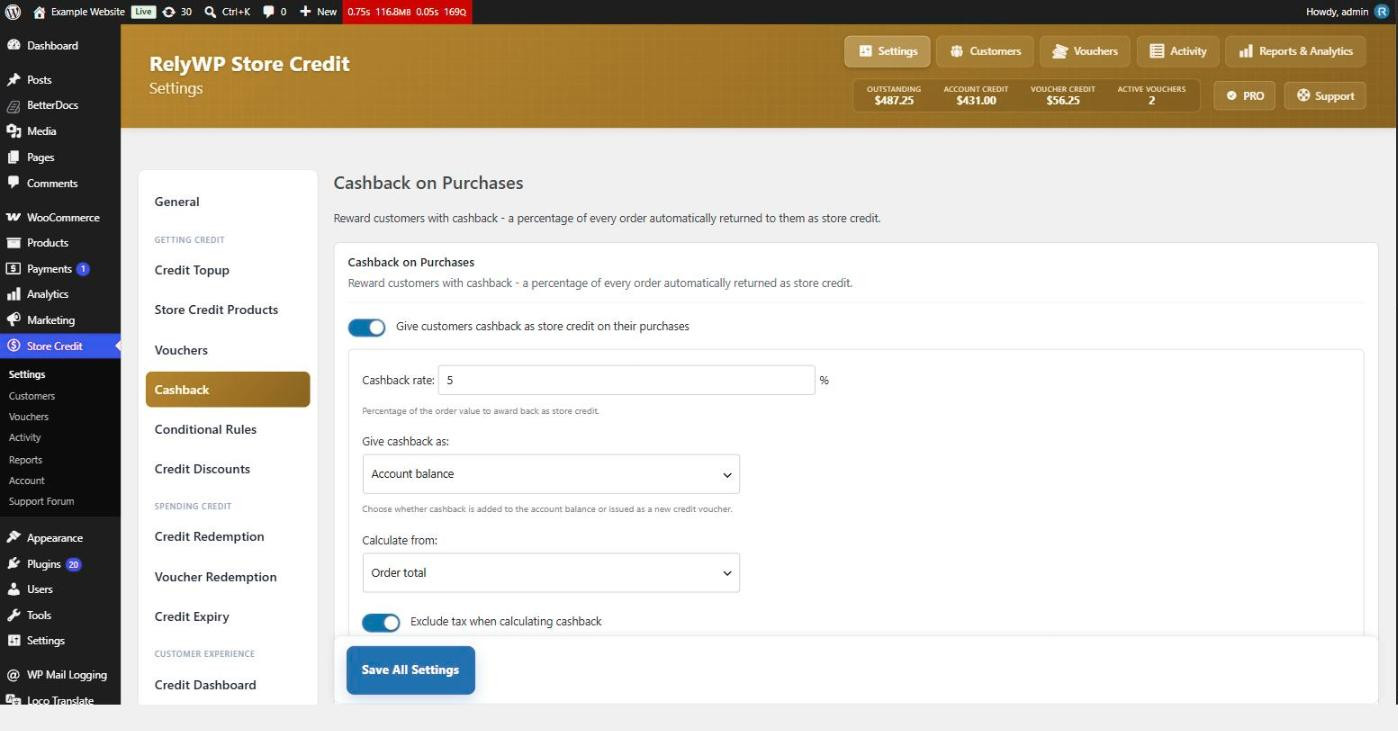
Set the rate and what it is calculated from
- Cashback rate – the percentage of order value awarded back.
- Give cashback as – account balance or a new credit voucher.
- Calculate from – order total or order subtotal.
- Maximum cashback per order – a cap on a single order’s reward. 0 means no cap.
- Minimum order total to earn – orders below this figure earn nothing. 0 always awards.
What to leave out of the calculation
Four switches decide what is stripped from the order value before the rate is applied. By default all four are on, which is the conservative setting for most stores:
- Exclude tax when calculating cashback
- Exclude shipping when calculating cashback
- Exclude store credit spent from cashback – stops customers earning fresh credit on credit they already had.
- Exclude store credit purchases (top-ups & gift cards) from cashback – stops a top-up from itself earning a reward.
When cashback is awarded
Award cashback when chooses between Order completed and Order processing. Completed is safer for physical goods, since it waits until the order has actually shipped; processing rewards faster and suits digital stores.
Only award cashback on new orders decides how the switch-on itself is handled. Leave it enabled and orders placed before you turned cashback on never earn, which is what most stores want – flipping cashback on does not suddenly show a backlog of pending rewards. Turn it off to backfill: orders already in progress will also earn once they reach the status above.
With Remove earned cashback if the order is refunded or cancelled enabled, a reversal takes the reward back. Partial refunds claw back a proportional share. If the customer has already spent the credit, the uncovered part becomes a debt on the account and is deducted from the next credit they receive, so the value is not simply lost.
Show customers what they will earn
Show customers the cashback they will earn on their order adds a live preview as they shop. You can place it in any combination of four spots: inside the redemption tool, at the bottom of the cart totals, at the bottom of the checkout order summary, and under Order details on the confirmation and view-order pages. The Message field accepts {amount}, {rate} and {label}.