





Create and manage vouchers
Simple Store CreditUpdated September 14, 2026
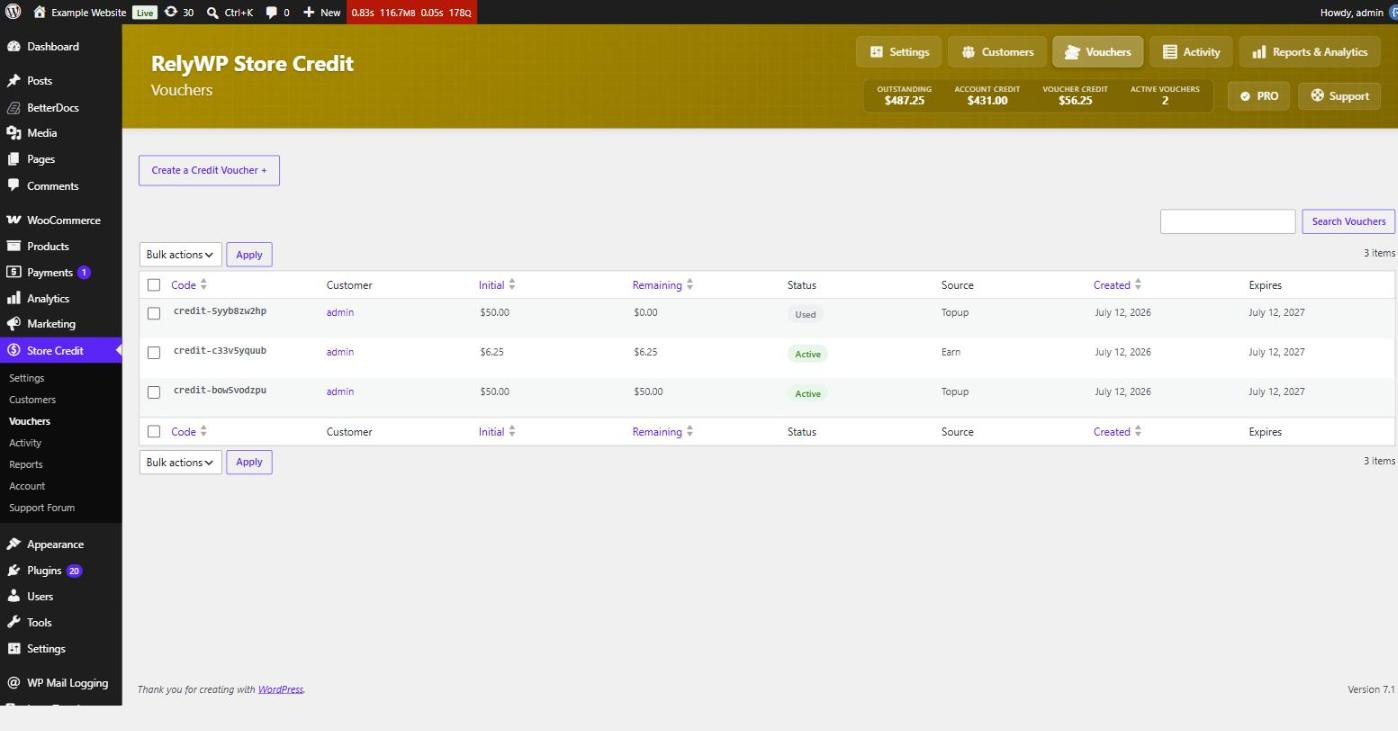
Store Credit › Vouchers lists every credit voucher on the store with its code, the customer it belongs to, its initial and remaining amounts, its status, where it came from, and when it was created and expires.
Issue a voucher by hand
Create a Credit Voucher at the top of the screen generates one on the spot. You can also create one assigned to a specific person from the Gift Voucher box on their customer overview page, where you set the amount, an expiry in days, and an optional internal note.
Leave the expiry blank to fall back to the global voucher expiry setting, or to no expiry at all if you have not configured one.
Where vouchers come from
The Source column tells you how each voucher was created. Common sources are a top-up purchase, a gift card product, earned cashback, an order refunded to credit, a gift from another customer, a balance the customer converted, or an admin issuing one directly.
Vouchers and the Coupons screen
Because vouchers are coupons, they exist under WooCommerce › Marketing › Coupons too – but the plugin hides them from that list so a store issuing hundreds of vouchers does not drown its real promotional coupons. Manage vouchers from the Store Credit screen instead, and use the Coupons screen for your marketing coupons.
Deleting a voucher
Deleting a voucher removes the credit it carried, so treat it as you would any other reduction in a customer balance. If a customer has simply finished with one, letting it reach a zero remaining balance and leaving it alone keeps the history intact and is usually the better option.