





Expire unused credit (PRO)
Simple Store CreditUpdated September 14, 2026
Credit expiry puts a lifetime on stored value so it does not sit on your balance sheet forever. Configure it under Store Credit › Settings › Credit Expiry. It is a PRO feature and covers account balances and vouchers separately.
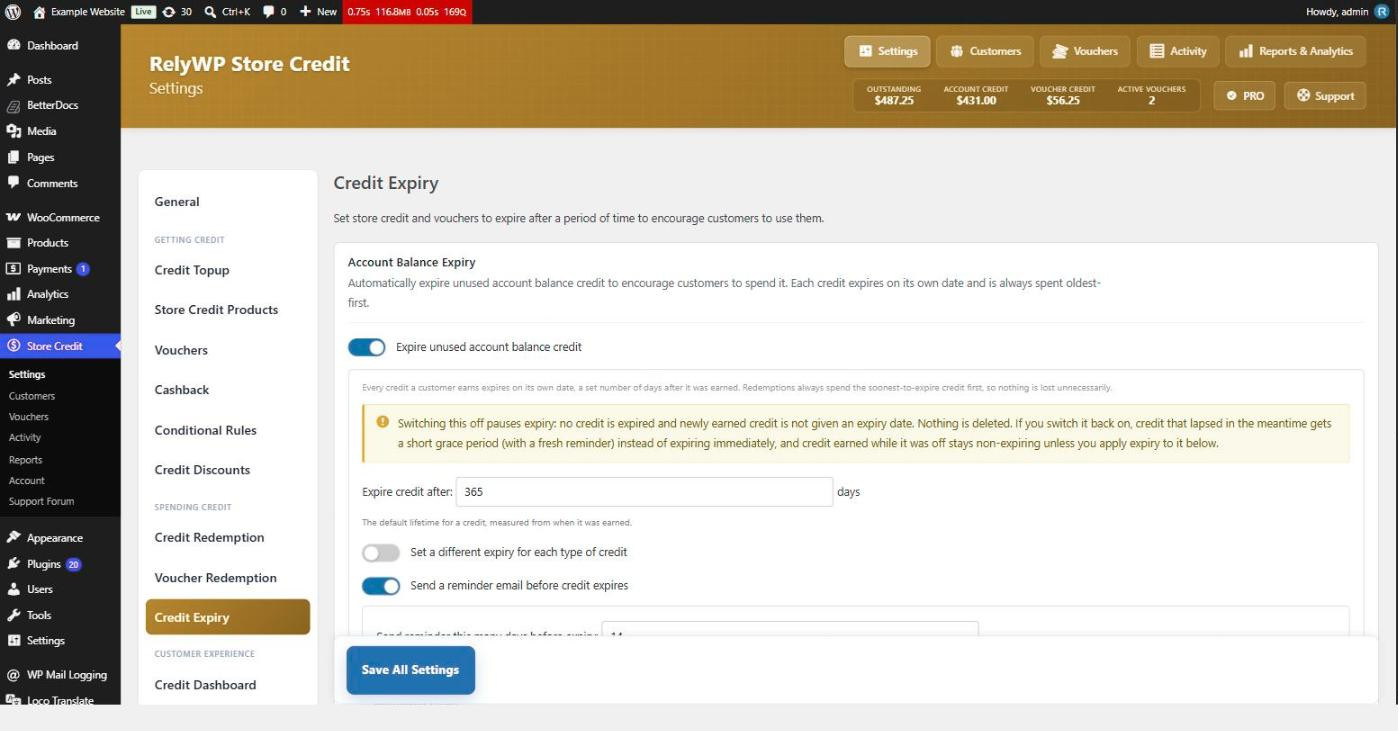
Account balance expiry
Turn on Expire unused account balance credit and set Expire credit after in days – 365 by default. Each individual credit a customer receives gets its own expiry date measured from when it was earned, rather than the whole balance sharing one deadline.
Because of that, redemptions always spend the soonest-to-expire credit first, so a customer never loses value they could have used. Credit with no expiry date is spent last, after everything that will lapse.
Different lifetimes per source
Set a different expiry for each type of credit lets you give each way of earning its own lifetime – a short window on promotional cashback, for instance, while purchased credit never expires. Enter 0 against a type to make that credit permanent.
Reminder emails
Send a reminder email before credit expires warns customers ahead of time, with Send reminder this many days before expiry setting the notice period (14 days by default). Edit the wording on the Email Notifications tab under Credit expiry reminder.
Credit that predates expiry
Credit a customer already held before you enabled expiry has no expiry date and will never lapse. You can leave it that way, or press Apply expiry to untracked credit to bring all of it onto the schedule with the default lifetime starting today. That runs in the background with a progress bar, and there is no way to undo it, so think before you use it on a large customer base.
Turning expiry off again
Switching expiry off pauses it rather than deleting anything: nothing expires, and newly earned credit gets no expiry date. If you switch it back on, credit that lapsed while it was off gets a short grace period and a fresh reminder instead of vanishing immediately, and credit earned during the pause stays permanent unless you apply expiry to it.
Voucher expiry
Expire vouchers after a set time gives every newly created voucher an expiry a fixed number of days after it is issued. It only affects vouchers created from then on – existing vouchers keep whatever expiry they already had. Individual features can override it: gift vouchers and store credit products both have their own expiry settings.