





Review the activity log and reports
Simple Store CreditUpdated September 14, 2026
Two screens cover reporting. Store Credit › Activity is the transaction-level log, and Store Credit › Reports aggregates it. Both support a date range and an Export CSV button.
The activity log
Every credit movement on the store appears here with its date, customer, type, amount, the balance immediately afterwards, and a note. Filter by transaction type or by date range, or search for a customer or a note.
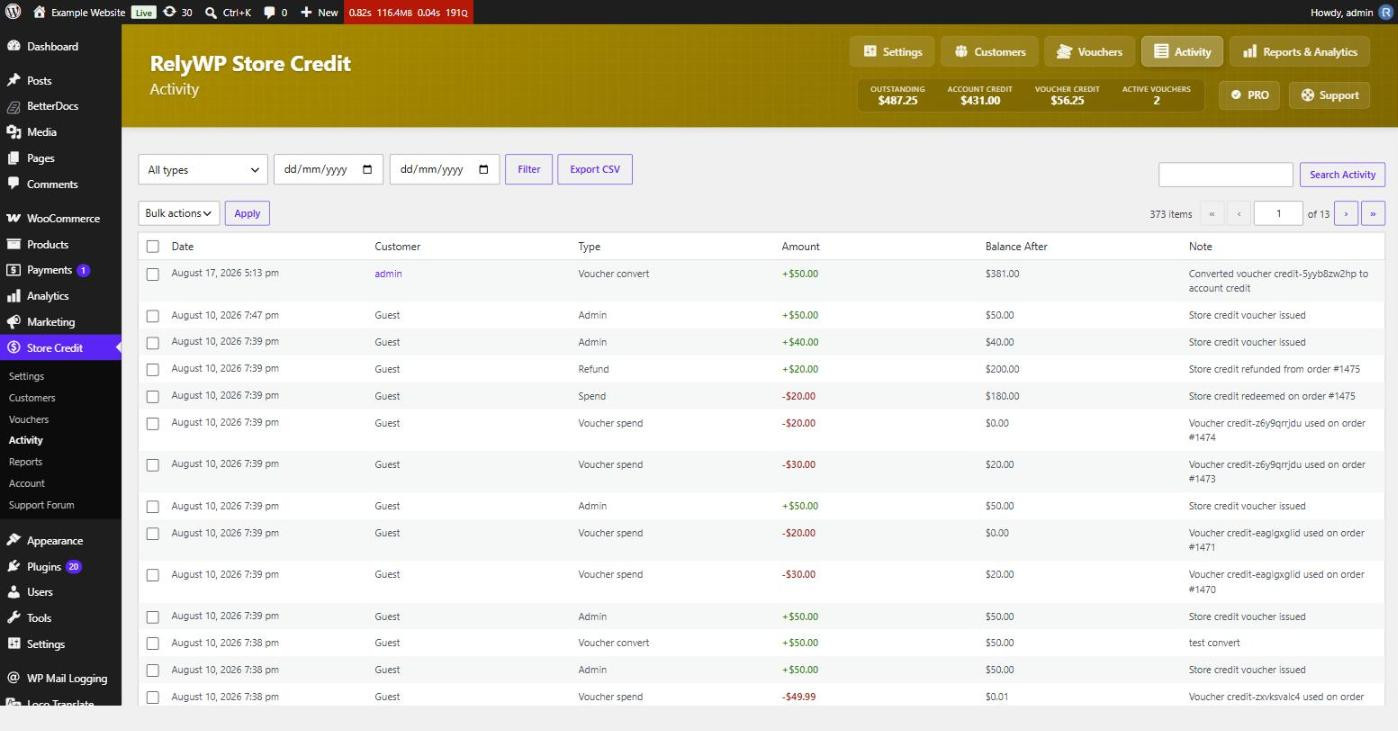
The Balance After column is what makes the log useful when a customer queries their balance: you can walk down their entries and see exactly where a figure came from.
Transaction types
- Credit in – Earned (Shop & Earn), Top-Up Purchases, Gift Cards, Order Refunds, Admin Adjustments, Imported Balances.
- Credit out – Spent at Checkout, Voucher Spends, Reversals, Expired Credit.
- Transfers – Gifting, Voucher Conversions and Balance Converted to Vouchers.
Reports and analytics
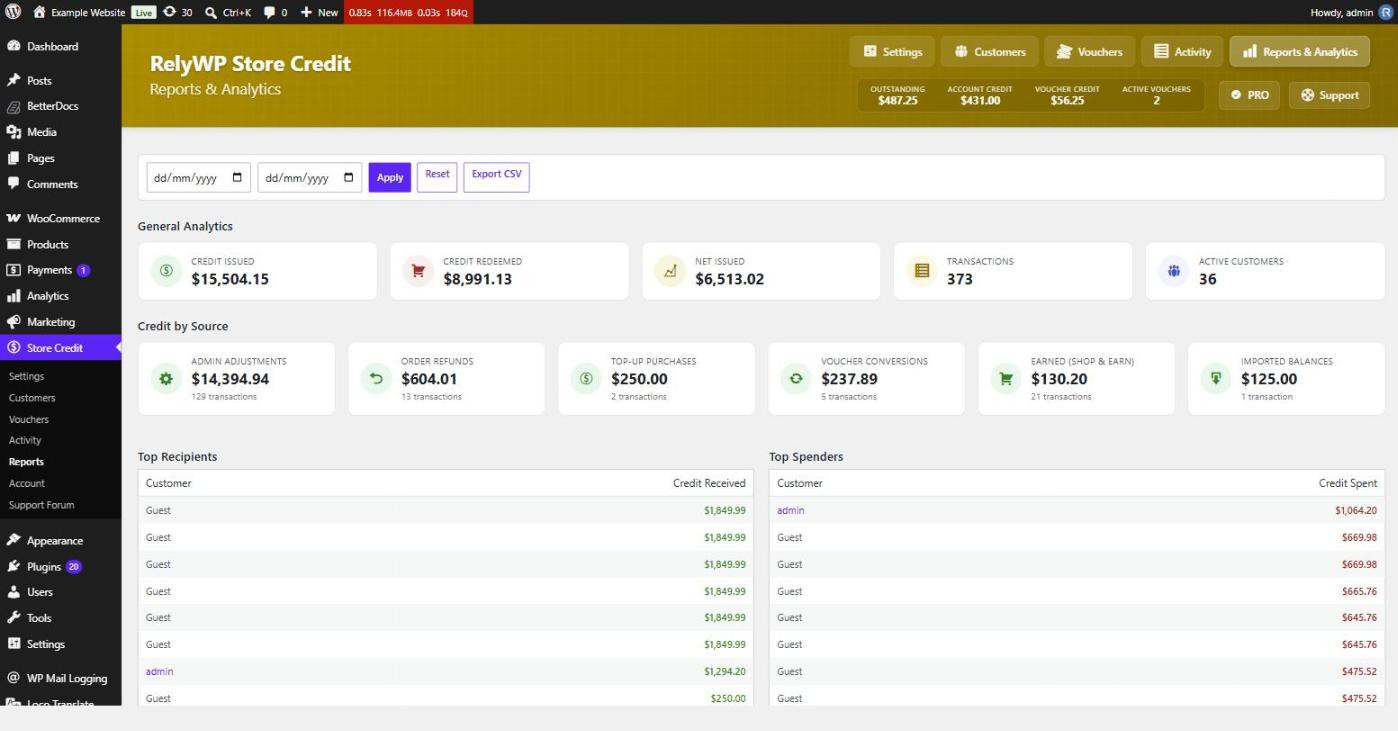
- Credit Issued – everything the store gave out over the period.
- Credit Redeemed – everything spent back.
- Net Issued – the difference, which is the growth in outstanding liability.
- Transactions and Active Customers – volume measures.
- Credit by Source – a breakdown showing which parts of the programme are actually generating credit.
- Top Recipients and Top Spenders – your heaviest credit users.
Transfers are deliberately left out of the issued and redeemed figures. Gifting moves credit between customers and conversions change its form, so counting either as new credit would overstate what the store actually gave away.
The header strip visible on every plugin screen shows the current picture at a glance: outstanding credit, account credit, voucher credit and active vouchers.