





Customise the email notifications
Simple Store CreditUpdated September 14, 2026
Every email the plugin sends can be rewritten under Store Credit › Settings › Email Notifications. Click an email to expand it, use the switch to turn it on or off, and use the test button to send yourself a preview after saving.
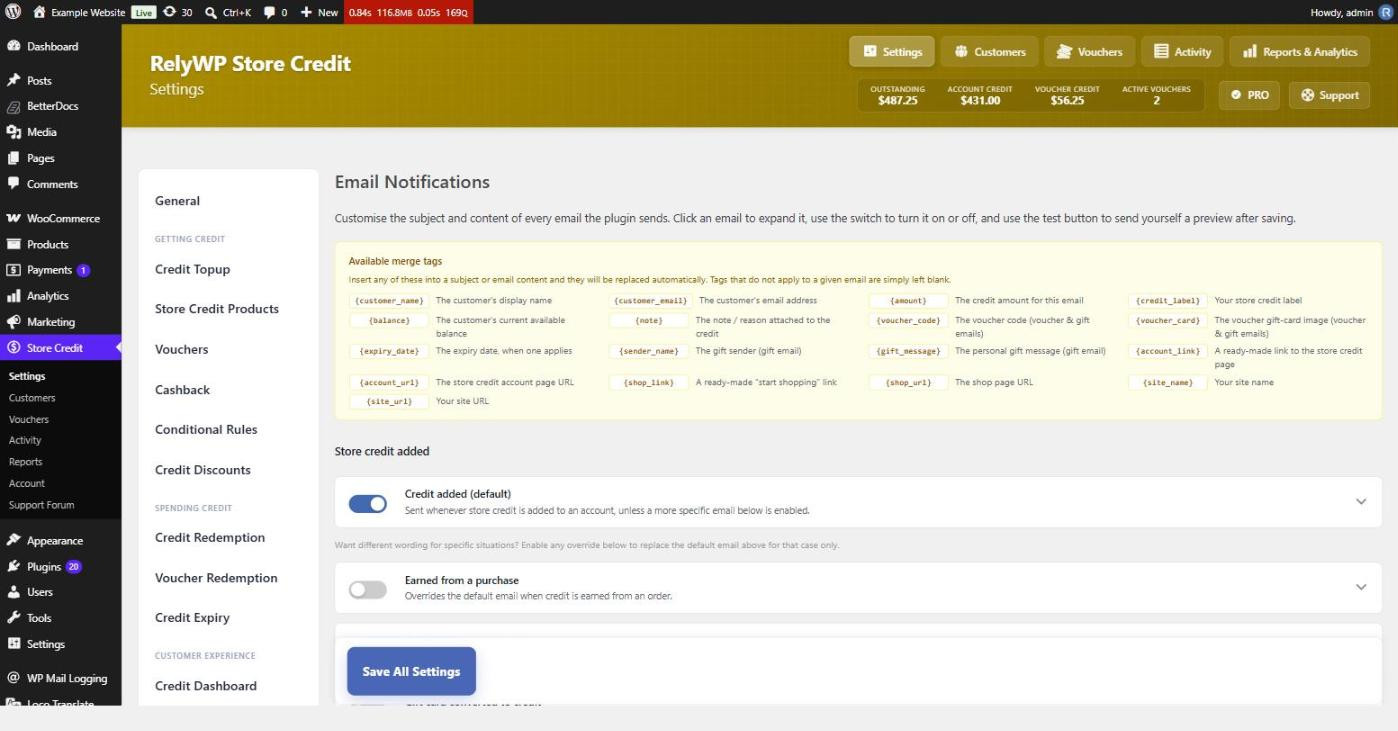
The default email and its overrides
Credit added (default) is sent whenever store credit lands on an account. Four optional overrides replace it in specific situations, each with its own wording:
- Earned from a purchase – cashback on an order.
- Credit top-up purchased – the customer bought credit.
- Gift card converted to credit – a gift card became store credit.
- Credit refunded – an order was refunded as credit.
Leave an override off and that situation simply uses the default email, which keeps a simple store to one message to maintain.
The other emails
- Voucher issued – a credit voucher was issued directly to a customer.
- Gift received (voucher) – somebody gifted credit as a voucher.
- Gift received (added to balance) – a balance-to-balance gift transfer.
- Credit expiry reminder (PRO) – sent ahead of credit lapsing, when credit expiry is enabled.
Merge tags
Tags work in both the subject and the body, and any tag that does not apply to a given email is simply left blank rather than printed literally.
{customer_name},{customer_email}{amount},{balance},{credit_label},{note}{voucher_code},{voucher_card},{expiry_date}{sender_name},{gift_message}{account_link},{account_url},{shop_link},{shop_url}{site_name},{site_url}
{account_link} and {shop_link} output ready-made links, while the _url versions give you the bare address to put in your own markup. {voucher_card} embeds the generated gift-card image, which is what makes a voucher email look like a gift rather than a receipt.
If emails are not arriving
These messages are sent through WordPress, not through WooCommerce’s own email templates, so they do not appear under WooCommerce › Settings › Emails. If they are not being delivered, the cause is almost always site-wide mail delivery rather than this plugin.