





Choose the tax class used for exempt orders
Tax Exemption for WooCommerceUpdated September 14, 2026
Tax Class for Tax Exemption, on the General tab at Tax Exemption › Settings, is the single most important setting in the plugin. It names the WooCommerce tax class that is swapped in for an exempt customer’s cart items. If that class is not zero-rated, exempt customers will still be charged tax.
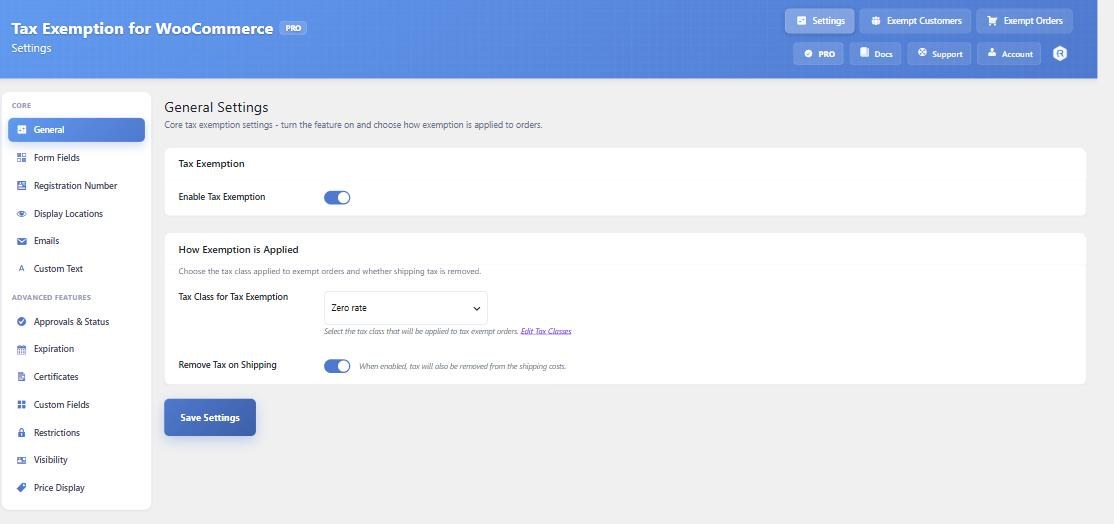
The Zero rate class is created for you
The first time you open the plugin settings page, it checks whether a tax class called Zero rate exists. If not, it creates one and adds a single 0% rate to it that applies to all countries and also covers shipping. You do not normally need to do anything.
If the setting is on anything other than Zero rate, a red warning appears underneath it. That warning is not cosmetic – it is telling you tax may still be charged.
Check the class actually has a 0% rate
Go to WooCommerce › Settings › Tax and open the Zero rate class. You should see at least one rate row with a rate of 0.0000. A tax class with no rates at all is the most common cause of exemption appearing to do nothing.
If you also want shipping tax removed, make sure the Shipping column is ticked on that rate row, and that Remove Tax on Shipping is enabled in the plugin settings.
Using a different class
You can point the setting at any tax class you like, for example a “Reduced rate” class if your exempt customers pay a lower rate rather than nothing. The plugin does not care what the rate is; it just applies the class. Treat the red warning as a reminder to double-check, not an error.
A different class for specific customers
PRO adds Tax Class Per Customer on the Restrictions tab. With it enabled, you can set a per-customer tax class on the Exempt Customers page or the user’s profile, which overrides the global setting for that customer only.