





Restrict who can claim tax exemption
Tax Exemption for WooCommerceUpdated September 15, 2026
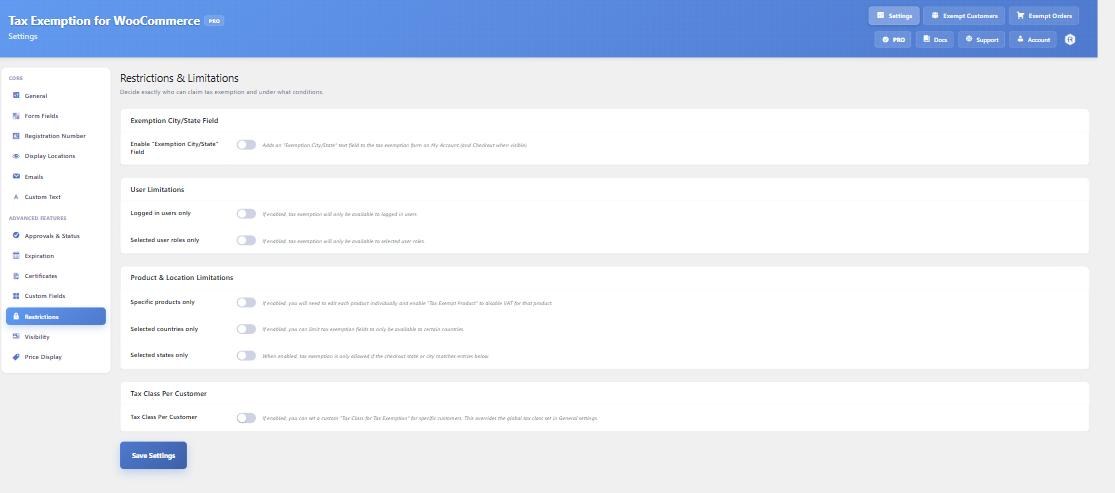
The Restrictions tab at Tax Exemption › Settings decides who is allowed to claim exemption and under what conditions. Everything here is PRO. Restrictions stack: a customer has to satisfy all of the ones you enable.
User restrictions
Logged in users only hides exemption from guests entirely.
Selected user roles only limits it to the roles you tick – typically a “wholesale” or “trade” role. Customers outside those roles also lose the Tax Exemption tab from their My Account page, so they are not shown something they cannot use.
Country restrictions
Selected countries only gives you three controls. Check Address chooses whether the billing address, the shipping address, or both must match. Visibility flips the meaning of your list between allow and deny – you can either allow exemption for the selected countries only, or hide it for them. Then pick the countries themselves.
Choosing “both” means both addresses must match, which is stricter than it first reads.
State and city restrictions
Selected states only works the same way, with a textarea of allowed locations, one per line. Each line is matched against the state code (NY), the full state or province name (New York), or the city (New York City). Matching is not case sensitive.
Separately, Enable “Exemption City/State” Field asks the customer for the location their exemption applies to, and can require the checkout address to match what they entered. If they leave that field empty, exemption is not allowed.
Product restrictions
Specific products only means exemption applies to nothing until you opt products in. Edit a product and tick Tax Exempt Product under the General tab of the product data panel. Tax is then only removed from those products, and other items in the same cart are taxed as normal.
The related option requires an eligible product to be in the cart before the exemption checkbox and form are shown at all – useful when only part of your catalogue qualifies.
Tax class per customer
Also on this tab, Tax Class Per Customer lets you set a different exempt tax class for individual customers, overriding the global one from the General tab.
Explaining a restriction to the customer
When a location restriction blocks exemption, the customer sees a note explaining why. The wording is on the Custom Text tab, under Restriction Notes.