How to Delete A WordPress User
Coupon AffiliatesUpdated September 29, 2026
This article is mirrored from couponaffiliates.com.
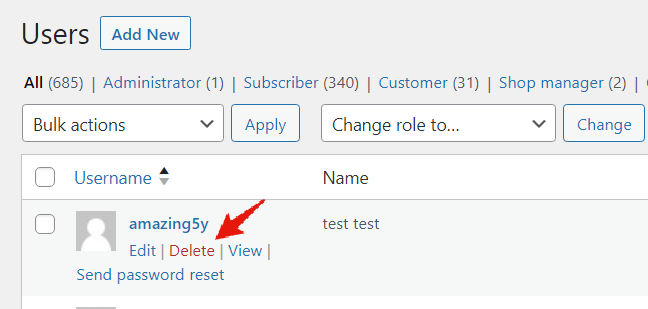
To delete a user from your WordPress website, first login, and go to the “Users” section.
Hover over the username that you want to delete, and click the red “Delete” link.
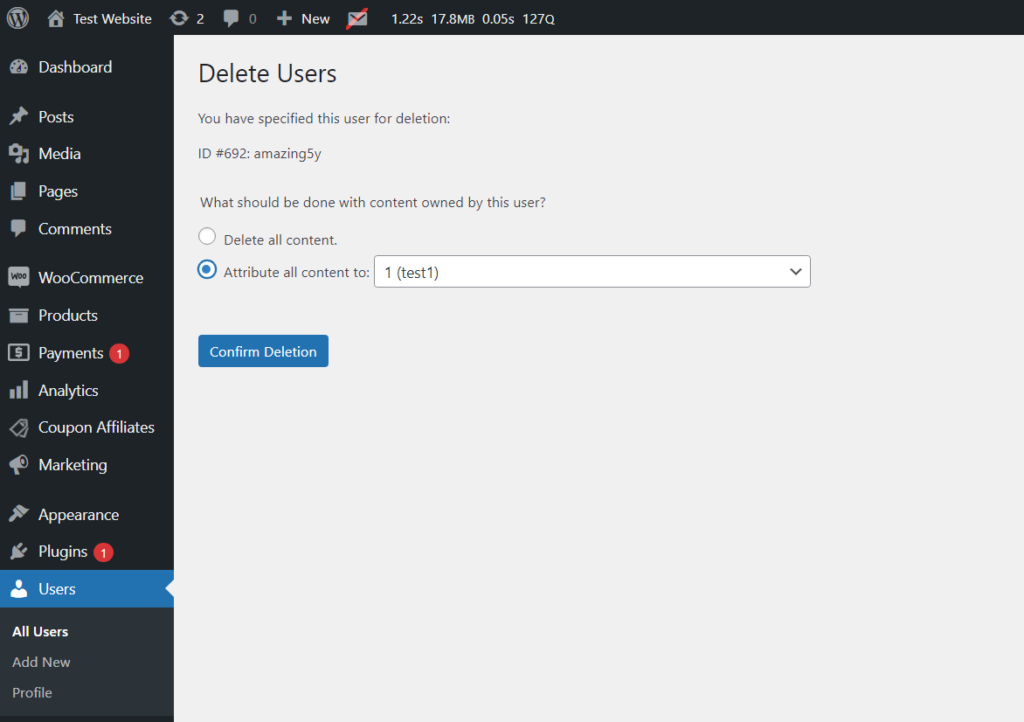
Note: Should the user have created any articles or pages on the platform, these will be delete with the user unless you reassign it to a different member.
Should they have generated content, a prompt will appear where you can select which user should inherit the content, and then click “Confirm Deletion”.