





Create Affiliate Registrations Manually
Coupon AffiliatesUpdated September 30, 2026
This article is mirrored from couponaffiliates.com.
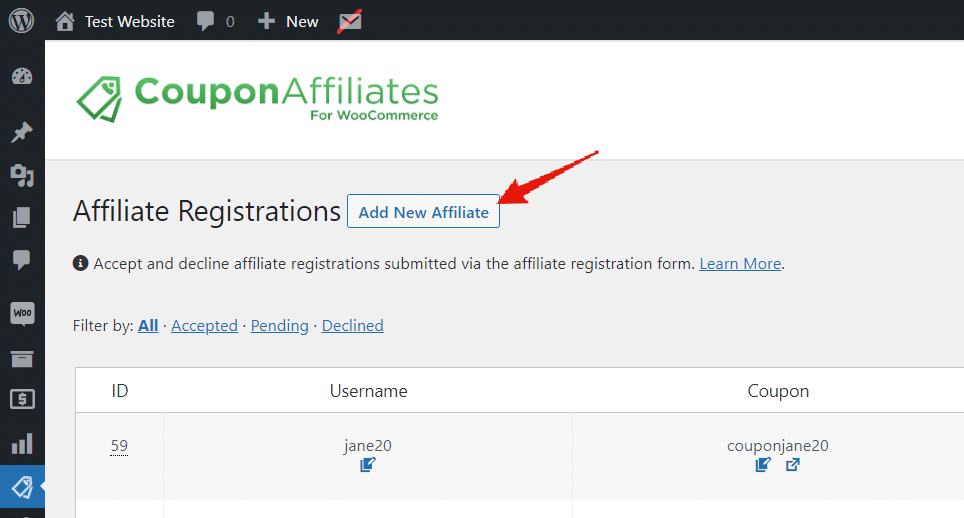
If you want to add new affiliates manually, without them filling out the affiliate registration form, it’s super easy! Simply go to the “Registrations” admin page, and click the “Add New Affiliate” button.
A page will then load with a form, which you can fill out to manually add new affiliate registrations.
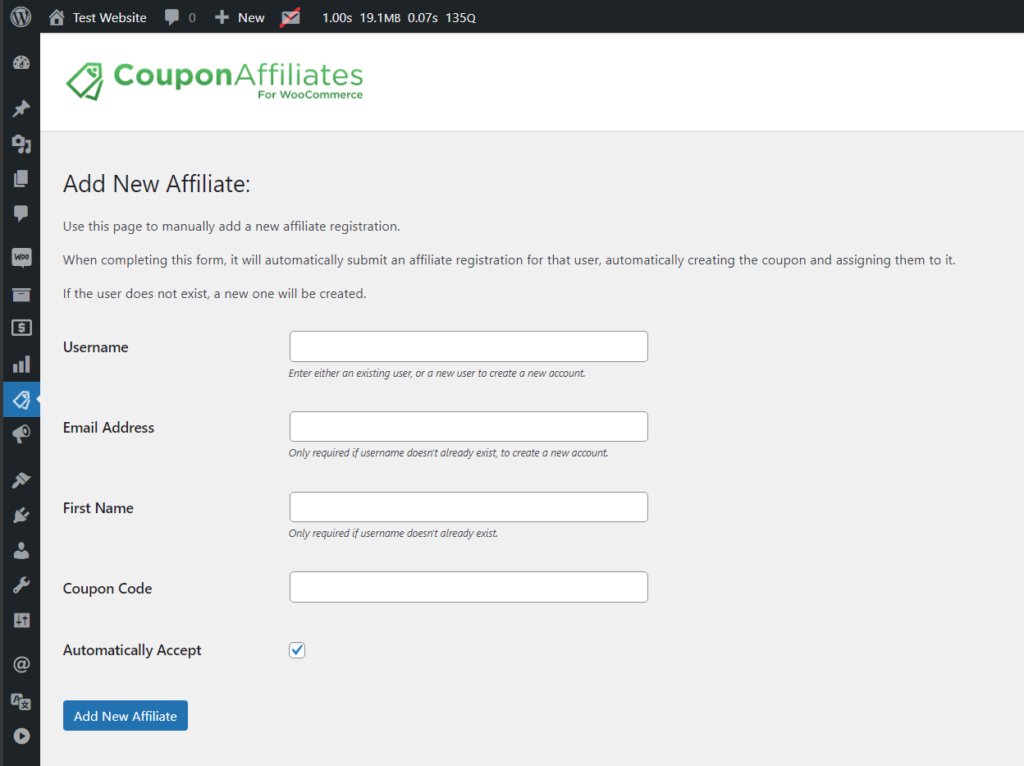
When you submit this form, here’s what this will do is:
- Automatically create the user (if it doesn’t already exists).
- Automatically create the affiliate coupon code (copying settings from your template coupon).
- Automatically assign the user to the coupon.
- If enabled, it will then send the welcome email (“New Affiliate Account Created”) to the affiliate.
- The affiliate user can then view the affiliate dashboard for this coupon.
Welcome email
When adding a new affiliate or coupon, you can choose which email the affiliate receives: the Affiliate Application Accepted email, the New Coupon Assigned email, or none. See Email Notifications.
Existing users
If the username or email is already in use, Add New Affiliate links the existing user instead of creating a duplicate.
Existing coupons
If the coupon code you enter already exists, a “This coupon code already exists.” message appears under the field, and the form cannot be submitted until you tick Assign this user to the existing coupon (overrides current user).
With that ticked, the affiliate is assigned to the existing coupon, which keeps its own settings and commission balance. No new coupon is created from the template coupon. (Before version 8.6.0, a second coupon with the same code was also created from the template.)