





How do I apply custom tax adjustments to stats and commission?
Coupon AffiliatesUpdated September 29, 2026
This article is mirrored from couponaffiliates.com.
If for some reason you have a sales tax that is not applied to WooCommerce orders at checkout or as an itemised value, you may want to apply a custom tax adjustment to calculate the commission and stats correctly.
A “Custom Tax Adjustment (%)” option is available in the “Commission” settings tab (under “Tax Settings”). The percentage you enter is deducted from the order subtotal before the percentage (%) commission is calculated.
You can also enable “Display adjusted total and subtotal” to show the adjusted “total” and “subtotal” for orders on the affiliate dashboard. When this is disabled, only the “commission” stat is affected by the adjustment.
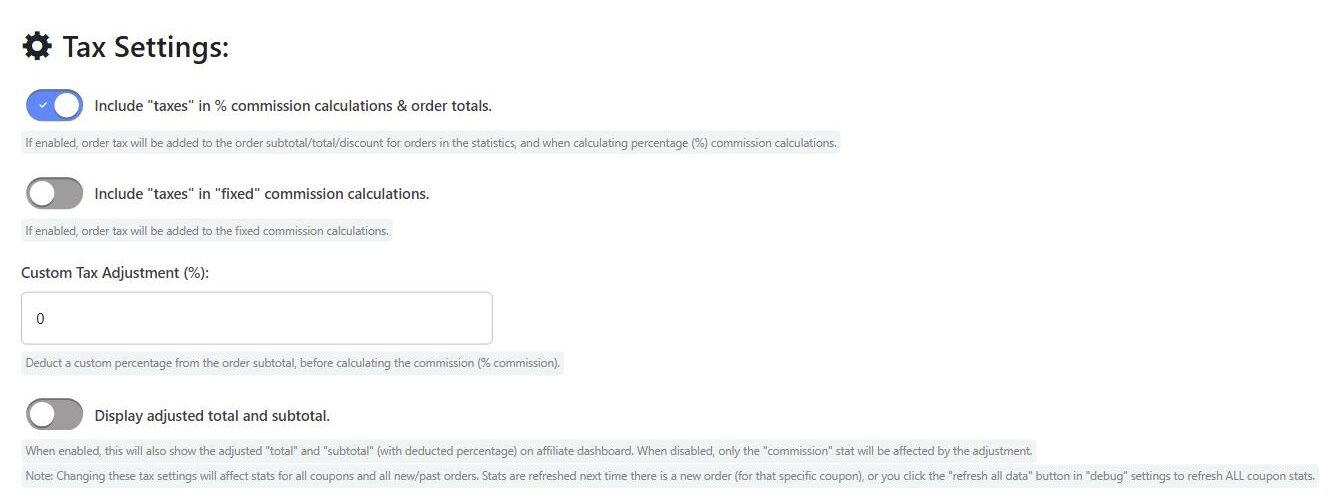
Note: Changing these tax settings will affect stats for all coupons and all new and past orders. Stats are refreshed the next time there is a new order for that coupon, or you can click the “refresh all data” button in the “Debug” settings tab to refresh all coupon stats.
For a full explanation of how tax is handled in commission calculations, see Tax Calculations.