





(PRO) Product Rates Table
Coupon AffiliatesUpdated September 28, 2026
This article is mirrored from couponaffiliates.com.
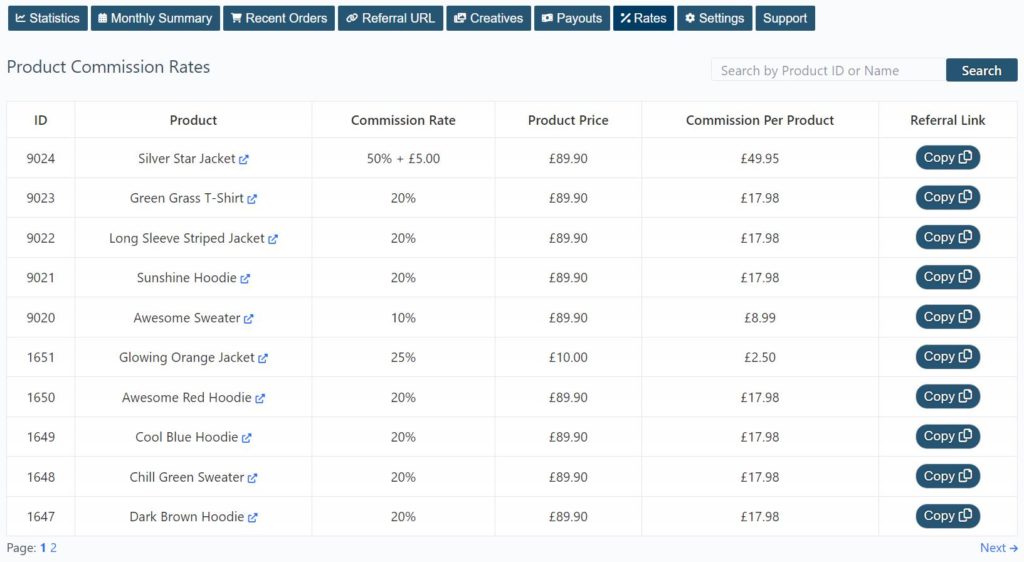
It is possible to enable a “Rates” tab on the affiliate dashboard, which shows a table of the commission rates earned for that specific affiliate/coupon, on each individual product.
This is particularly useful if you have defined different commission rates for certain individual products, or just want to show what specific commission the affiliate earns from each product.
This tab also includes an option to search the table of products, along with pagination which defaults to 20 per page.
This will list all “public” products in your store, along with the commission rate, produce price, and calculated commission per product, and a button to copy the referral link for that product page.
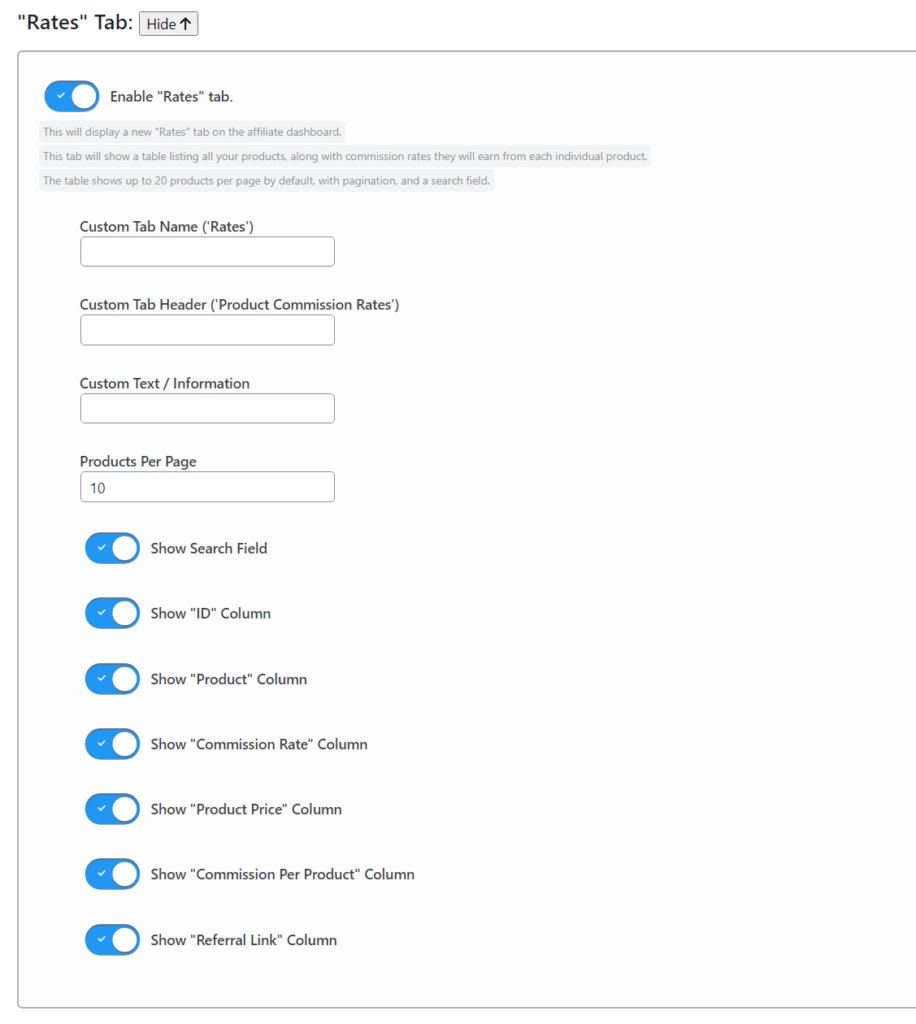
To get started, simply enable the “rates” tab in the plugin “General” settings section, and make any customisations if needed.
Shortcode
You can also display the rates table with [couponaffiliates-rates]. Use the optional coupon attribute to show rates for a specific coupon. Without a coupon, the table shows the default rates.
[couponaffiliates-rates coupon="SAVE10"]Coupon codes containing & work. The Commission column accounts for tax, and an info icon explains any figures that are not obvious.