





Use the wishlist Tools page
Simple WishlistsUpdated
The Wishlists › Tools page has maintenance tools, a settings export and import, the import from other wishlist plugins and the system information to send with a support request.
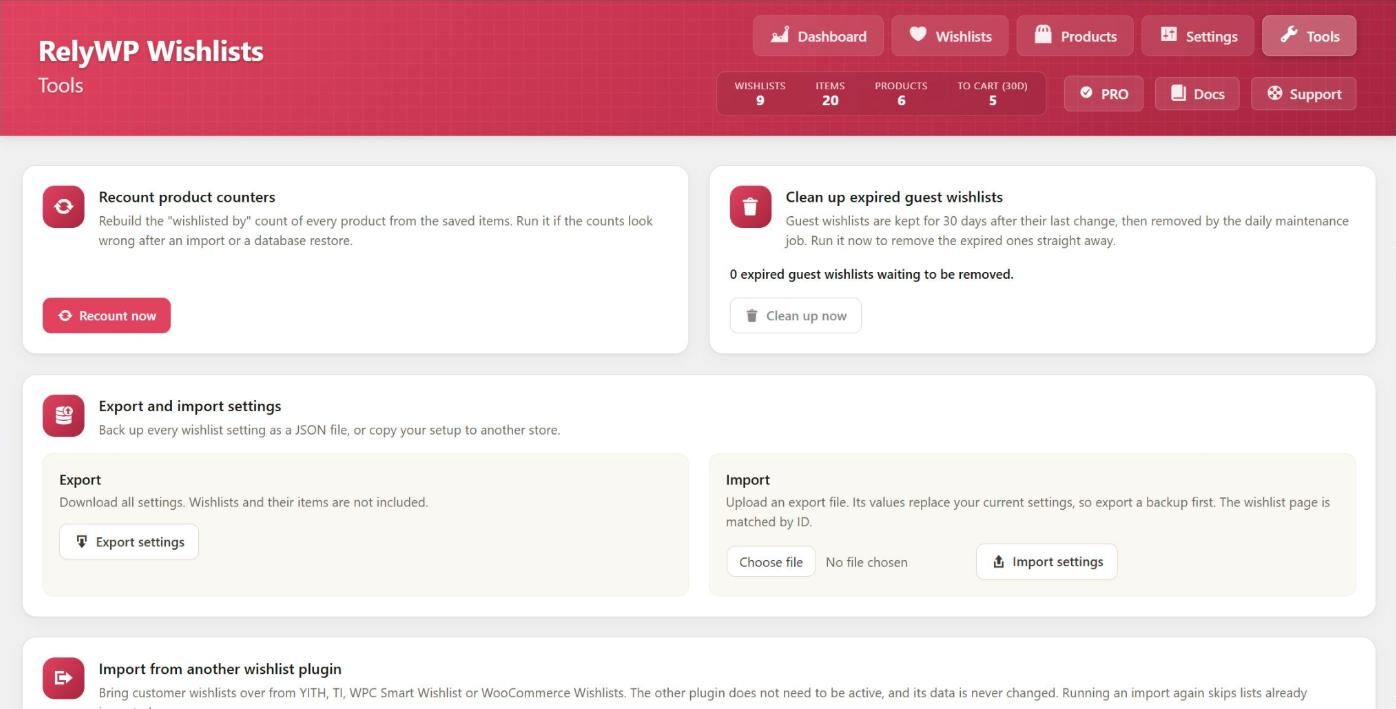
Recount product counters
Each product stores how many wishlists it is on. Recount now rebuilds that number for every product from the saved items. Run it if the counts look wrong after an import or a database restore. When it finishes, it reports how many products were checked and how many counters were corrected.
Clean up expired guest wishlists
Guest wishlists are kept for the number of days set on the General tab after their last change, then removed by the daily maintenance task. Clean up now removes the expired ones straight away.
Export and import settings
- Export settings downloads every wishlist setting as a JSON file. Wishlists and their items are not included.
- Import settings uploads an export file. Its values replace your current settings, so export a backup first. The wishlist page is matched by its page ID, so check it on the General tab after importing to another site.
Use this to back up your setup or copy it to another store.
Import from another wishlist plugin
This card imports customer wishlists from YITH, TI, WPC Smart Wishlist or WooCommerce Wishlists, with a preview first. See the full guide linked below.
System information
This card lists the plugin version and main settings, your WordPress and WooCommerce versions, whether a persistent object cache and pretty permalinks are in use, the size of the three wishlist database tables, and the status of background tasks (Action Scheduler and the next daily maintenance run). Click Copy for support and paste the text into your support request.