





Import wishlists from another plugin
Simple WishlistsUpdated
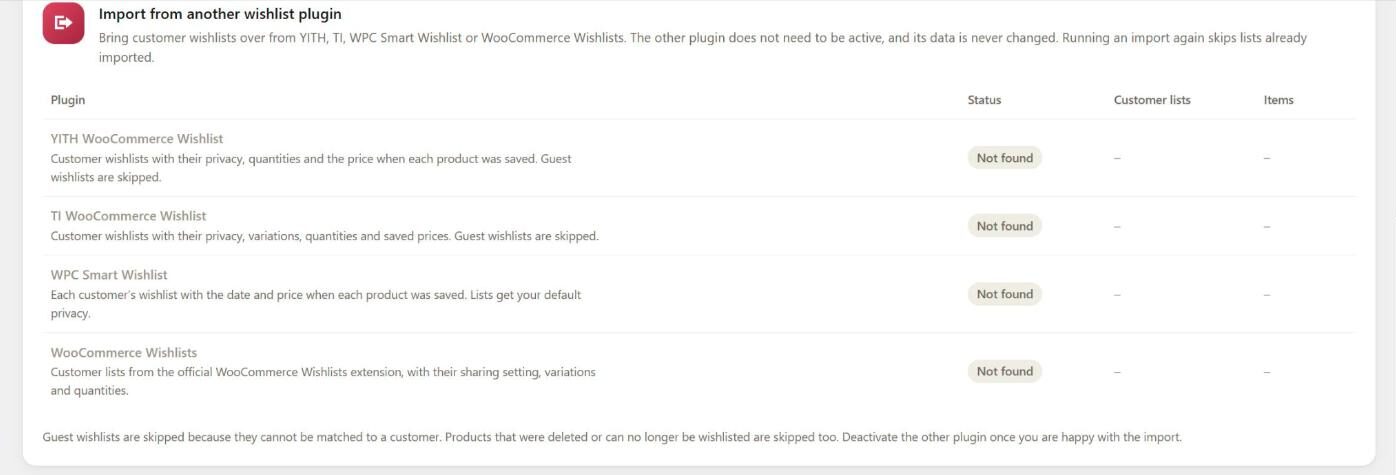
You can bring customer wishlists across from YITH WooCommerce Wishlist, TI WooCommerce Wishlist, WPC Smart Wishlist and the WooCommerce Wishlists extension. Go to Wishlists › Tools and use the Import from another wishlist plugin card. The other plugin does not need to be active, and its data is never changed.
Run an import
- Find your old plugin in the table. Its Status shows Data found with the number of customer lists and items.
- Click Preview. You see how many wishlists and items would be imported and how many would be skipped. Nothing is changed.
- Click Import and confirm. A progress bar shows the import running in batches.
- When it finishes, deactivate the old plugin once you are happy with the result.
If the setup wizard finds data from another plugin, it adds an Import step that links to this tool.
What is imported
- YITH WooCommerce Wishlist: customer wishlists with their privacy, quantities and the price when each product was saved.
- TI WooCommerce Wishlist: customer wishlists with their privacy, variations, quantities and saved prices.
- WPC Smart Wishlist: each customer’s wishlist with the date and price when each product was saved. Lists get your default privacy.
- WooCommerce Wishlists: customer lists with their sharing setting, variations and quantities.
With multiple lists turned on in PRO, each old list becomes its own wishlist. Otherwise, all of a customer’s old lists are combined into their one wishlist.
What is skipped
- Guest wishlists, because they cannot be matched to a customer.
- Products that were deleted or can no longer be wishlisted.
- Lists that were already imported. Running the import again is safe.
Import with WP-CLI
For large stores, run the import from the command line:
# Bash: preview, then import from YITH
wp swlp migrate yith --dry-run
wp swlp migrate yith
The source can be yith, ti, wpc or woo-wishlists. Use --batch-size=<number> to change how many lists are handled per batch (default 100).