





How wishlists work for shoppers
Simple WishlistsUpdated
Shoppers save a product by clicking the wishlist button (a heart by default) on a product page or a product card in the shop. The product is saved straight away without a page reload, and a small notification confirms it with a View wishlist link. Saved products are listed on the wishlist page and in the Wishlist tab of My Account.
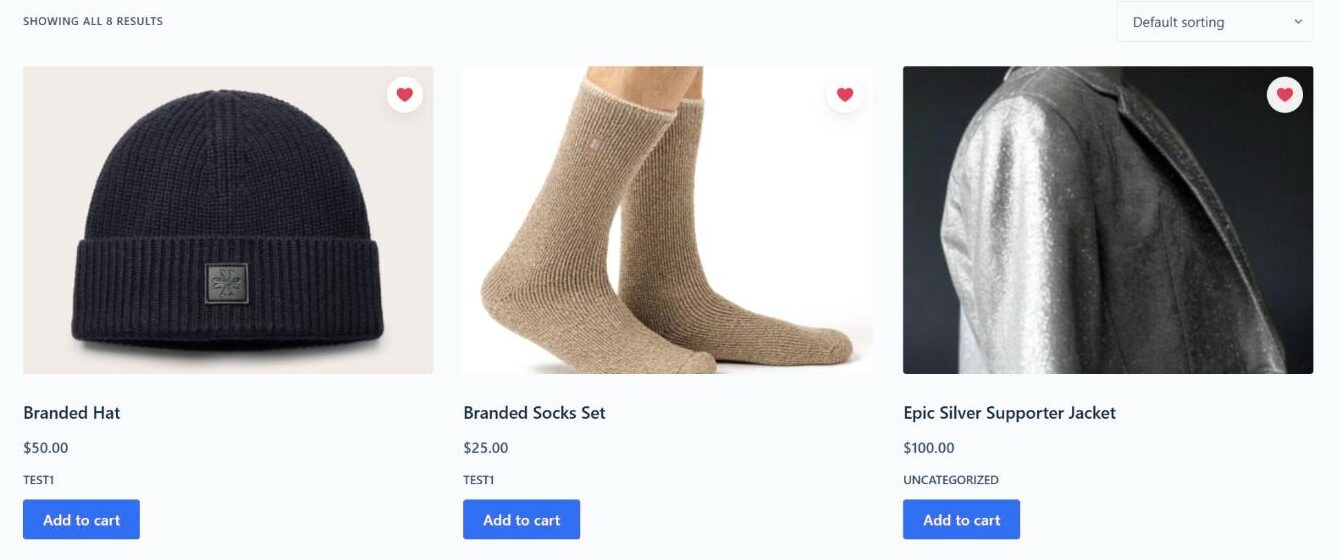
Saving and removing products
- The heart fills in once a product is saved, on every page of the store.
- Clicking a filled heart removes the product again. The notification offers Undo in case it was a mistake.
- On a variable product, the button saves the variation the shopper has chosen, such as a size or colour.
- A header counter or a floating heart can show how many items are saved and link to the wishlist.
Where the wishlist is kept
Every store needs a wishlist page, which the setup wizard creates for you. Logged-in customers also get a Wishlist tab in My Account, with a header showing how many items they have saved, how many are on sale now and the total value of the list.
Guests and logged-in customers
Guests can save products without an account. Their wishlist is linked to a secure cookie in their browser and kept for 30 days of inactivity by default. When a guest logs in or registers, their saved items move into their account, so nothing is lost. You can also require shoppers to log in before they save anything.
What each saved item shows
- The current price, and how much it has gone up or down since the item was saved (for example “↓ 15%”).
- The stock status and the date the item was added.
- A quantity selector and an Add to cart button.
- A note when a product is no longer available.
Shoppers can switch between a grid and a table, search and sort their list, and use Add all to cart or Add selected to cart. If a variable product was saved without a chosen variation, Add to cart opens the product page so the shopper can pick the options first.
Sharing a wishlist
Each wishlist can be Private, Shared (anyone with the link) or Public. The Share button gives the shopper a link to copy and buttons for Facebook, X, Pinterest, WhatsApp and email. Friends who open the link see a read-only copy of the list and can add items to their own cart.