





Send price drop and back in stock alerts (PRO)
Simple WishlistsUpdated
Alerts email customers when an item on their wishlist drops in price, goes on sale, comes back in stock or is running low. Several changes are grouped into one digest email. Set them up under Wishlists › Settings › Price & Stock Alerts. This is a PRO feature for logged-in customers, and every email has a one-click unsubscribe link.
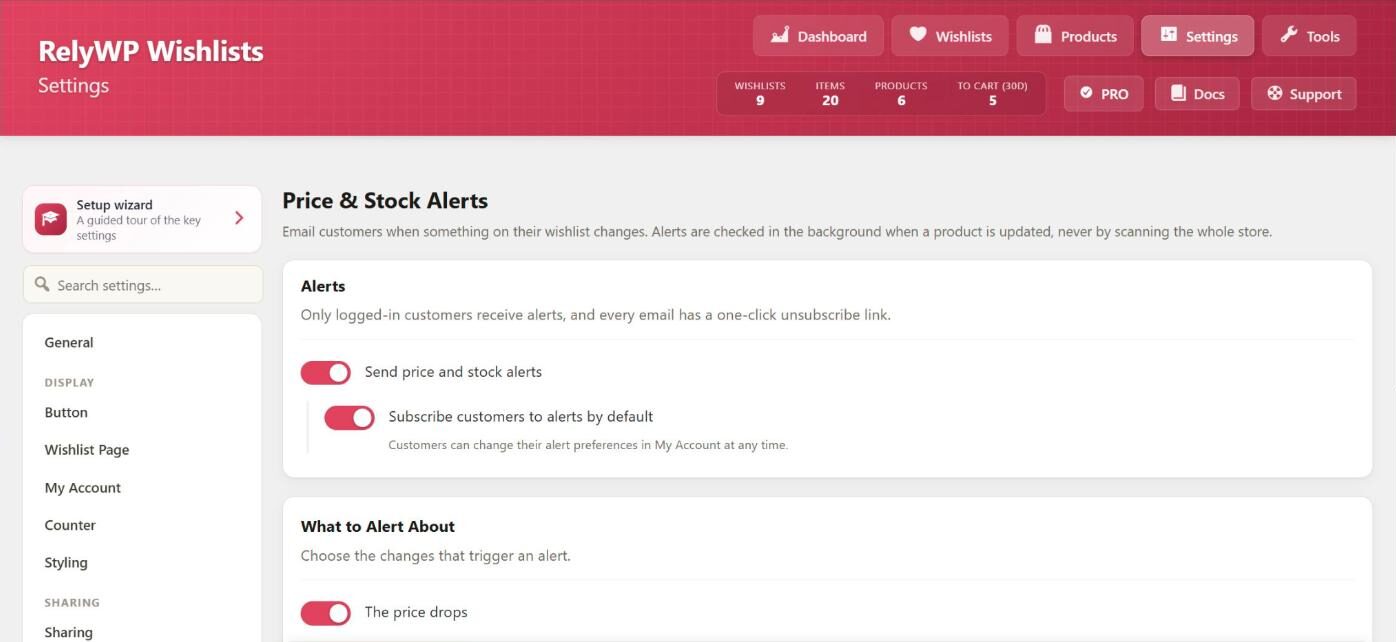
Turn alerts on
- Send price and stock alerts: the main switch for alerts.
- Subscribe customers to alerts by default: when on, customers get alerts until they turn them off in My Account. When off, customers must turn alerts on themselves.
Choose what triggers an alert
- The price drops, with Only when it drops by at least a percentage (default 5%).
- The item goes on sale
- The item is back in stock
- The item is running low, with Running low means a stock level (default 3). This one is off by default.
Changes are picked up when a product is saved in the admin, when stock changes after an order, and when a scheduled sale starts. Variations are checked too.
Set the digest window
Send each customer at most one alert every sets the number of hours between alert emails (default 24). Changes that happen inside that window are added to the next email, so customers are never flooded.
What customers see
The My Account wishlist dashboard gets a Price Alerts tab. There, customers choose which changes they want to hear about under Alert me when an item I’ve saved…, and which wishlist emails they receive under Emails I want to receive. The tab also lists items that are On offer right now.
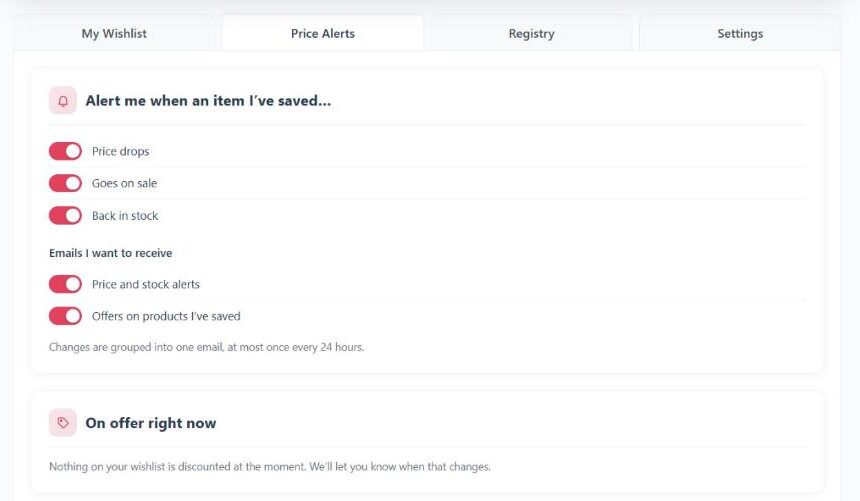
Items in the wishlist show On sale and Back in stock badges as well.
Edit the alert email
Change the subject and content of the Price & stock alerts email under Wishlists › Settings › Emails, where you can also send yourself a test. Alerts are sent in the background with Action Scheduler.