






Note: this post covers the 3.0.0 release from March 2025. The plugin has had more updates since. See the plugin page for the current feature list, or the changelog for every release.
Version 3.0.0 of AI Text to Speech is out.
It adds a new default model, a TTS Generator page, the Ballad voice, voice styles, custom voice style instructions and a Logs page.
New default model: gpt-4o-mini-tts
The default API model is now OpenAI’s “gpt-4o-mini-tts”, which sounds more natural than the old one.
You can still pick a different model on the settings page if you prefer.
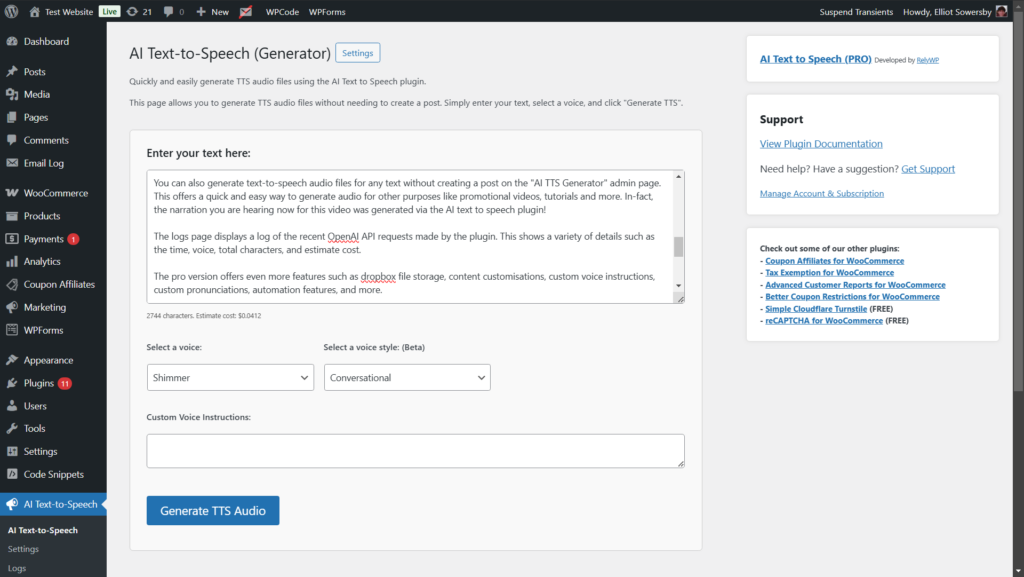
New “AI TTS Generator” page
The new “AI TTS Generator” admin page lets you generate audio without creating a post first.
Type or paste your text, choose a voice, and generate the file. It’s useful for short clips, testing voices, or one-off audio.
New voice: Ballad
OpenAI’s new “Ballad” voice is now available alongside the existing voices.
Voice styles
The new “Voice Style” option lets you choose from a set of predefined styles to change the tone of the audio, such as warm and friendly or professional.
Custom voice style instructions
If none of the presets fit, the “Custom Voice Style Instructions” field lets you write your own.
Describe how the voice should sound, for example “calm narrator” or “upbeat radio host”.
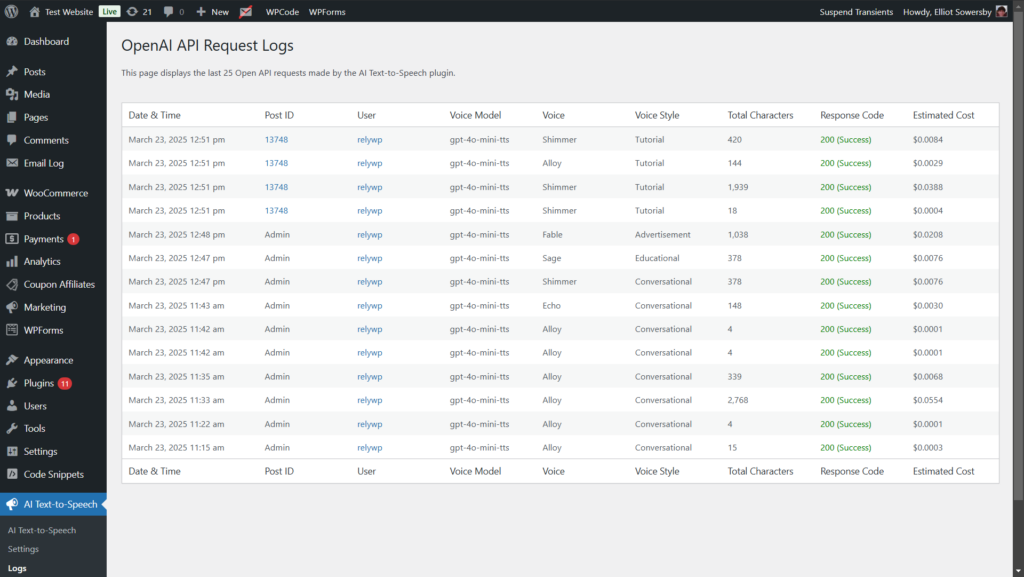
New “Logs” page
A new “Logs” page in the admin area shows the last 50 API requests.
You can use it to check usage and see what went wrong if a request fails.
How to get it
If you already use the plugin, update it from your Plugins page.
If you’re new to it, you can download the free version from WordPress.org or see the PRO features and pricing.
We also recorded a setup guide and feature walkthrough video for the plugin: watch it on YouTube.
If you have feedback or ideas for future updates, let us know.

Our plugins
Grow your WooCommerce store
Affiliates, loyalty points, store credit, tax exemption and more – trusted on 248,000+ sites.


Comments