






The best affiliate plugin for most WooCommerce stores is Coupon Affiliates, thanks to coupon-based tracking that catches referrals link tracking misses and every feature included on every plan. AffiliateWP is the one to pick if your program needs to reach beyond WooCommerce, and SliceWP is the best free starting point for small stores.
That’s the short version. We make Coupon Affiliates ourselves, so treat that recommendation with the appropriate scepticism, then read on: every review below includes the plugin’s real drawbacks, including our own.
Why bother with any of these? WooCommerce has no affiliate system of its own. It can create coupons and show basic order reports, but it can’t register affiliates, track referrals, calculate commissions, or pay anyone.
For that you need a dedicated plugin or an external platform, and affiliate marketing is worth the setup: you only pay a commission when someone actually brings you a sale.
If you’d rather watch than read, we cover ten of these plugins in this video:
How we compared these plugins
We build one of these plugins ourselves, so we spend most of our working week in this corner of WooCommerce.
For this comparison we tried each plugin the way you could before buying it, which meant a different route depending on what each one offers:
- Free versions on a test store: we installed the free versions on a test WooCommerce store, added an affiliate and, where the plugin allowed it, had a guest customer order through the affiliate’s referral link or coupon. We then refunded orders to see whether each plugin reversed the commission.
- Live demos: some vendors run a hosted demo of the full plugin, which shows the real admin screens and affiliate dashboard without installing anything.
- Documentation and screenshots: for paid-only plugins and hosted platforms, we worked from the setup guides, demo videos and pricing pages.
For every plugin we also read the changelog and release history and the user reviews on WordPress.org and other review sites. From that we compared how each one tracks referrals through coupon codes and referral links, how commissions and payouts are handled, what the affiliate dashboard offers your partners, and where key features sit on each pricing tier. Every price below was checked directly on the official sites on September 29th 2026.
A few things stood out across the board. Several plugins keep their fraud tools for the top tiers, and the first-year price is often half or less of what you’ll pay at renewal: AffiliateWP’s Personal plan goes from $149.50 to $299, EasyAffiliate’s Basic from $99.60 to $249, and Solid Affiliate’s Starter from $149.60 to $374. The table below shows both figures for every plugin.
What are the best affiliate plugins for WooCommerce in 2026?
Here’s the quick comparison, followed by a full review of each plugin.
| Plugin | Free version | Tracking | Automated payouts | Price (first year → renewal) | Best for |
|---|---|---|---|---|---|
| Coupon Affiliates | Yes | Links + coupons | PayPal, Stripe, Wise, store credit | $179.99 → $179.99 | Coupon and link programs, all features on every plan |
| AffiliateWP | No | Links + coupons | One-click Stripe and PayPal; fully automatic on Pro | $149.50 → $299 | WordPress sites beyond just WooCommerce |
| EasyAffiliate | No | Links | One-click PayPal | $99.60 → $249 | MemberPress users, simple setups |
| SliceWP | Yes | Links (coupons on paid plans) | PayPal on paid plans | $169 → $229 | Smaller stores on a budget |
| Solid Affiliate | No | Links + coupons | One-click PayPal | $149.60 → $374 | Quick, guided WooCommerce setup |
| Siren Affiliates | Yes | Links + coupons | Store credit; Stripe Connect from Plus | $229 → $229 | Several programs side by side, course sites |
| Affiliate for WooCommerce | No | Links + coupons | PayPal and Stripe | $179 → $179 | One flat price, multi-tier commissions |
| Tapfiliate | Free trial | Links + coupons | Scale plan and above | $89/month → $89/month | Brands selling on multiple platforms |
| ReferralCandy | Free trial | Links + codes | Automatic rewards (discounts, credit, cash) | $39/month + 10.5% success fee | Customer refer-a-friend programs |
| YITH WooCommerce Affiliates | Yes | Links (coupons in premium) | Needs paid YITH add-ons | $179.99 → $179.99 | Stores built on YITH plugins |
| Ultimate Affiliate Pro | No | Links + coupons | PayPal, Stripe | $79.30 → $122 | MLM and multi-tier programs |
| WP Affiliate Manager | Yes | Links | No (manual or PayPal mass pay) | $39 one-off | Very tight budgets |
Prices last checked: 29 September 2026, with first-year offers rechecked on 2 October 2026. Prices are for a single site, before tax.
1. Coupon Affiliates for WooCommerce
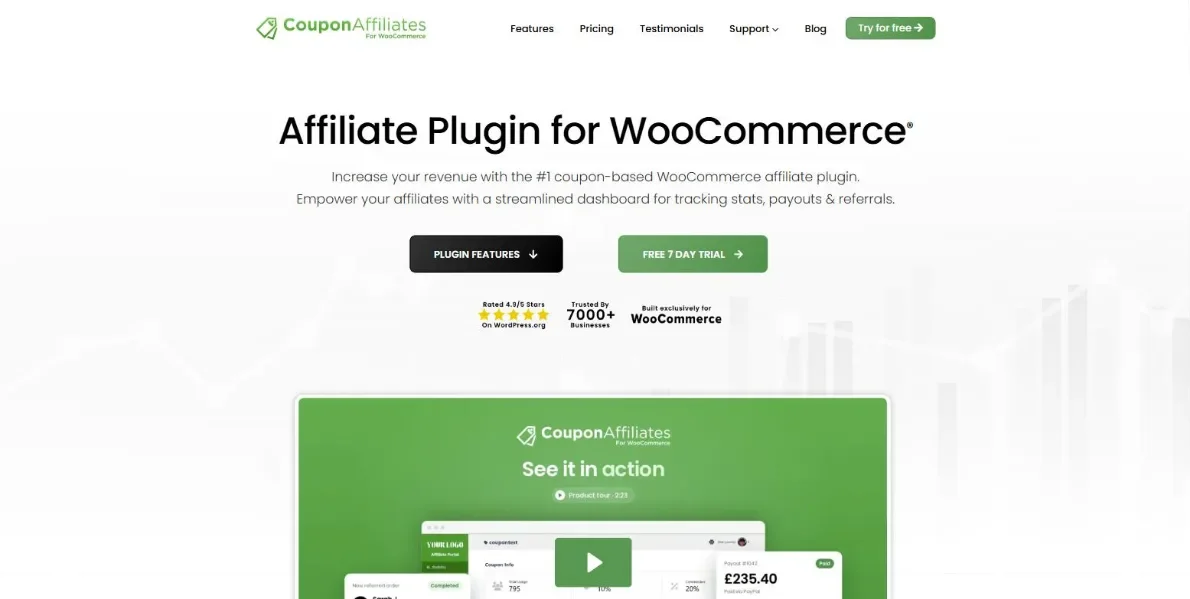
Coupon Affiliates is WooCommerce-only and works great for all types of affiliate programs. It is used by more than 7,000 stores, and rated 4.9/5 on WordPress.org.
Unlike almost every other affiliate plugin for WooCommerce, every feature is on a single plan, so there’s no moment six months in where the thing you need turns out to be top-tier only.
The core idea is simple. Each affiliate gets their own discount coupon, and any order placed with that code is credited to them at checkout. Because the credit happens the moment the code is used, a referral still counts when a customer hears the code on a podcast, screenshots it from an Instagram story, or clears their cookies and buys three days later on a different phone. Nothing has to be clicked for the sale to track.
Referral links are fully supported as well. Affiliates can generate their own URLs with click tracking, campaigns, short links and QR codes, and a link can automatically apply the coupon at checkout. If coupons don’t suit you at all, there’s a URL-only mode that behaves like a conventional affiliate plugin.
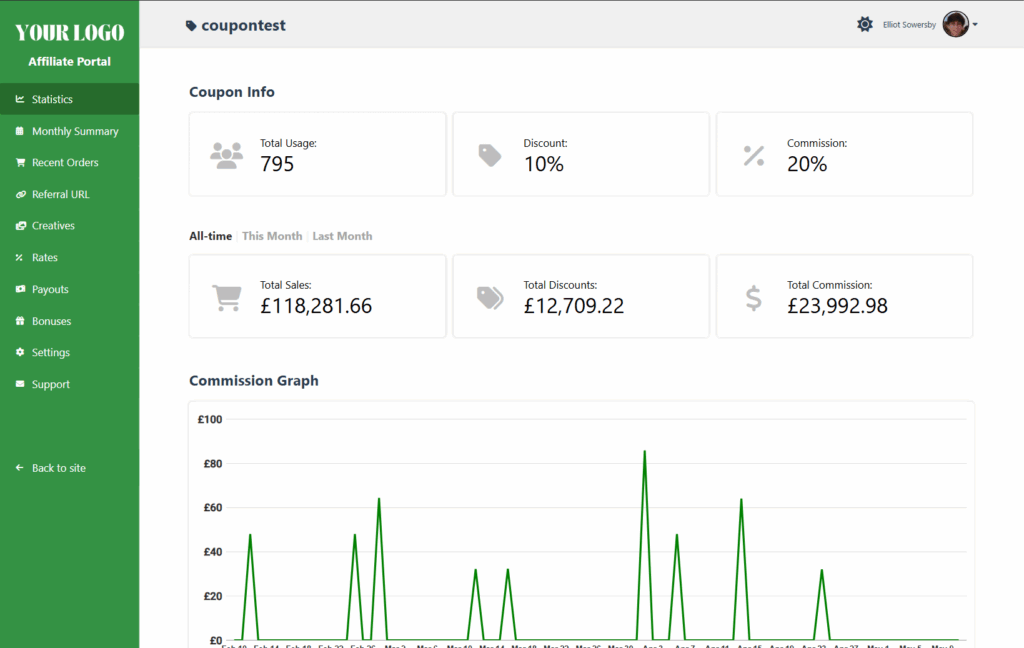
Every affiliate gets a dashboard on your site (or a standalone branded portal, if you’d rather) showing their sales, commission, clicks, creatives and payout history. On the admin side you can set commission by product, by affiliate, by user role, or as recurring and lifetime commissions, then pay everyone through one-click PayPal or Stripe, Wise bank transfers, or store credit. Payouts can run automatically on a schedule, and multi-level affiliates and performance bonuses are built in.
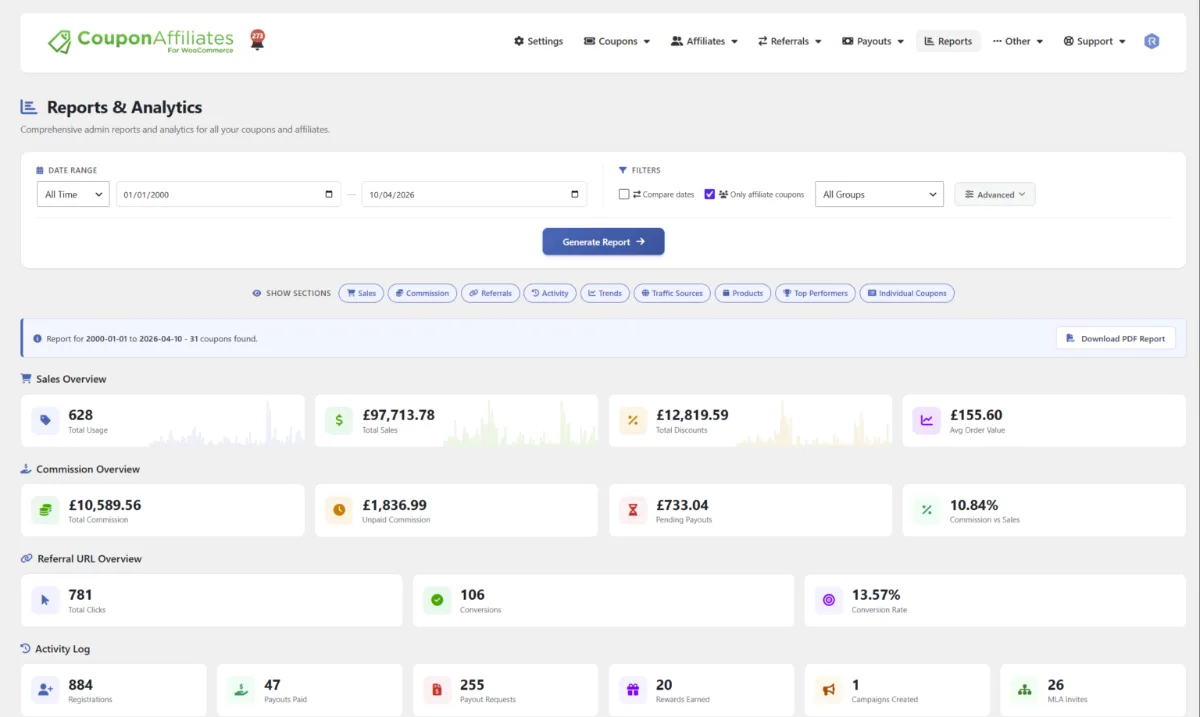
The honest limitation: it was designed around giving affiliates a coupon, so it makes the most sense when a discount code fits your margins. And it’s WooCommerce-only, so it’s no use if your checkout runs on Shopify or anything else.
In our testing: the setup wizard walks through five short steps: dashboard page, registration, commission, emails and finish. Don’t skip the commission step, as the rate starts at 0% until you set it there. An order placed with an affiliate’s coupon was credited to them immediately, the commission was worked out on the discounted order total, and when we refunded the order it dropped out of the affiliate’s stats automatically. In the free version, per-affiliate rates and unpaid commission tracking are Pro features.
Best for: WooCommerce stores that want coupon and link tracking together, with every feature on one plan.
Skip it if: a discount code doesn’t fit your margins, or your checkout runs on anything other than WooCommerce.
Pricing:
- Monthly: $23.99 (1 site)
- Yearly: $179.99 (1 site)
- Lifetime: $599.99 (1 site)
10-site and 25-site licences are also available, and discounts on your first payment are often running. Every plan includes all features, with a 7-day free trial and a 14-day money-back guarantee.
You can download the free version here, or try the PRO version with a free 7-day trial at couponaffiliates.com
2. AffiliateWP
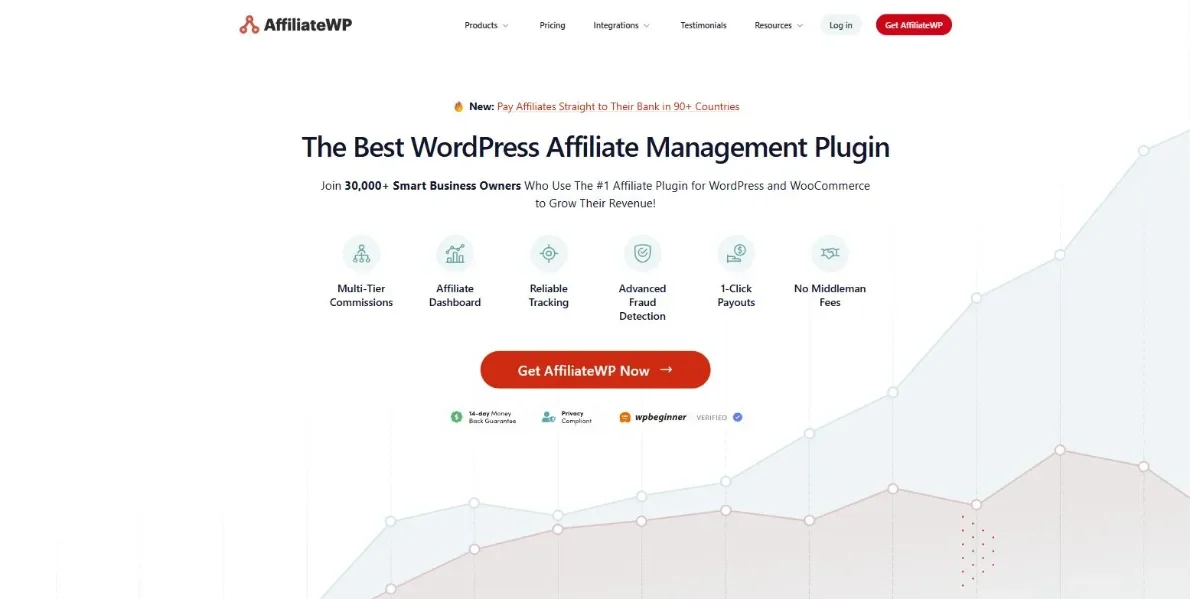
AffiliateWP is the name most people in WordPress reach for first, with over 30,000 sites using it according to the company. It connects to WooCommerce in a click, but it isn’t tied to WooCommerce: it also works with Easy Digital Downloads, MemberPress, WPForms, Gravity Forms and plenty more. That makes it the obvious pick when your store is one piece of a bigger WordPress site rather than the whole thing.
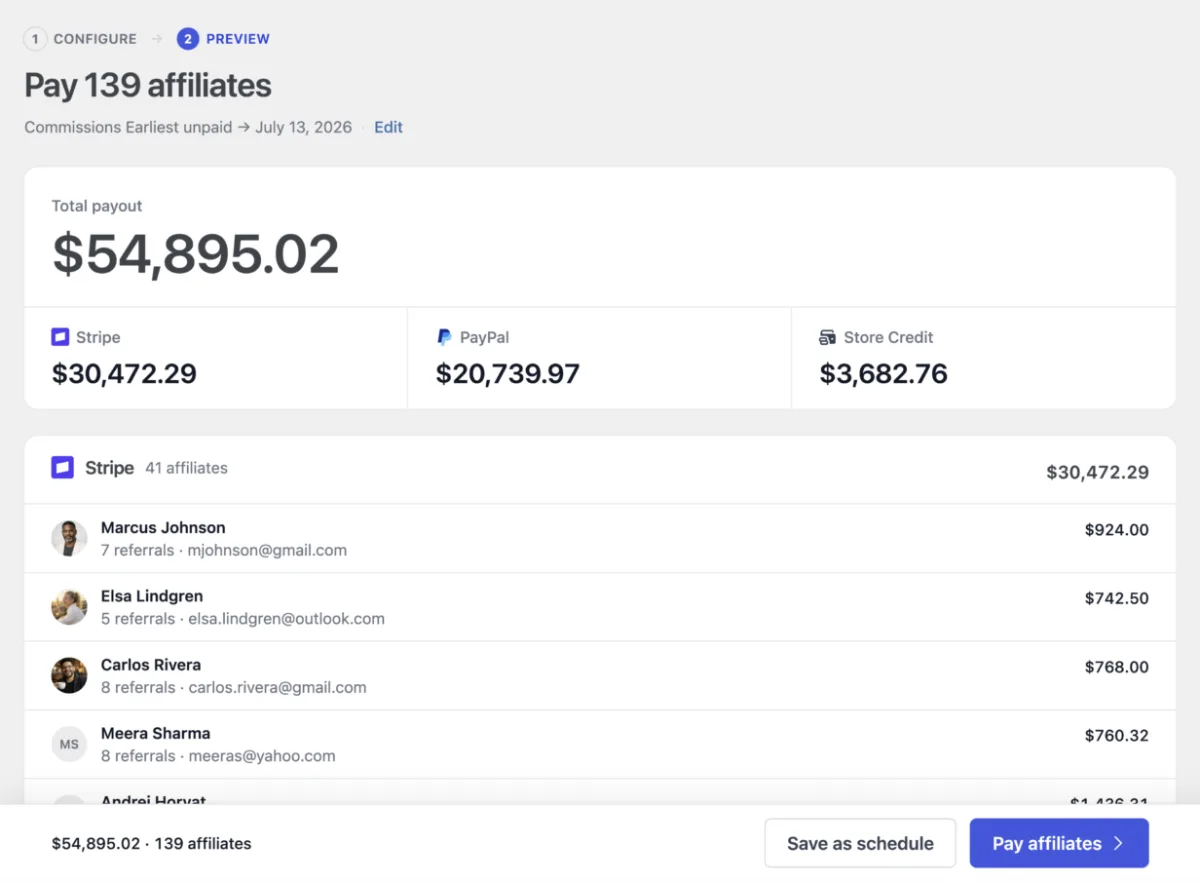
Every plan covers unlimited affiliates, real-time reporting, coupon tracking and an integrated payout service, and there’s a deep library of official add-ons for landing pages, signup bonuses and the like. The documentation is some of the best in the space.
What tends to surprise people is how much lives in the upper tiers. Direct link tracking, affiliate portals, tiered rates and the full fraud-prevention suite are only on the top Pro plan, so a feature-complete setup costs $599 a year rather than the $299 headline. There’s also no free version to trial first. If you’re already on AffiliateWP and weighing a move, our guide to the best AffiliateWP alternatives compares the options and which ones can import your data.
Best for: WordPress sites where WooCommerce is one piece of a bigger setup alongside tools like MemberPress or WPForms.
Skip it if: you need direct link tracking, portals or fraud prevention on a budget, since those are only on the $599 Pro plan.
Pricing:
- Personal: $299 / year (1 site)
- Plus: $399 / year (2 sites)
- Pro: $599 / year (5 sites)
First-year introductory discounts are usually available, with renewals at full price.
Get started with AffiliateWP at affiliatewp.com
3. EasyAffiliate
EasyAffiliate, once known as Affiliate Royale, comes from Caseproof, the team behind MemberPress, and it earns the name. Setup is quick, the admin screens are clean, and because everything runs on your own site you pay no transaction fees on the commissions you hand out.
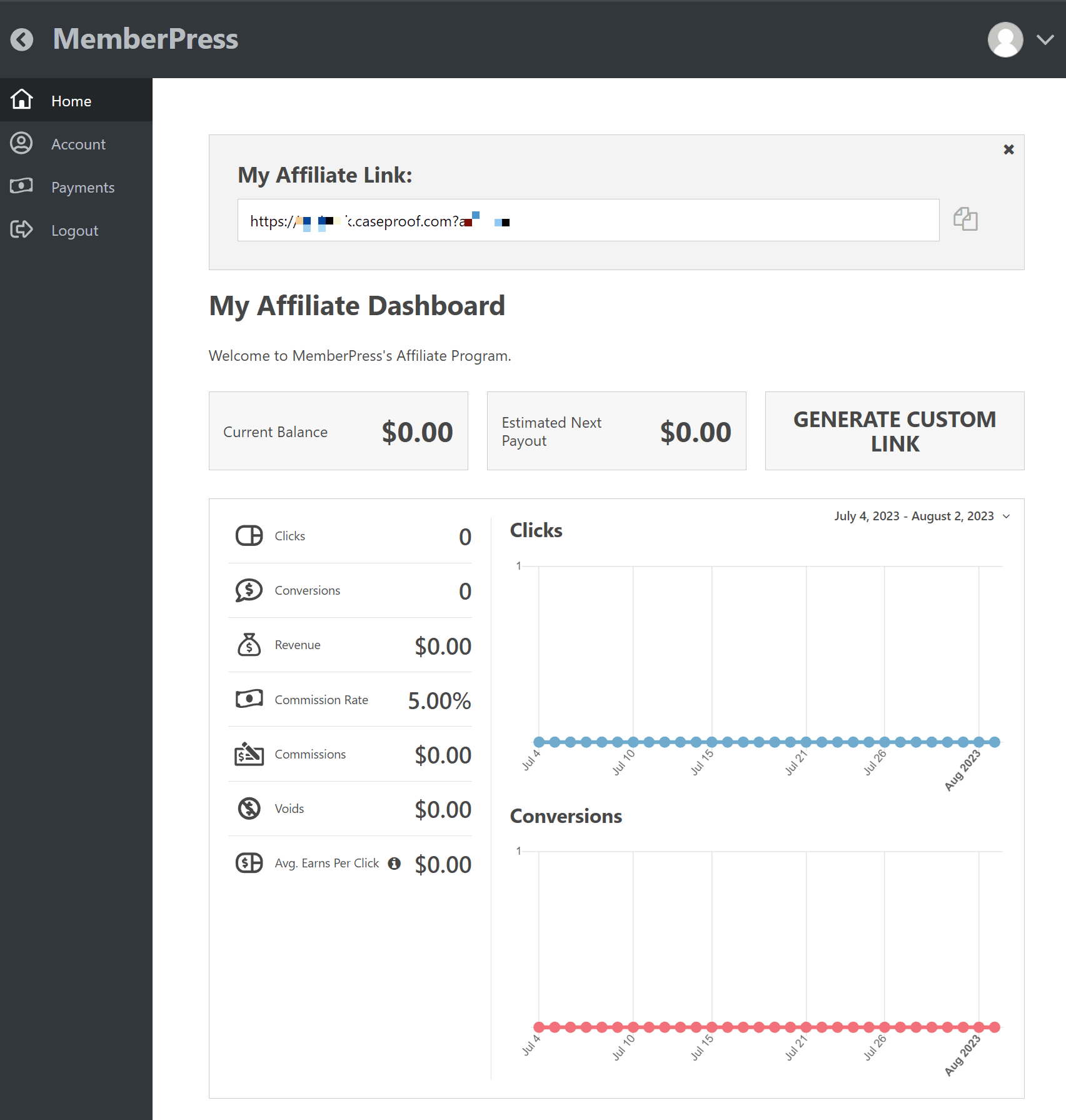
It hooks into WooCommerce, MemberPress and Easy Digital Downloads, and the higher plans connect your affiliate list to email tools like Mailchimp, ConvertKit and ActiveCampaign. One-click PayPal payouts come as standard, and a fraud-detection add-on flags suspicious clicks and conversions on its own.
The snag is where the good bits sit. Fraud detection, the Commission Levels add-on for tiered or multi-level payouts, and most of the email integrations are Plus-and-above, and there’s no free version, so Basic is your cheapest way in.
Best for: MemberPress users and anyone who values a clean, quick setup with no transaction fees.
Skip it if: you need fraud detection or tiered commissions on the cheapest plan, because both are Plus-and-above.
Pricing:
- Basic: $249 / year (1 site)
- Plus: $374 / year (3 sites)
- Pro: $499 / year (5 sites)
First-year introductory discounts are usually available, with renewals at full price.
Get started with EasyAffiliate at easyaffiliate.com
4. SliceWP
SliceWP arrived in 2020 and built its reputation on being pleasant to use. There’s a proper step-by-step setup wizard and the admin doesn’t feel like it was designed a decade ago, which is a lower bar than it should be given how many affiliate plugins still trip over it.
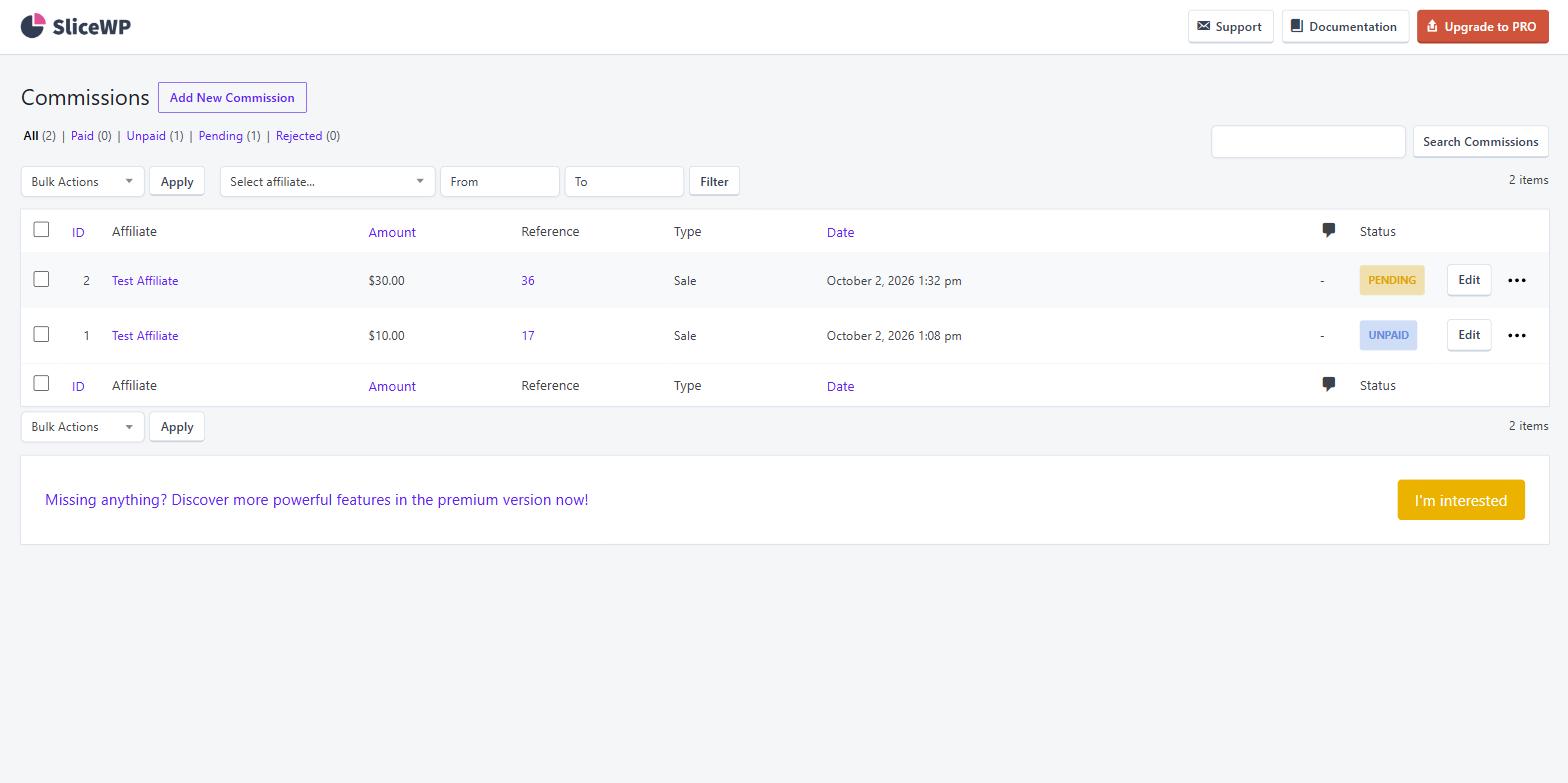
The free version on WordPress.org handles the essentials: registration with manual or automatic approval, custom referral links, visit tracking and basic commission management. The paid add-ons bring PayPal payouts, recurring and lifetime commissions, coupon tracking and more detailed reports.
It’s lean by design. If you want multi-level structures, granular fraud controls or a long integrations list, SliceWP will feel thin next to the bigger names. For a small store launching its first program, that’s rather the point.
In our testing: the five-step setup wizard took a couple of minutes and created the affiliate registration and account pages for us. When a guest arrived through an affiliate’s link and bought, the order showed up straight away as a pending commission at the default 20%, and it moved to unpaid once the order was completed. One default to change: when we refunded an order, its commission stayed unpaid, because rejecting commissions on refunds is a setting you have to switch on. In the free version, per-affiliate rates are a Pro feature and payouts are manual.
Best for: small stores launching a first program on the best free plugin of the bunch.
Skip it if: you’ll need multi-level structures, granular fraud controls or a long integrations list as you grow.
Pricing:
- Pro: $229 / year (1 site)
- Pro Plus: $349 / year (10 sites)
A free version is available, and first-year discounts are often running on the paid plans.
Get started with SliceWP at slicewp.com
5. Solid Affiliate
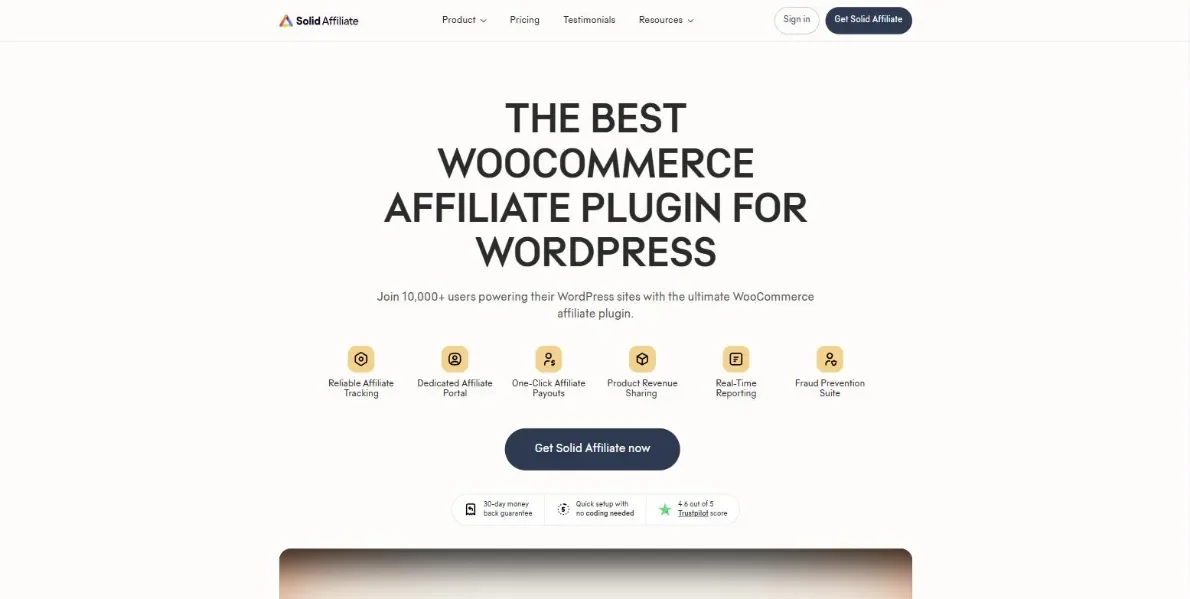
Like Coupon Affiliates, Solid Affiliate is built for WooCommerce and nothing else, and the setup reflects it: a four-step wizard wires it to your store automatically, and most people are running inside an hour.
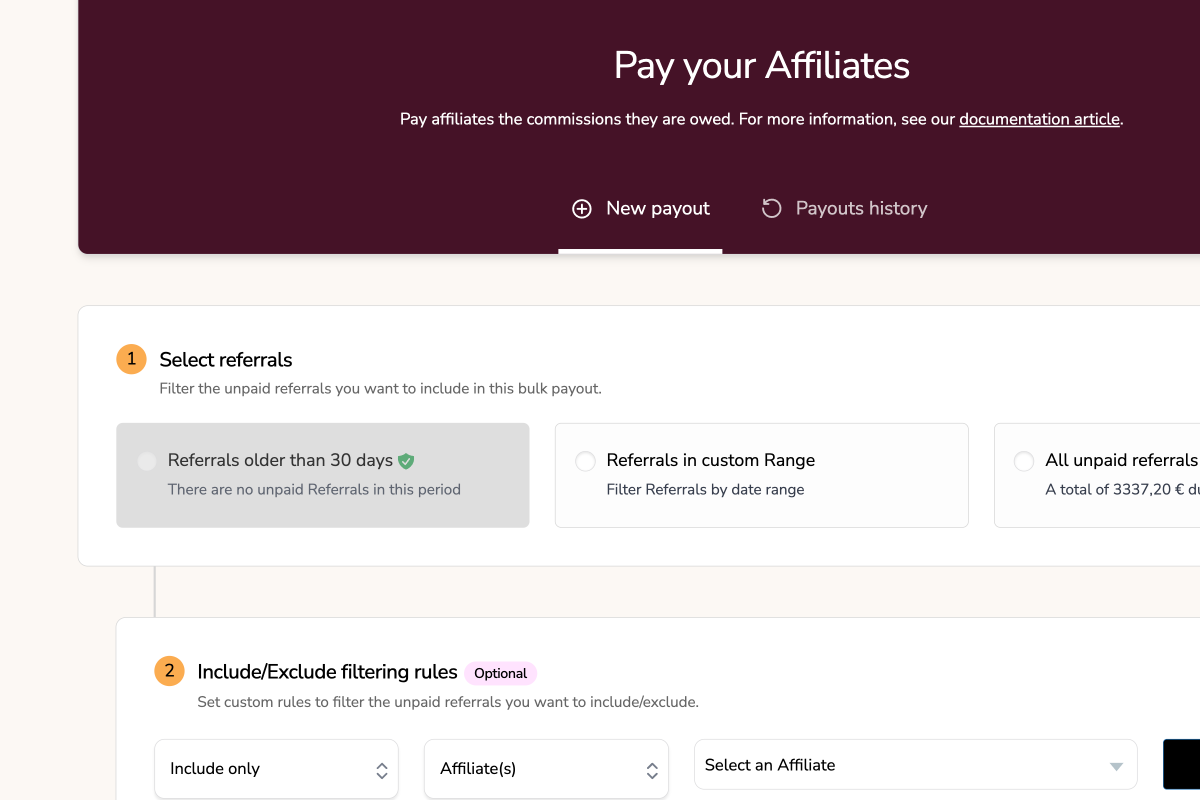
The feature set is solid, as the name promises: commission rates by affiliate, group, product or category, coupon tracking, automated PayPal payouts with no added fees, store-credit payouts, and an affiliate portal for your partners. Higher plans add lifetime commissions, revenue sharing, affiliate landing pages and a fraud-prevention suite.
Three things are worth weighing before you buy. The headline extras (fraud prevention, lifetime commissions, landing pages, subscription-renewal commissions) are Pro-only, and Pro renews at $749 a year once the introductory discount lapses. There’s no free version and no trial, so you’re leaning on the 30-day money-back guarantee to test it properly. And releases are infrequent: after a single update in 2025, the next two landed in June and July 2026, so it’s not the pick if you want a plugin that’s visibly moving forward month to month.
Best for: WooCommerce-only stores that want a guided setup and are comfortable with the Starter feature set.
Skip it if: you need the Pro-only extras long term (that tier renews at $749 a year) or you want a plugin with an active release schedule.
Pricing:
- Starter: $374 / year (1 site)
- Expert: $499 / year (3 sites)
- Pro: $749 / year (10 sites)
Large first-year introductory discounts are usually available, with renewals at full price.
Get started with Solid Affiliate at solidaffiliate.com
6. Siren Affiliates

Siren Affiliates takes a different approach to the rest of this list. Instead of one affiliate program, you can run as many programs as you like side by side, each with its own rules: a standard affiliate program, a refer-a-friend scheme, royalties for course creators, or commissions for a sales team. It hooks into WooCommerce, Easy Digital Downloads, LifterLMS, LearnDash, Gravity Forms and Ninja Forms, and can reward course completions and form submissions as well as sales.
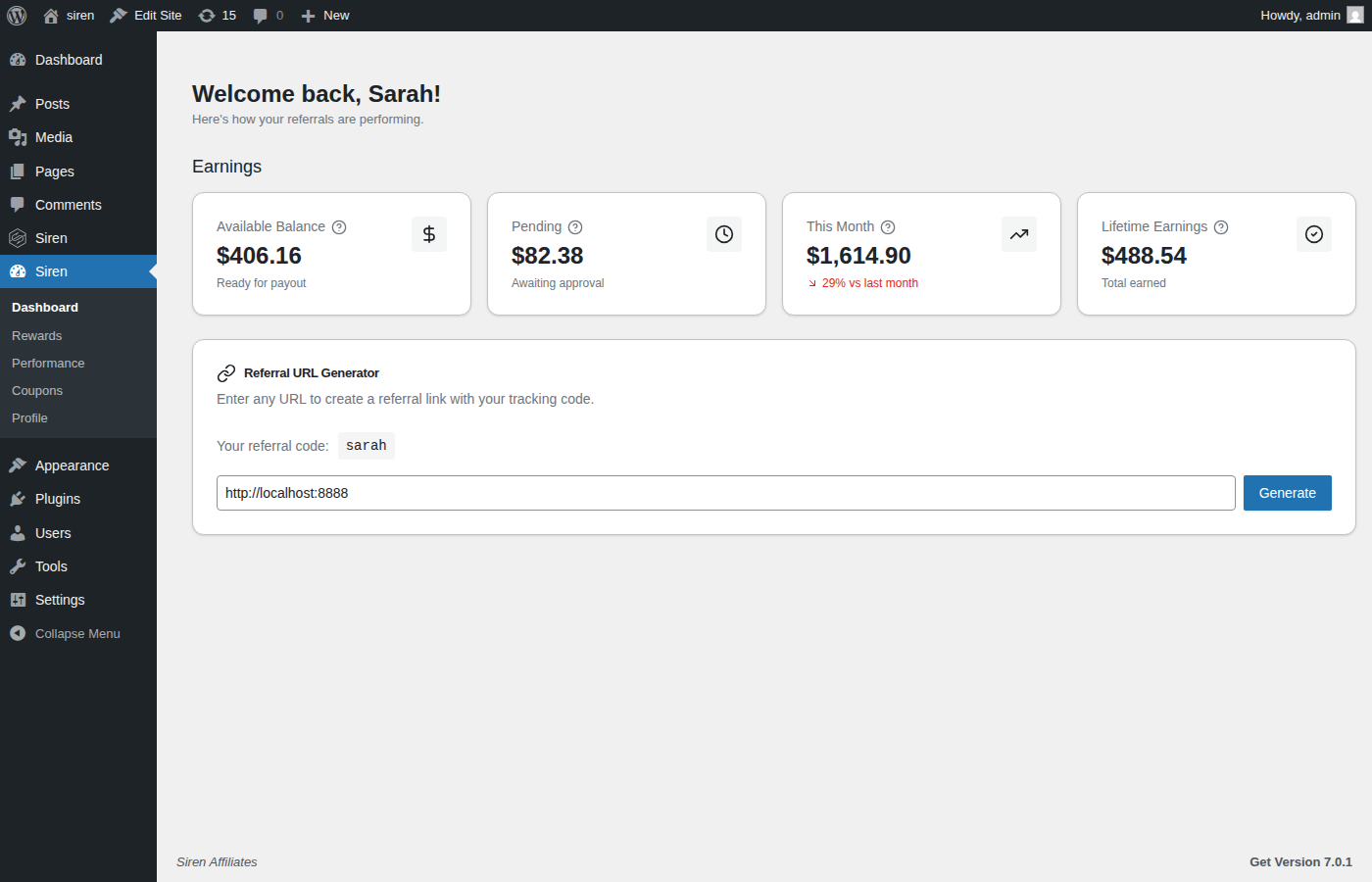
The free Lite version on WordPress.org runs unlimited programs and affiliates with link and coupon tracking, flat, percentage and per-product rates, and payouts you export as a CSV. Essentials adds recurring commissions on subscriptions, an affiliate portal and automatic store-credit payouts. Plus adds affiliate teams, lifetime commissions and real-money payouts through Stripe Connect, and Pro adds partner hierarchies with commissions cascading up to five levels.
It’s also the youngest plugin here, with a small install base on WordPress.org, and a few features, such as automatic affiliate enrolment, are still marked as coming soon. Until the Plus plan, paying affiliates real money means exporting what they’re owed and paying them yourself. It needs PHP 8.2 or higher, and the flexibility that suits course sites can be more than a simple store needs.
Best for: course creators, membership sites and stores that want several programs, such as affiliates, referrals and creator royalties, running side by side.
Skip it if: you want one simple affiliate program with automated cash payouts on the cheapest plan.
Pricing:
- Essentials: $229 / year (1 site)
- Plus: $299 / year (1 site)
- Pro: $499 / year (1 site)
A free Lite version is available on WordPress.org. Renewals stay at the price you first paid, with a 30-day money-back guarantee.
Get started with Siren Affiliates at sirenaffiliates.com
7. Affiliate for WooCommerce
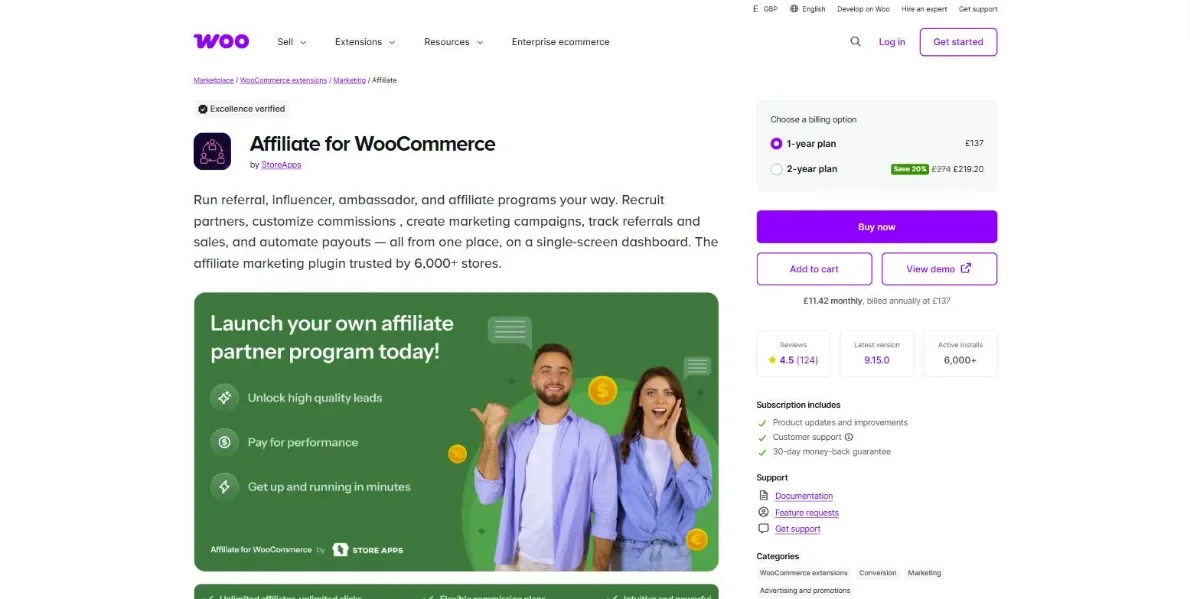
Affiliate for WooCommerce is built by StoreApps and sold only through the official WooCommerce.com marketplace, where it’s active on over 6,000 stores with a 4.5/5 rating across 124 reviews. The pitch is a single-screen dashboard: affiliates, commissions, referrals and payouts all managed from one place.
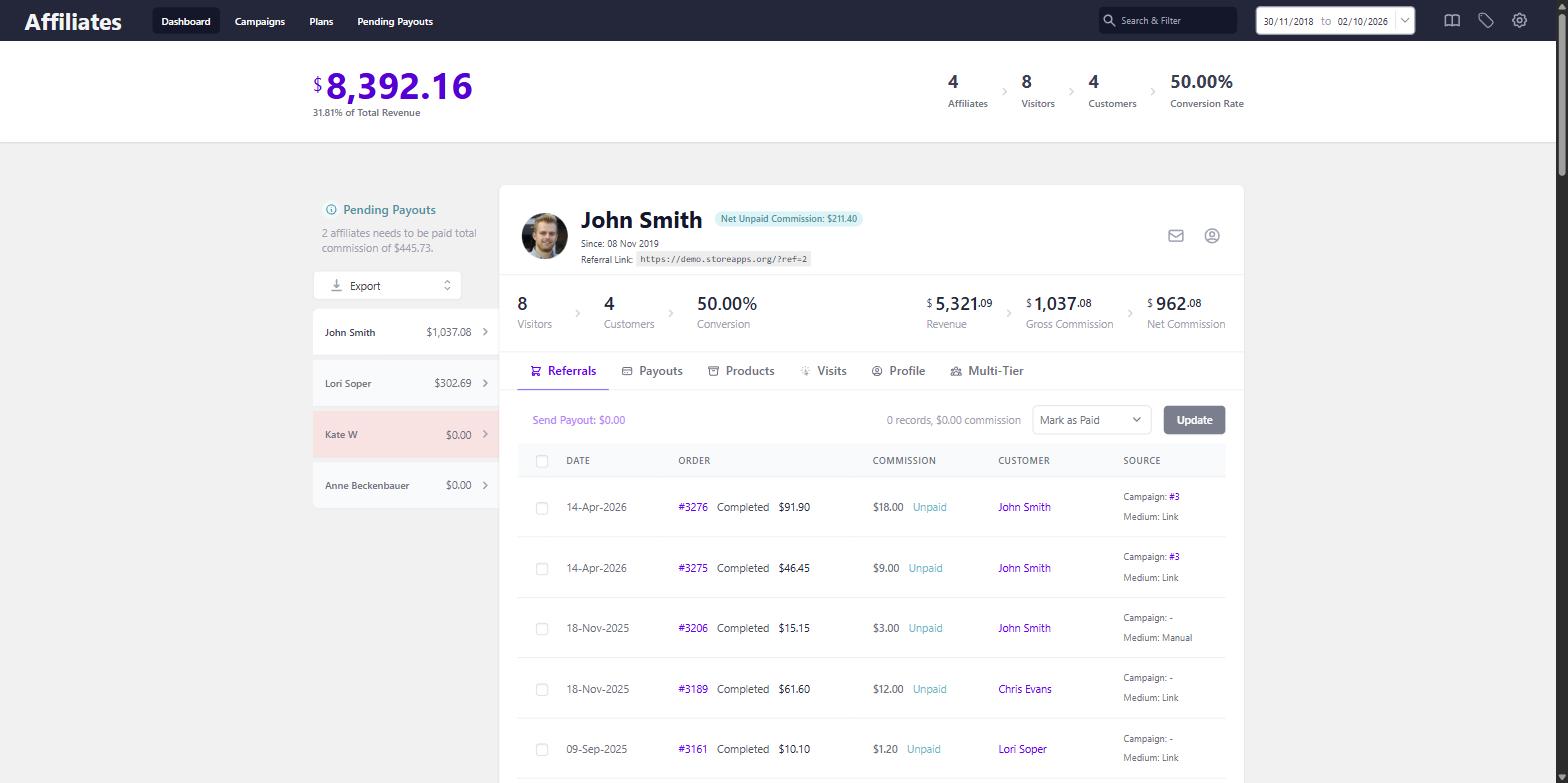
For a one-price plugin, the depth is unusual. A licence covers unlimited affiliates, multi-tier (MLM-style) commissions with unlimited levels, lifetime commissions, and a rules engine that can vary rates by product, category, subscription renewal, order total, affiliate tag and around twenty other conditions. Payouts automate through both PayPal and Stripe, and tracking uses first-party cookies.
The cost is the learning curve. Some settings live in the plugin’s own screens while others are tucked inside the main WooCommerce settings, which takes some hunting at first, and the sheer number of commission conditions takes a while to get comfortable with. There’s no free version or trial, though a live demo and a 30-day refund policy take the edge off.
Best for: stores that want multi-tier and lifetime commissions at one flat price with no renewal jump.
Skip it if: you want a gentle learning curve, since settings are split across several screens and the rules engine takes time to master.
Pricing:
- 1 year: $179
- 2 years: $286.40
Get started with Affiliate for WooCommerce at woocommerce.com/products/affiliate-for-woocommerce
8. Tapfiliate

Tapfiliate isn’t a WordPress plugin at all. It’s cloud-based affiliate software with a WooCommerce integration sitting alongside more than 30 others, including Shopify, BigCommerce and Stripe. That makes it the natural choice if you sell across several platforms and want one program covering all of them, or you’d simply rather keep tracking off your WordPress install.
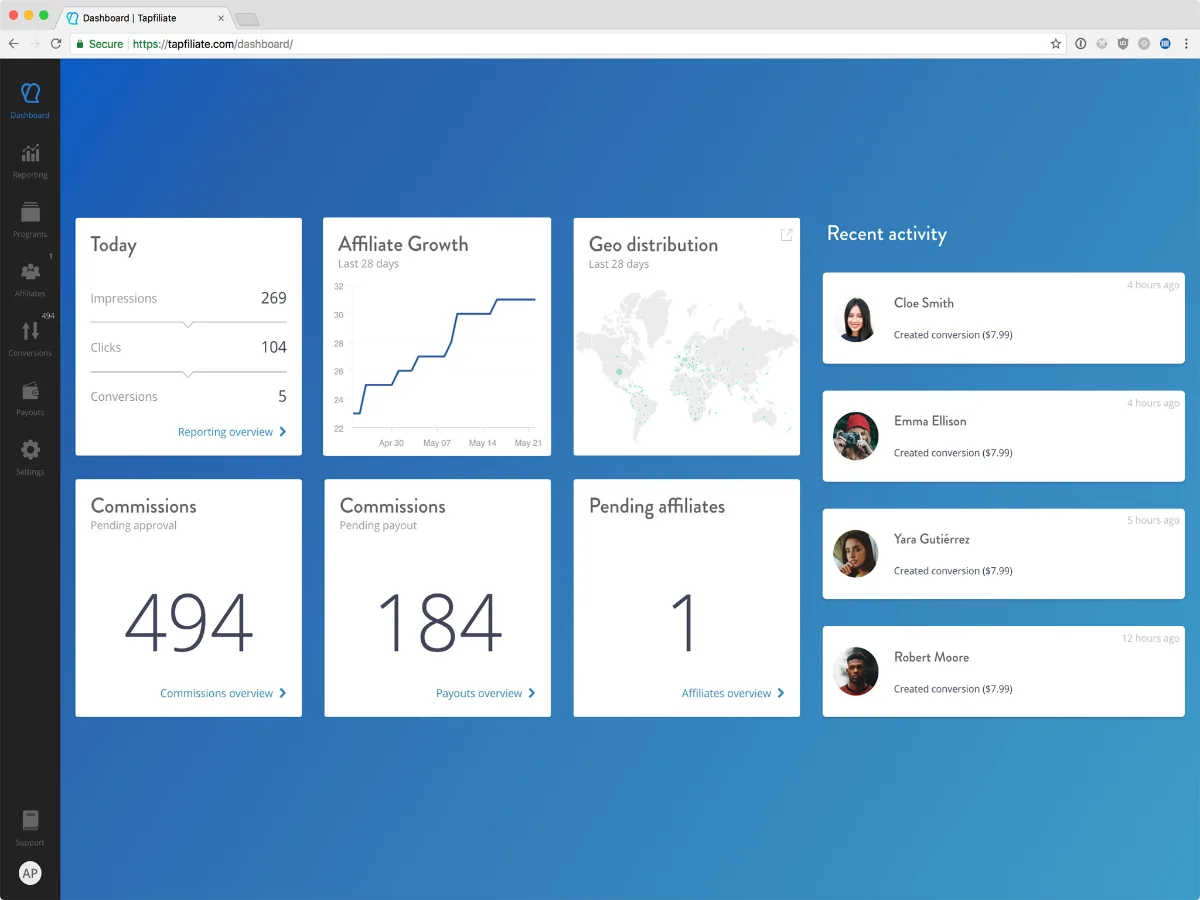
The two main plans are Launch and Scale. Launch runs a single program with up to 50 affiliates, 5,000 clicks and 500 conversions a month. Scale drops the affiliate limits and adds multi-level marketing, advanced commission options and automated payouts. Real-time reporting, recurring commissions and coupon tracking are on both.
Do the sums before you commit, though. On top of the monthly fee, every plan caps clicks and conversions and charges per 1,000 once you pass them, so a growing program costs more each month. Your affiliate data also lives on Tapfiliate’s servers rather than in your own database, which matters more to some store owners than others.
Best for: brands selling across WooCommerce, Shopify and other platforms that want one program covering everything.
Skip it if: WooCommerce is your only channel, because the monthly fees plus usage overages will dwarf any plugin licence.
Pricing:
- Launch: $89 / month, or $890 / year
- Scale: $179 / month, or $1,790 / year
- Enterprise: custom pricing
Free trials of 7 to 30 days are available depending on the plan.
Get started with Tapfiliate at tapfiliate.com
9. ReferralCandy
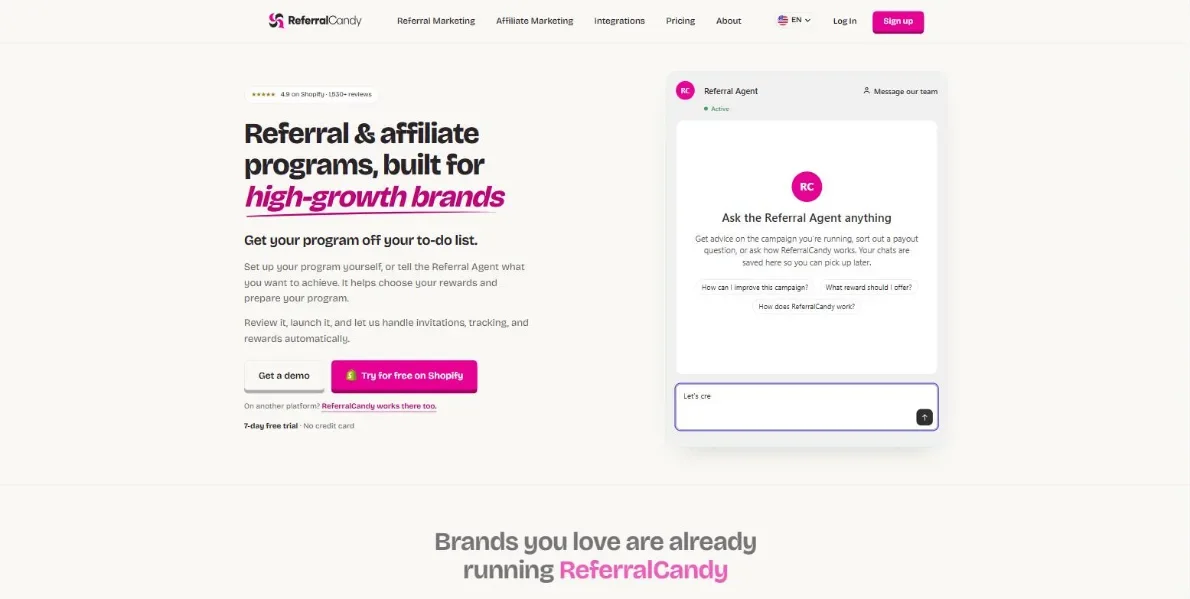
ReferralCandy solves a slightly different problem to the rest of this list. Instead of recruiting professional affiliates, it turns your existing customers into referrers: after a purchase, customers are invited to share a link or code with friends, and both sides get rewarded with a discount, store credit or cash. It’s built mainly around Shopify, but also connects to WooCommerce through a plugin (and to BigCommerce), and it now runs affiliate programs alongside the referral tools, so it can cover both.
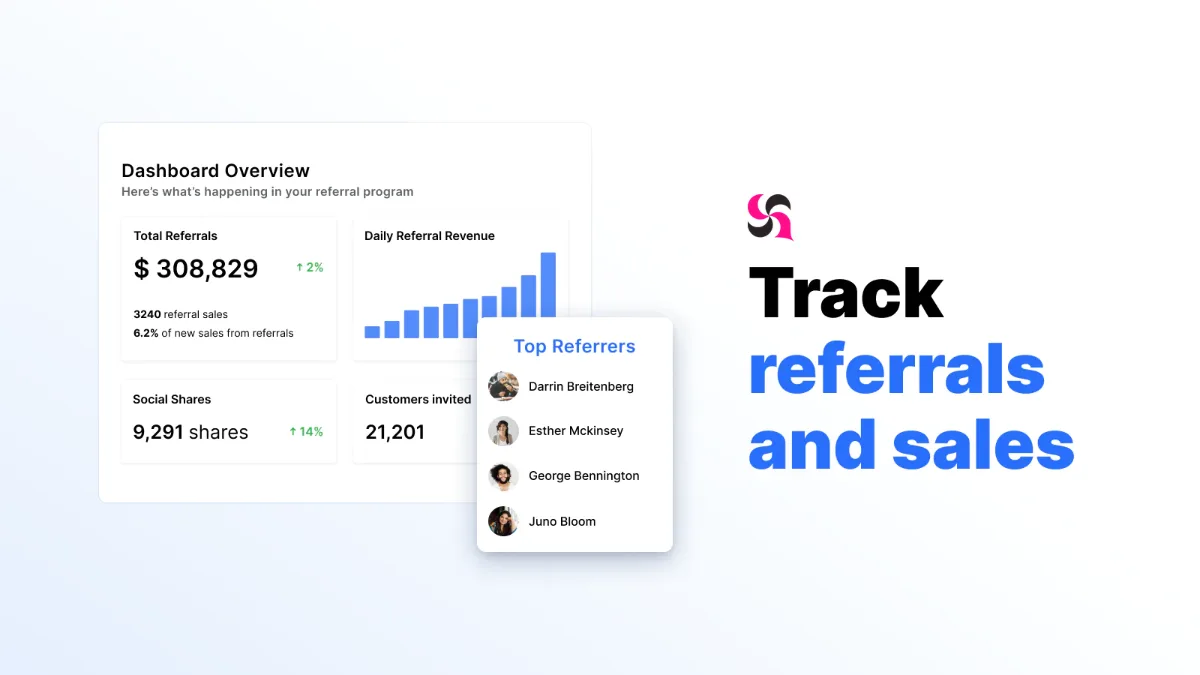
Every plan includes every feature. What changes between tiers is the economics: a lower monthly fee comes with a higher “success fee” on your referral sales, and as volume grows you move up a tier to pay a smaller cut. That success fee only applies to a referred customer’s first three orders.
That model is also the weakness. You pay the base fee whether the program produces anything or not, and when it does work, ReferralCandy takes a percentage of those sales on top. If your margins are tight, run the numbers before committing.
Best for: turning existing customers into referrers with an automated refer-a-friend program.
Skip it if: your margins are tight, since you pay the base fee regardless of results plus a success fee on referred sales.
Pricing:
- Basic: $39 / month + 10.5% success fee
- Grow: $79 / month + 3.5% success fee
- Scale: $249 / month + 1.5% success fee
- Enterprise: $799 / month + 0.25% success fee
A 7-day free trial is available, and sales made during the trial carry no success fee.
Get started with ReferralCandy at referralcandy.com
10. YITH WooCommerce Affiliates
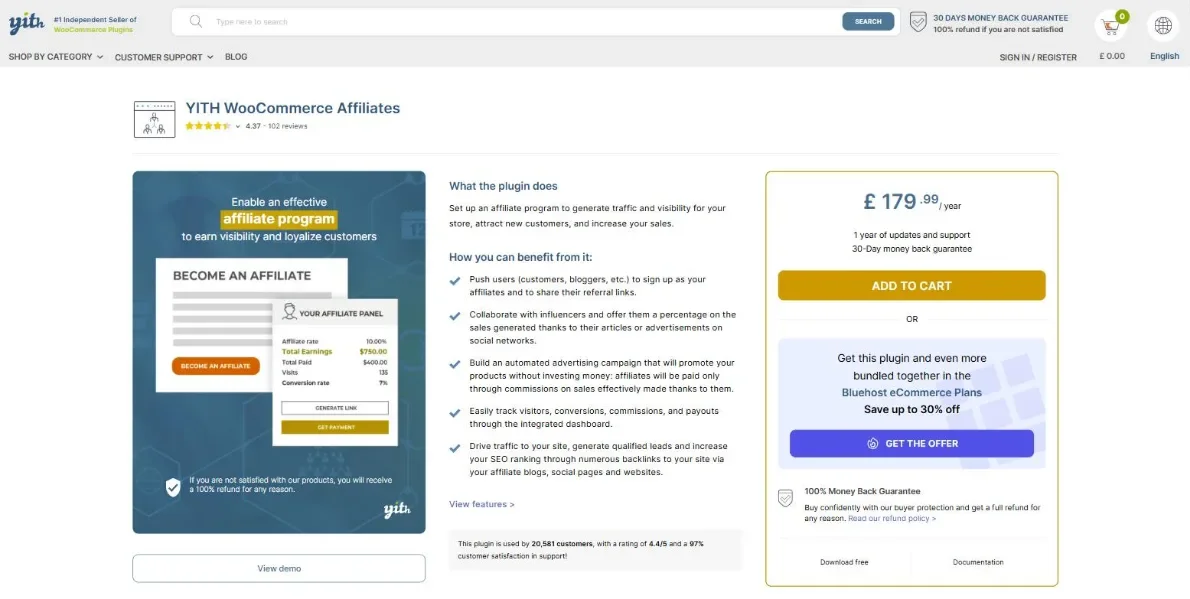
YITH is one of the largest independent WooCommerce plugin shops, and its Affiliates plugin has picked up over 20,000 customers at 4.4/5. There’s a free version on WordPress.org with the basics, while premium adds custom registration forms, affiliate coupons, a reworked reporting dashboard, and rate rules by user, user role, product or product category.
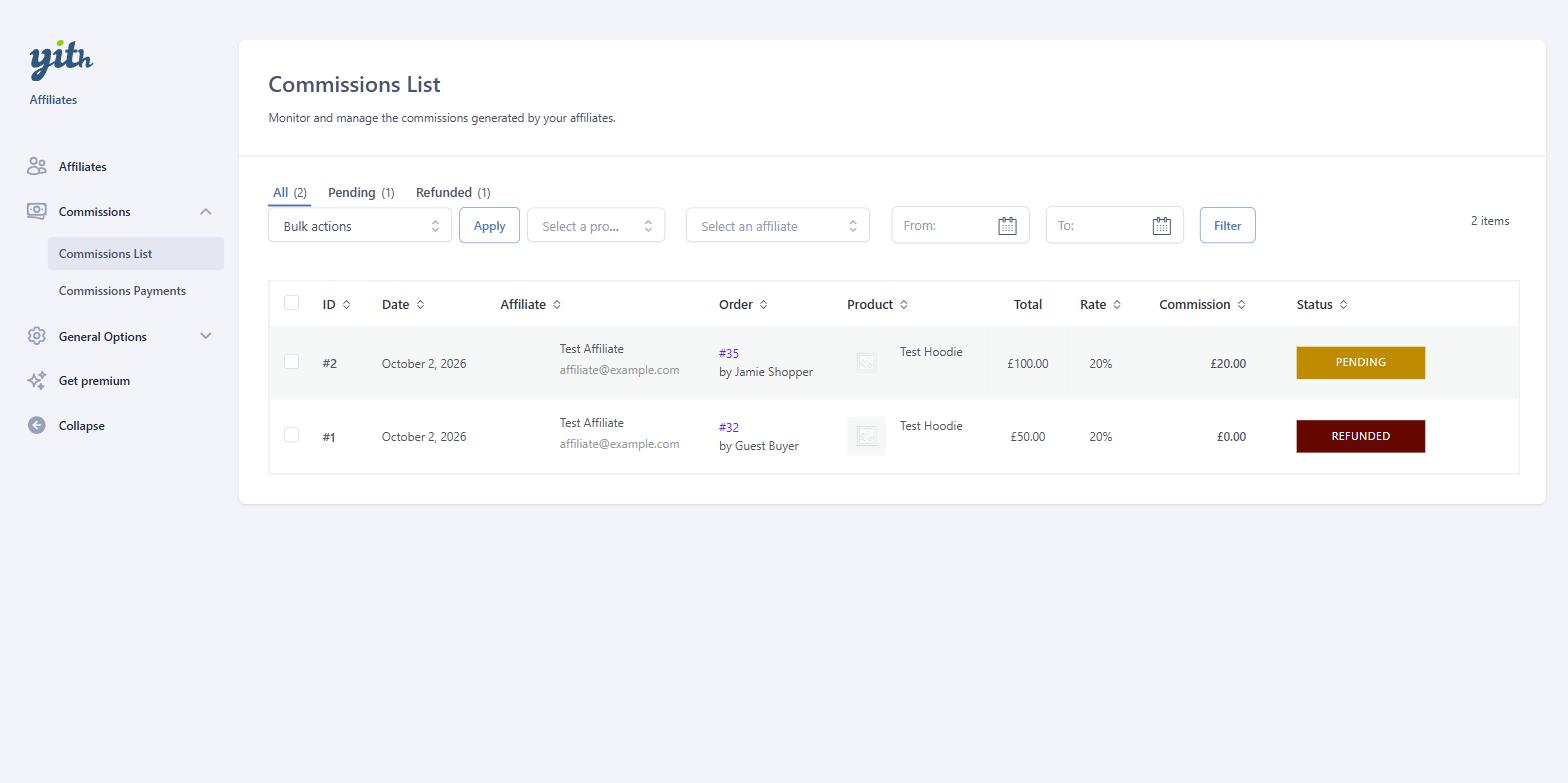
Payout scheduling is where it stands out. You can pay commissions manually, on a schedule, when an affiliate hits a threshold, or on a set day of the month, with minimum and maximum withdrawal amounts, and a permanent-commission option ties a customer to their referring affiliate for all future purchases.
The friction is at the edges of the YITH ecosystem. Some features lean on a separate paid YITH plugin, so the real cost climbs if you want a hands-off setup, and by YITH’s own admission in the plugin FAQ there’s no multi-currency support yet, which rules it out for some international stores.
In our testing: there’s no setup wizard, and the commission rate starts at 0%, so nothing is recorded until you set one under Commissions & Payments. Once we set 20%, a guest who arrived through the affiliate’s link and placed an order was credited with a pending commission as soon as the order was processing, and when we refunded an order YITH reset its commission to zero automatically. Two defaults to change: the referral cookie expires after 24 hours, far shorter than the 30 days most plugins use, and the free version only adds affiliates from existing user accounts.
Best for: stores already built on YITH plugins that want detailed control over payout scheduling.
Skip it if: you sell in multiple currencies or want automated gateway payouts without buying extra YITH add-ons.
Pricing:
- Premium: $179.99 / year (shown in your local currency at checkout)
A free version is available on WordPress.org.
Get started with YITH WooCommerce Affiliates at yithemes.com
11. Ultimate Affiliate Pro
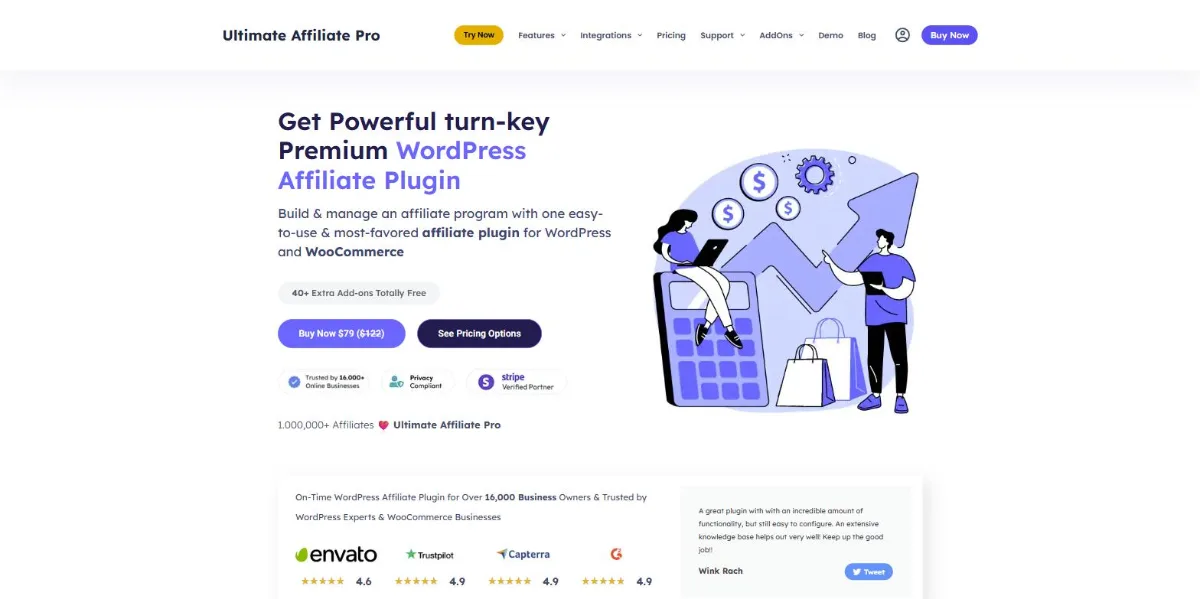
Ultimate Affiliate Pro comes from WPIndeed, whose original version, sold on CodeCanyon as Ultimate Affiliate, has passed 17,000 sales since 2016. That makes it one of the longest-running premium affiliate plugins for WordPress. It’s built with WooCommerce in mind, but it also tracks sales and leads from Easy Digital Downloads, MemberPress, LearnDash, WPForms and around 30 other plugins.
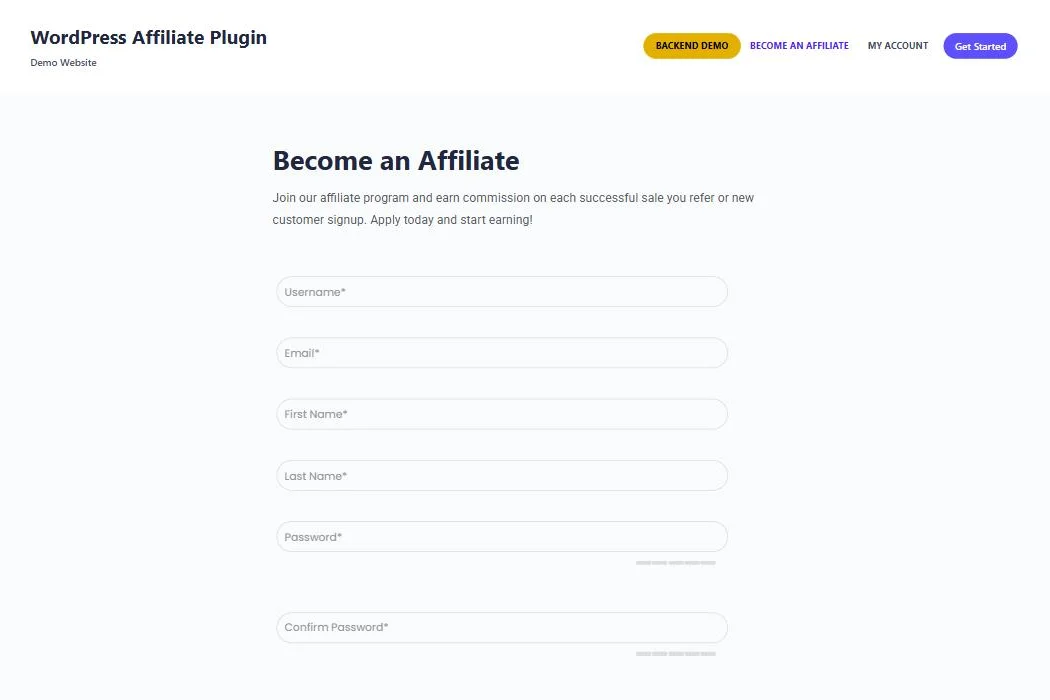
Its strength is depth. Even the entry Pro plan includes link and coupon tracking, multi-level marketing with affiliate ranks, recurring and lifetime commissions, pay-per-click, an affiliate wallet with store credit, QR codes and landing pages, plus one-click PayPal and Stripe payouts. Most of this is switched on through more than 40 built-in add-ons, and the Full Package unlocks another 48, including fraud protection, dynamic coupons, payout requests from affiliates and the WooCommerce Subscriptions integration.
That breadth comes with trade-offs. With dozens of modules to switch on and configure, there’s more to learn than with a lean plugin like SliceWP, and there’s no free version to try first. The naming is also confusing: the Ultimate Affiliate plugin on CodeCanyon is a separate, older product, while Ultimate Affiliate Pro is sold only on the official site, with a redesigned codebase and yearly licences.
Best for: stores that want MLM or multi-tier commission structures and a long feature list at a mid-range price.
Skip it if: you want to try a free version first, or you’d prefer a simpler plugin with fewer settings to manage.
Pricing:
- Pro: $79.30 first year, then $122 / year (1 site)
- Full Package: $149.40 first year, then $249 / year (3 sites)
- Agency: $288 first year, then $450 / year (10 sites)
First-year prices are introductory, and renewals are at full price. Every plan has a 14-day money-back guarantee. The older Ultimate Affiliate plugin is still sold on CodeCanyon for a one-off $89.
Get started with Ultimate Affiliate Pro at ultimateaffiliate.pro
12. WP Affiliate Manager
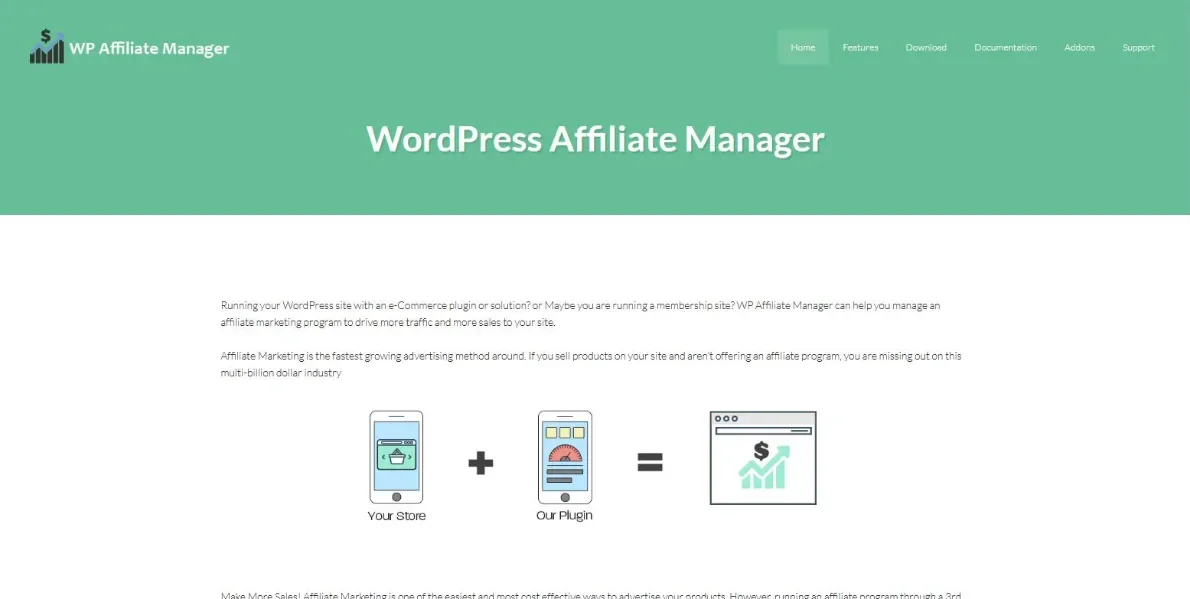
WP Affiliate Manager has been going for roughly a decade and is still the cheapest route to a working affiliate program on a WooCommerce store. The free version covers unlimited affiliates, real-time click and sale tracking, flat or percentage commissions with per-affiliate overrides, and unlimited creatives.
Beyond WooCommerce, it plugs into a handful of smaller ecommerce and membership tools (Simple WP Shopping Cart, WP eStore, Simple Membership and others), which keeps it useful on older sites that never moved to the mainstream stack.
Just set your expectations. The interface is dated, there’s no coupon-based tracking, and the extras are sold as separate paid add-ons rather than bundled in. It covers the basics at a very low price, and not a great deal beyond them.
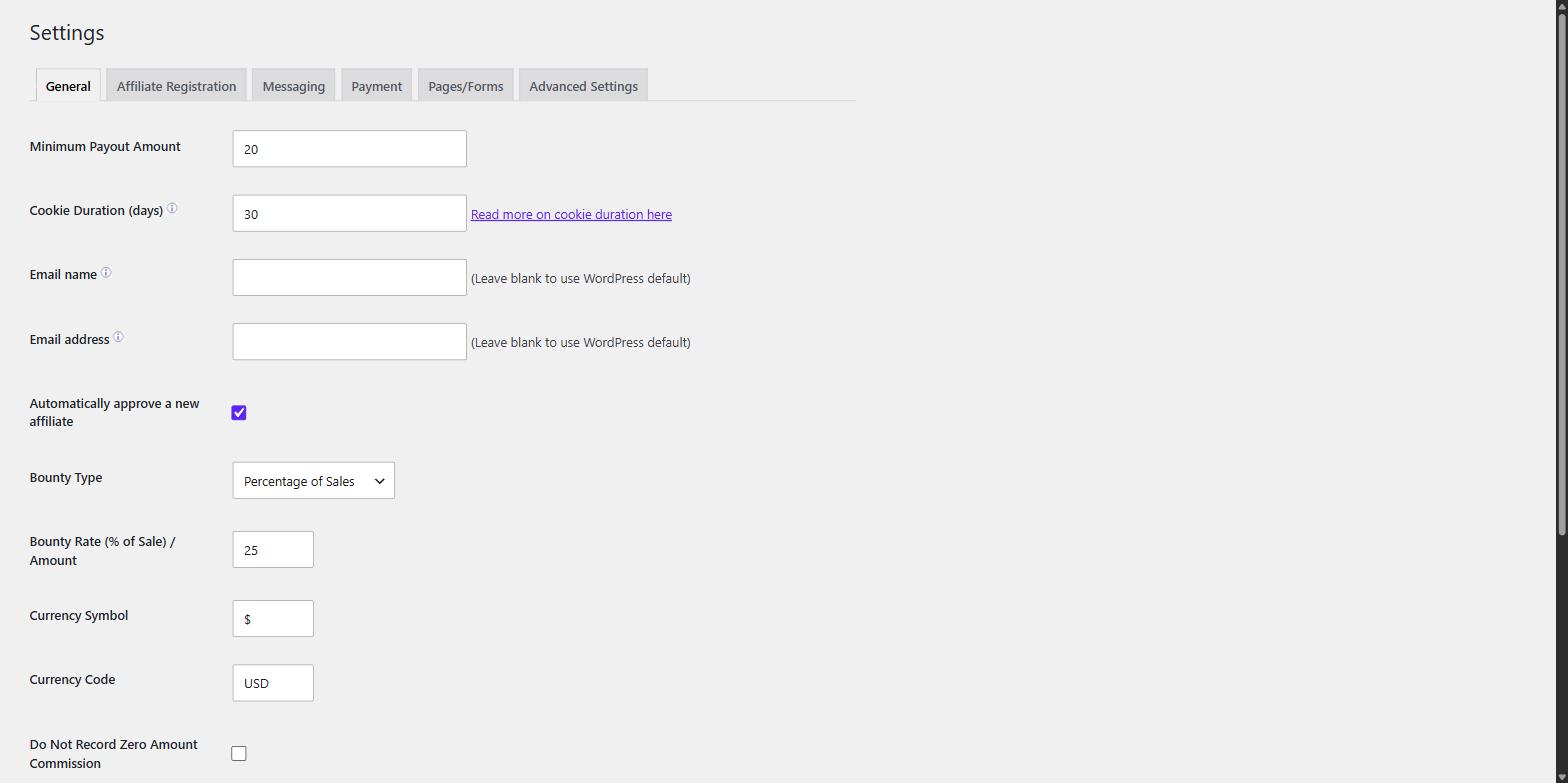
In our testing: there’s no setup wizard, and the defaults are worth checking before you invite anyone. New affiliates are approved automatically, commission starts at 25% of sales with a $20 minimum payout, and the currency defaulted to US dollars even though our test store was set to pounds. Adding an affiliate from the admin creates a brand-new WordPress account and asks for a phone number and full postal address, so most people will want affiliates to sign up through the registration form instead.
Best for: very tight budgets, where a one-off $39 gets a working program live.
Skip it if: you want coupon tracking, a modern interface, or anything much beyond the basics.
Pricing:
- Free: $0
- Single Site: $39
- Developer (unlimited sites): $97
Premium add-ons are sold separately at varying prices.
Get started with WP Affiliate Manager at wpaffiliatemanager.com
How to choose the best WooCommerce affiliate plugin for your store
Feature lists blur together after the third pricing page, so it helps to settle a few fundamentals first.
Link tracking, coupon tracking, or both
Link tracking is the classic approach: the affiliate shares a URL, a cookie is set when someone clicks it, and the sale is credited if they buy within the cookie window. It works well, but it depends on the visitor clicking a link and their browser holding that cookie until checkout.
Coupon tracking credits the affiliate the moment their code is used at checkout. Nothing has to be clicked, so referrals still count when a customer hears a code on a podcast, screenshots it from a story, clears their cookies, or buys on a different device days later. It also hands the customer a discount, which tends to lift conversion on its own. If coupons suit your margins, a plugin that supports both methods (like Coupon Affiliates or Affiliate for WooCommerce) gives you the widest coverage.
Plugin or SaaS platform
A plugin keeps everything inside WordPress: your data stays in your own database, you pay one licence fee, and nobody takes a cut of your referral sales. A SaaS platform like Tapfiliate or ReferralCandy is quicker to run across multiple sales channels and shifts the tracking load off your server, but you pay monthly forever, often with a percentage or usage fee on top.
The maths is worth doing. A plugin at $180 to $300 a year is a rounding error next to a SaaS plan at $79 a month plus 3.5% of, say, $10,000 in monthly referral sales, which lands north of $5,000 a year. If WooCommerce is your only sales channel, a plugin almost always wins on cost.
Check which tier your must-have features sit in
The advertised “starting at” price rarely reflects what you’ll actually pay. Several plugins on this list keep their fraud prevention, multi-level commissions or direct link tracking for the top tier, which can double or triple the annual cost. Before buying, write down the three or four features your program can’t do without and find them on the pricing table, not the features page.
Look at renewal prices, not launch discounts
Almost every premium plugin here offers a big first-year discount, then renews at full price. That’s fine, as long as you budget for the renewal figure rather than the introductory one. Free versions and trials matter for the same reason: testing registration, tracking and payouts on your own store before you spend anything tells you more than any comparison post can.
How to set up an affiliate program in WooCommerce
Once you’ve picked a plugin, getting a basic program live is quicker than most people expect, usually well under an hour. The exact screens vary between plugins, but the steps are broadly the same:
- Install and activate your plugin. Add free plugins from Plugins > Add New, or upload the premium ZIP, then enter your licence key if it needs one.
- Set your commission rate. Start with a single store-wide rate you can comfortably afford, then layer on per-product, per-category or per-affiliate rates later if you need them.
- Add your registration and dashboard pages. Most plugins generate a sign-up form and a front-end affiliate dashboard for you. Drop them on a page such as /affiliates/ so partners can register and log in.
- Choose manual or automatic approval. Manual approval lets you vet every applicant and keeps out spam; auto-approval onboards partners instantly. Most new programs start manual and switch later.
- Connect a payout method. Link PayPal or Stripe for one-click or scheduled payouts, or pay in store credit if your plugin supports it. Set a minimum payout threshold while you’re here.
- Recruit affiliates and give them what they need. Share your program page with existing customers and creators in your niche, then upload banners and product images, and if you’re using coupon tracking, issue each affiliate their code.
After that it’s mostly maintenance: approving affiliates, reviewing referrals, and paying out on whatever schedule you’ve set.
Frequently asked questions
What is the best affiliate plugin for WooCommerce?
For most stores, Coupon Affiliates: it’s built exclusively for WooCommerce, tracks referrals through both coupons and links, and includes every feature on every plan. AffiliateWP makes more sense if your program needs to cover WordPress tools beyond WooCommerce, while SliceWP is the best free starting point for small stores. We make Coupon Affiliates, so weigh that accordingly, and each review above lists the real drawbacks to help you decide.
Does WooCommerce have a built-in affiliate system?
No. WooCommerce includes coupons and basic order reporting, but nothing for affiliate registration, referral tracking, commissions or payouts. You need one of the plugins above, or an external platform, to run an affiliate program.
What’s the difference between coupon tracking and link tracking?
Link tracking sets a cookie when someone clicks an affiliate’s URL and credits the sale if they buy within the cookie window. Coupon tracking assigns credit when the affiliate’s discount code is used at checkout, so it works without any click at all and isn’t affected by cleared cookies or device switching. Many programs run both side by side.
Is there a good free WooCommerce affiliate plugin?
Yes. Coupon Affiliates, SliceWP, YITH WooCommerce Affiliates, Siren Affiliates (its Lite tier) and WP Affiliate Manager all offer free versions on WordPress.org that can run a basic program. The free tiers are also a low-risk way to test how each plugin feels before paying for the extra features.
Can I sell affiliate products in WooCommerce, or is this only for running my own program?
Those are two different things. The plugins on this page let you run your own program, where other people promote your products for a commission. If instead you want to earn commission by promoting other companies’ products (as an Amazon affiliate, for example), you don’t need any of these: WooCommerce has a built-in “External/Affiliate product” type under Product data that lets you list a product with an outbound affiliate link and a custom button.
How long does it take to set up a WooCommerce affiliate program?
With a plugin that has a setup wizard, a basic program can be live in under an hour: install it, set a commission rate, publish a registration page, and connect a payout method. The ongoing work of recruiting affiliates, approving them and paying out is what takes real time, but the technical setup is quick.
How much commission should I offer affiliates?
Most WooCommerce stores selling physical products pay somewhere between 10% and 30% of the order value, depending on margins. Digital products often pay more because there’s no cost of goods. A sensible approach is to start at a rate you can sustain, then reward your best performers with bonuses or higher individual rates rather than raising the base rate for everyone.
Do I need an affiliate network like Awin or Impact?
Not for most WooCommerce stores. A self-hosted plugin keeps your program, data and payouts inside your own site, with no network fees or revenue share. Networks like Awin (which absorbed ShareASale in 2025) or Impact are mainly worth it if you want access to their existing pool of professional affiliates, or you’re running programs across several unrelated brands, and you’re happy to pay for that reach.
Do cookie changes in browsers affect affiliate tracking?
Less than you might have heard. These plugins set first-party cookies (cookies belonging to your own site), which browsers still allow, and Google dropped its plan to remove third-party cookies from Chrome back in 2025 anyway. The bigger practical risks are customers clearing cookies or switching devices before buying, which is exactly the gap coupon-based tracking closes.
Can I pay my affiliates automatically?
Yes, most premium options support it in some form. Coupon Affiliates includes one-click and scheduled payouts via PayPal, Stripe, Wise or store credit on every plan. Solid Affiliate and Affiliate for WooCommerce automate PayPal (and Stripe, in the latter’s case), while YITH needs separate paid add-on plugins for automated gateway payouts.
Which is the best WooCommerce affiliate plugin for you?
Any of these twelve can run a real affiliate program; the best WooCommerce affiliate plugin for you comes down to your setup and how you expect it to grow. If WooCommerce is your only platform, a self-hosted plugin will nearly always cost less over the years than a monthly SaaS subscription, and if a discount code fits your store, coupon-based tracking will catch the referrals that link tracking quietly loses. Whichever you land on, start with a free version or trial where you can, and test registration, tracking and a payout on your own store before you commit any money.
A note from the author: I’m Elliot, founder of RelyWP. I build and support Coupon Affiliates, a WooCommerce affiliate plugin used by more than 7,000 stores, so affiliate tracking, commissions and payouts are what I work on every day. That’s also why every review above, including our own, covers the real drawbacks.
This article contains some affiliate links, from which we may earn a commission if you make a purchase after clicking through.

Our plugins
Grow your WooCommerce store
Affiliates, loyalty points, store credit, tax exemption and more – trusted on 248,000+ sites.
Comments