






Version 3.4.0 of the Tax Exemption for WooCommerce plugin is now available!
This is a smaller update for stores that use the “Specific products only” option (PRO) to exempt only some of their products. You can now set exemption for each variation of a variable product, and the price toggle can be limited to the products a customer can be exempted on.
It also fixes ex-tax prices for exempt customers. With “Specific products only” on, every product was shown without tax, even products those customers would still pay tax on at checkout.
Set Tax Exemption for Each Variation (PRO)
Until now, “Tax Exempt Product” could only be set for a whole product. Every variation of a variable product followed the checkbox on the product’s General tab.
Each variation now has its own “Tax Exempt Product” option. You will find it in the variation’s panel on the Variations tab when “Specific products only” is turned on (Tax Exemption > Settings > Restrictions). There are three choices:
- Same as parent product follows the “Tax Exempt Product” box on the General tab. This is the default.
- Yes lets the variation be exempted, even when the box on the General tab is not ticked.
- No means tax is always charged on that variation, even when the box on the General tab is ticked.
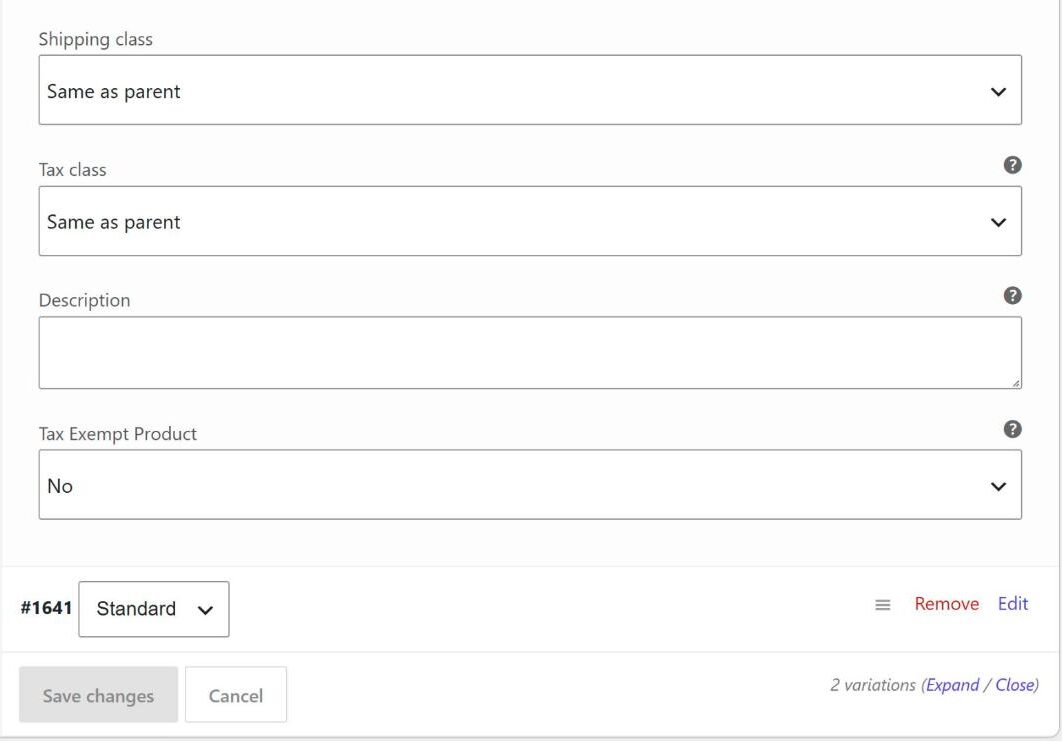
We added this for stores that sell one product in several versions where only some of them qualify for exemption, for example different sizes or kits. Before, the only way to do this was to split the versions into separate products.
Your existing variations are set to “Same as parent product”, so they keep working as before until you change them. After changing the option, click “Save changes” at the bottom of the Variations tab.
Limit the Price Toggle to Eligible Products (PRO)
The price toggle, added in version 3.1.0, lets visitors switch prices between including and excluding tax. It switched the price of every product. On a store using “Specific products only”, that meant a visitor could see a price without tax on a product they would still be taxed on.
The Price Toggle settings on the Price Display tab now have an “Eligible Products Only” option. It only appears when “Specific products only” is on, and it is ticked by default. While it is ticked:
- The toggle only switches prices on products marked as “Tax Exempt Product”, and on variations set to “Yes”. Other products keep their normal price.
- The toggle is not added to the product page of a product that can’t be exempted.
- On a shop or category page, the toggle is not added if none of the products listed can be exempted.
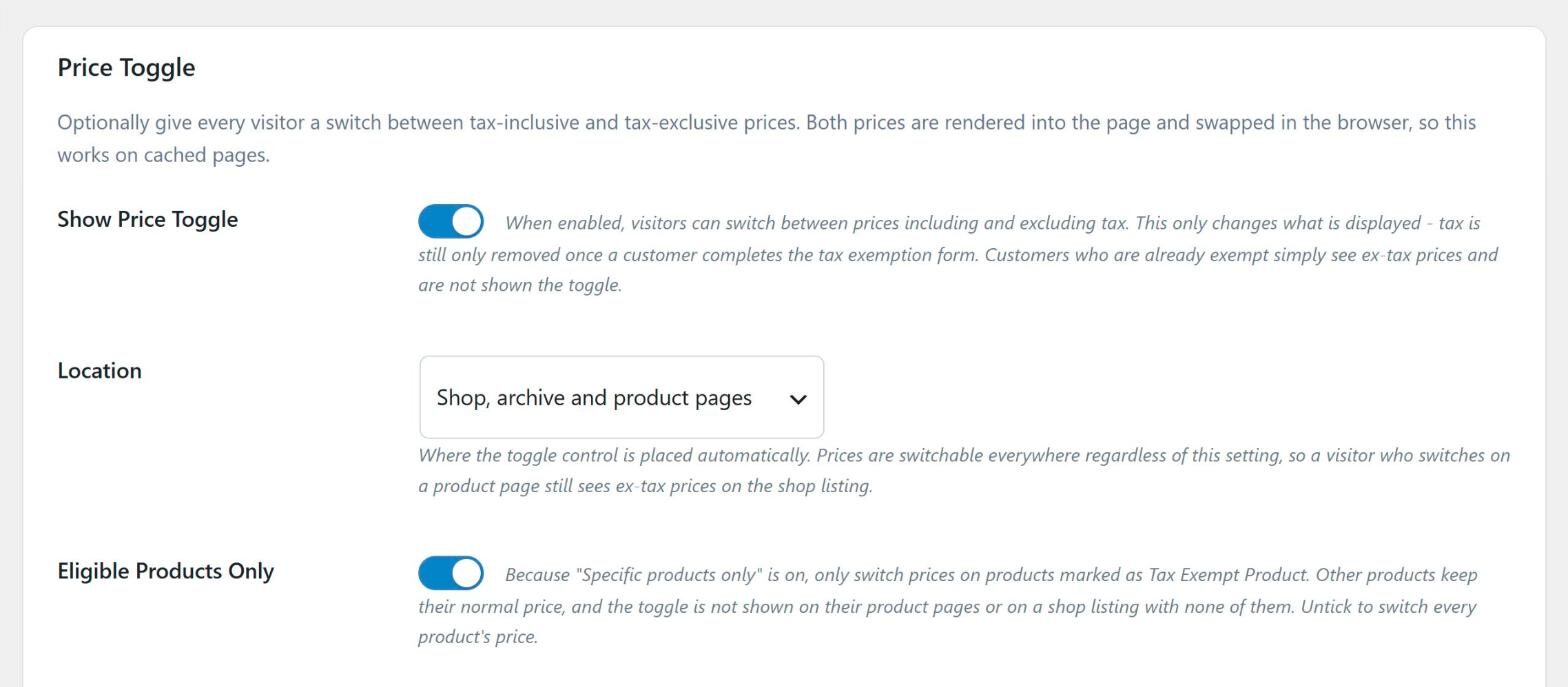
If you place the toggle with the [tefw_price_toggle] shortcode, the control still shows wherever you put it. Untick “Eligible Products Only” if you want the toggle to switch every product’s price, as it did before.
If you haven’t set up the toggle yet, our guide on adding a tax toggle in WooCommerce walks through the settings.
Ex-Tax Prices Now Match the Tax Charged
“Show Ex-Tax Prices To Exempt Customers” (PRO) shows prices without tax across your store to customers whose exemption is approved. With “Specific products only” on, it showed every product without tax, including products those customers would still be charged tax on at checkout.
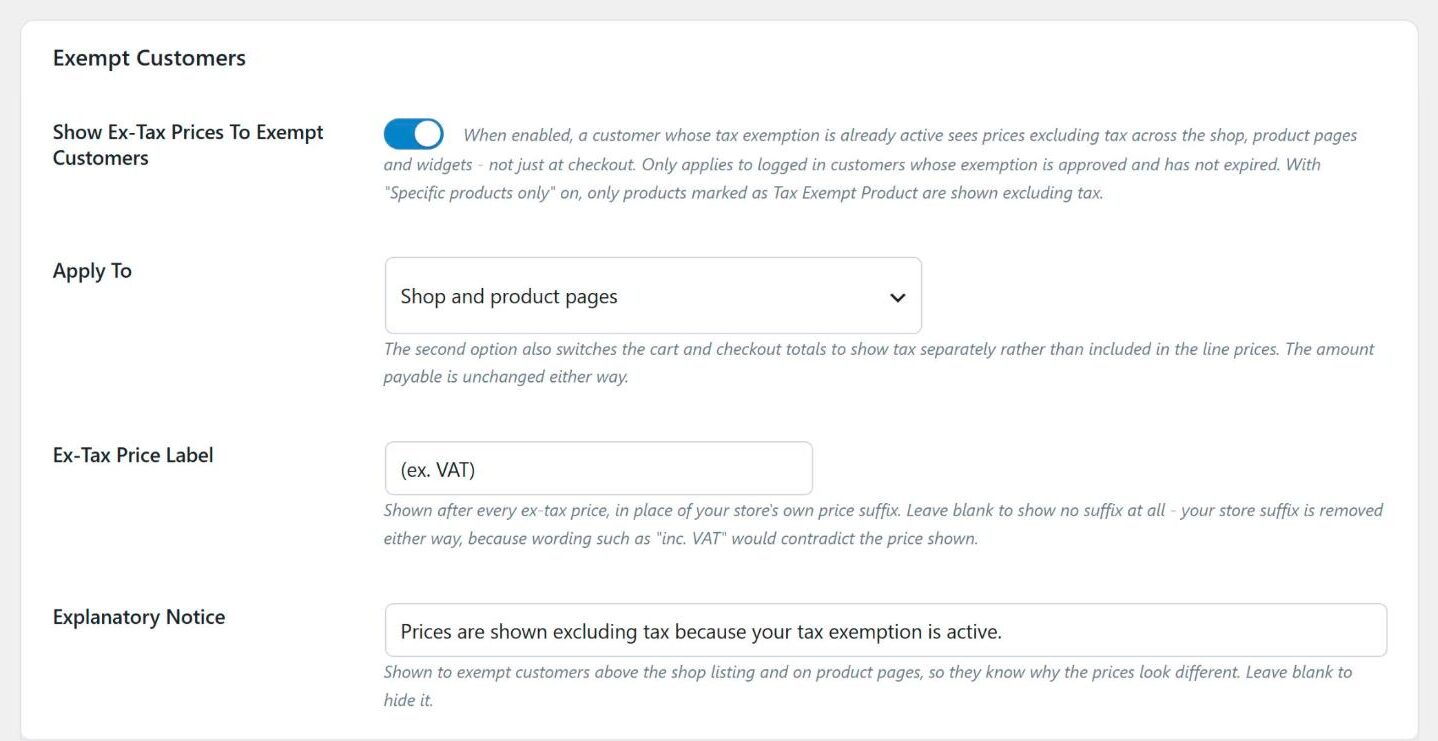
This is now fixed. Products that can’t be exempted are shown at their normal price, with your store’s own price suffix. The “Prices are shown excluding tax” notice is also no longer shown on pages where no price is shown without tax.
For a variable product, the price range is only shown without tax when every variation can be exempted. Once the customer selects a variation, its price follows that variation’s own setting.
New Filters for Developers
Every check of whether a product can be exempted now uses one rule. This covers the tax on each item, shipping, the “eligible product required” checks, recalculating orders in the admin, and the prices shown. Two new filters let you change that rule:
tefw_product_is_exempt_eligibledecides which products can be exempted when “Specific products only” is on. Because every check uses it, a change here affects the tax charged as well as the prices shown. It receives whether the product is eligible, the product ID (the parent product, for a variation) and the variation ID (or 0).tefw_price_display_applies_to_productonly decides which prices may be shown without tax. It does not change the tax charged at checkout.
For example, this code makes every product in a “medical-supplies” category eligible, without ticking “Tax Exempt Product” on each one:
add_filter( 'tefw_product_is_exempt_eligible', function( $eligible, $product_id, $variation_id ) {
    if ( has_term( 'medical-supplies', 'product_cat', $product_id ) ) {
        return true;
    }
    return $eligible;
}, 10, 3 );
After Updating
You don’t need to do anything after updating. Your existing variations follow their parent product, so there is no need to edit them.
If you use “Specific products only”, you may notice two changes on the front end:
- If the price toggle is on, it now only switches prices on eligible products, and it is left off pages that have none. To switch every product’s price again, untick “Eligible Products Only” in the Price Toggle settings.
- Exempt customers now see your normal prices, with your usual price suffix, on products they will still pay tax on.
You can see the full list of free and PRO features on the Tax Exemption for WooCommerce plugin page. The documentation has guides on limiting exemption to specific products, showing prices excluding tax and the plugin’s hooks and filters.
Full Changelog
- New: (PRO) Added a “Tax Exempt Product” option to each variation of a variable product, when “Specific products only” is on. Choose “Yes” or “No” to decide for that variation, or leave it on “Same as parent product” (the default, so existing variations are unchanged) to follow the “Tax Exempt Product” box on the product’s “General” tab.
- New: (PRO) Added an “Eligible Products Only” option to the “Price Toggle” settings, shown when “Specific products only” is on and ticked by default. The price toggle then only switches prices on products marked as “Tax Exempt Product”: other products keep their normal price, and the toggle is not shown on their product pages or on a shop listing with none of them. Untick it to switch every product’s price as before.
- New: Added the “tefw_product_is_exempt_eligible” filter, to decide which products are eligible for exemption with “Specific products only” on (for example by category), and the “tefw_price_display_applies_to_product” filter, to decide which products’ prices may be shown excluding tax.
- Tweak: Every check of whether a product is eligible for exemption (the tax on each item, shipping, the “eligible product required” checks, admin order recalculation and price display) now uses the same rule.
- Fix: (PRO) Fixed an issue where “Show Ex-Tax Prices To Exempt Customers” showed every product excluding tax with “Specific products only” on, including products the customer would still be charged tax on. Those products are now shown at their normal price with your store’s own price suffix, and the “Prices are shown excluding tax” notice is not shown where no price is. A variable product’s price range is only shown excluding tax when all of its variations are eligible; each variation’s own price follows that variation.

Our plugins
Grow your WooCommerce store
Affiliates, loyalty points, store credit, tax exemption and more – trusted on 248,000+ sites.
Comments