






Version 2.0.0 of the Tax Exemption for WooCommerce plugin is now available.
This is a major update. It adds new admin pages for exempt customers and orders, a cart page checkbox, Stripe Tax support, a form shortcode and CSV exports.
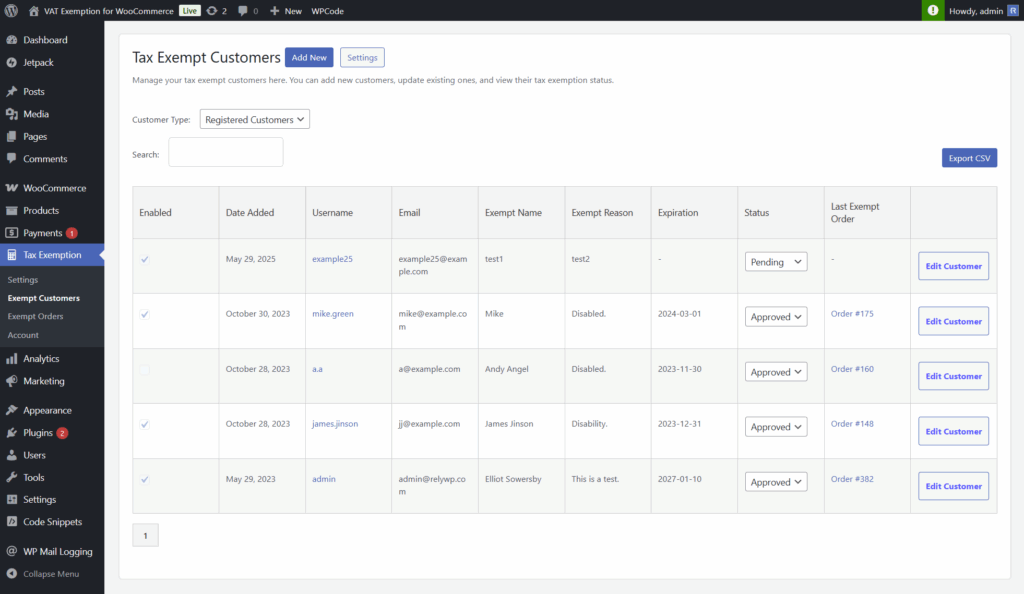
Improved “Exempt Customers” Page
We have moved the “Exempt Customers” tab from the settings tab to its own admin page.
The page now also includes a dropdown to choose the customer type, which now has an option to view “guest” customers that have placed orders with tax exemption.
View Exempt Orders in One Place
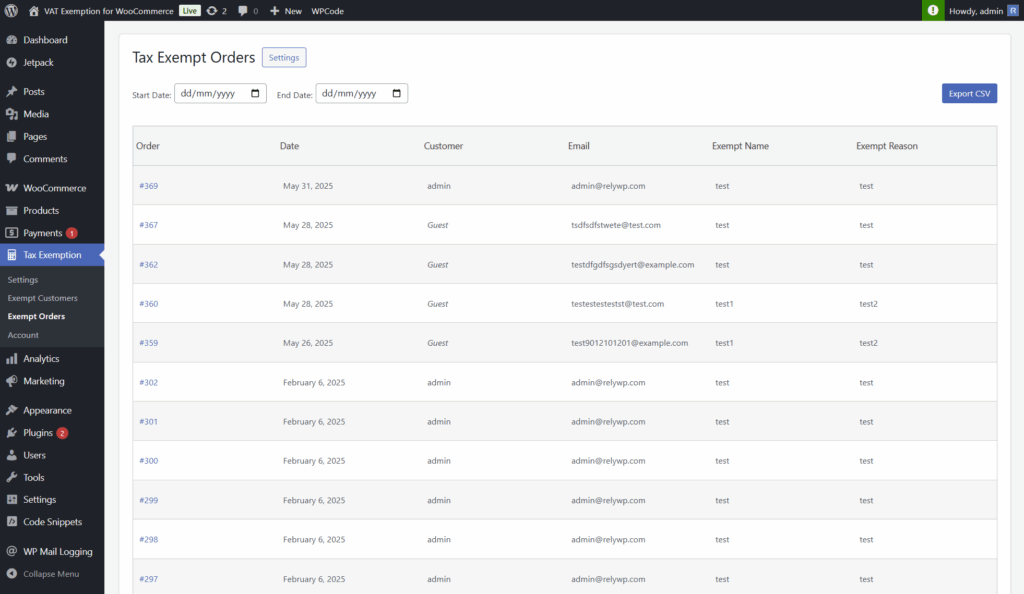
We’ve added a new “Exempt Orders” admin page. This page shows a list of all orders where tax exemption was used, along with the exemption details for each. A date range filter is included, so you can quickly find orders for a specific period.
Show Exemption Checkbox on Cart Page
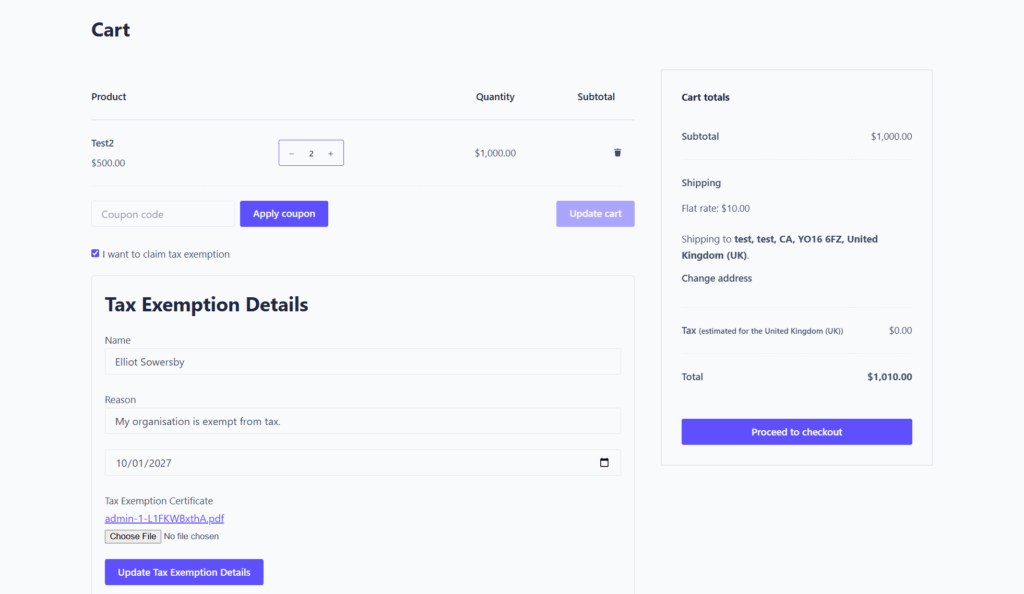
You can now enable a new option to show the tax exemption checkbox on the cart page, in addition to the checkout page. This allows customers to submit their exemption details earlier in the process.
Stripe Tax Integration
We’ve added an integration with the Stripe Tax plugin. This ensures your tax exemption settings work correctly alongside Stripe’s automatic tax features.
Exemption Form Shortcode
You can also use the new shortcode:
[tefw_exemption_form]
This displays the exemption form on any custom page, such as a dedicated exemption request page or within your My Account area.
Export Data to CSV
The Exempt Customers and Exempt Orders pages both have an Export CSV button, so you can download a full list of exempt customers or orders with their details for your records.
Other Improvements & Fixes
- Styling tweaks across admin pages for a cleaner UI.
- Better error handling when required fields (like name or reason) are not set during checkout.
- Fixed an issue where exemption data was sometimes not saved to order meta.
How to Update
You can update the plugin from your WordPress dashboard under Plugins > Installed Plugins, or download the latest version from your account.
If you have any questions or need help setting up the new features, check the plugin documentation or get in touch with support.

Our plugins
Grow your WooCommerce store
Affiliates, loyalty points, store credit, tax exemption and more – trusted on 248,000+ sites.


Comments