






Introducing our newest plugin: Simple Store Credit for WooCommerce. 🎉
Store credit does more jobs than its name suggests. The same balance can be a gift card bought for someone else, cashback on an order, a refund that stays inside the business, or the gift you hand a customer when something has gone wrong.
It also works as prepaid money. Regulars can top up once and spend it down over several orders, which is worth setting up if people buy from you every few weeks. You can drop credit onto a whole group of customers at once too, for a members-only promotion or an apology after an outage.
If you run an affiliate programme with our Coupon Affiliates plugin, the same wallet can hold affiliate commission too. We cover when that makes sense, and how to set it up, in our guide to paying affiliates in store credit.
Behind all of that is two systems.
- Every customer gets a wallet they spend at checkout, with the balance and full history on their My Account page.
- Separately, you can issue credit vouchers: codes that behave like gift cards and can be spent in parts across more than one order.
Use the wallet on its own, vouchers on their own, or both together.
Version 1.0.0 is available now on WordPress.org, with a PRO version that adds cashback, expiry, bulk credit, gifting and more.
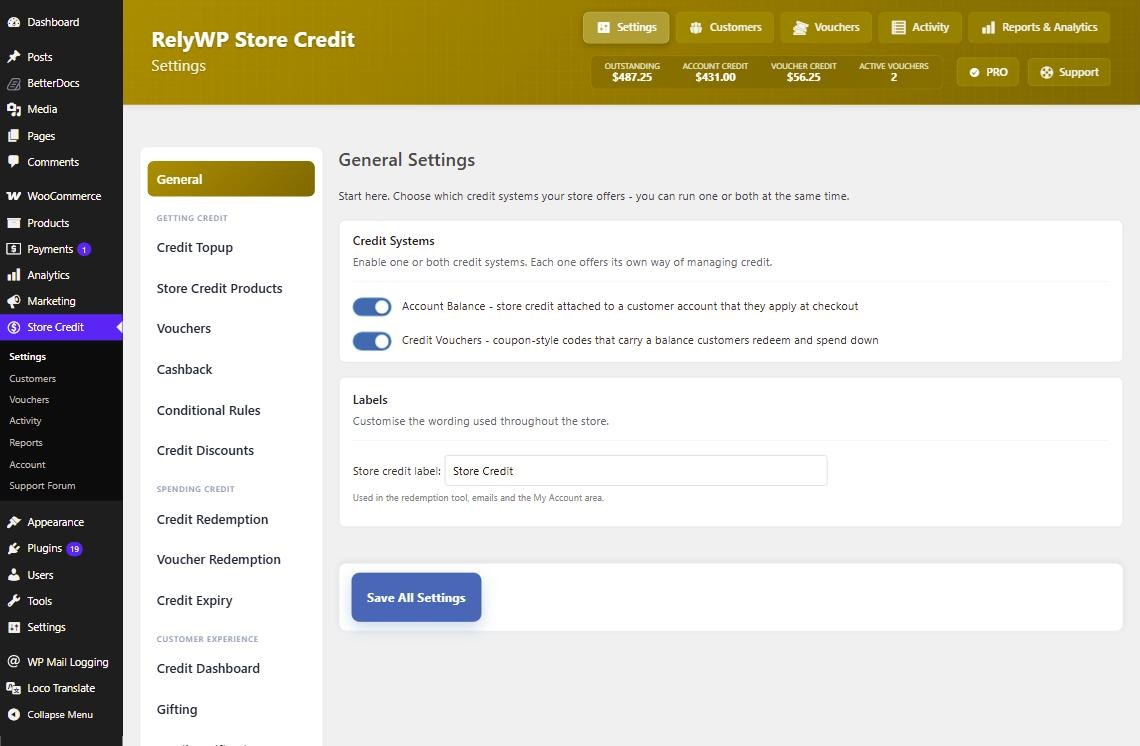
1. A store credit balance for every customer
Account credit is the main system. Every customer account carries a balance that spends like money on your store, and there are four ways it gets there: you add it, the plugin awards it, the customer buys it, or a refund pays into it.
Balances live on the user account, and every change is written to an activity log, so you can always see where a figure came from.
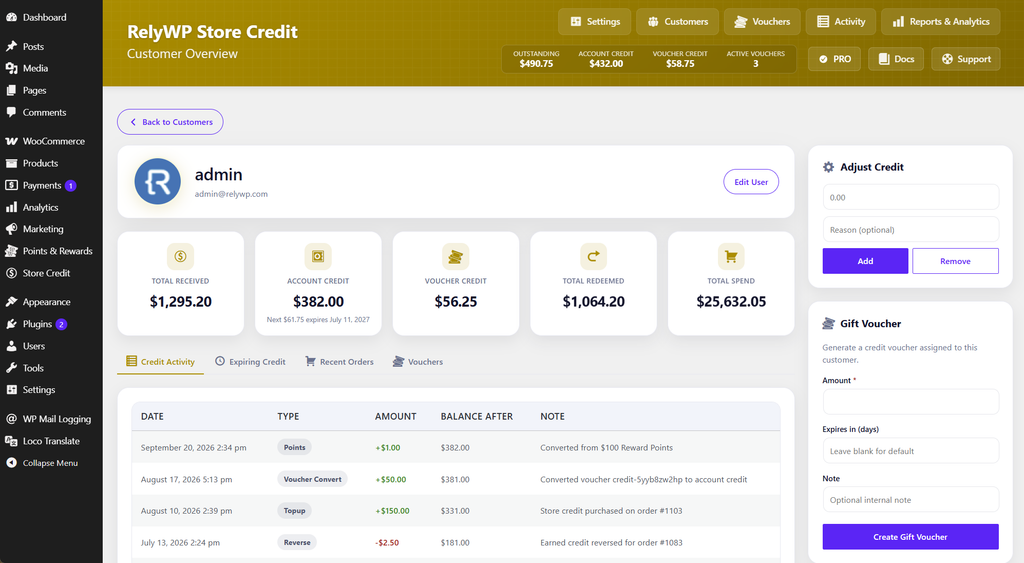
2. Credit vouchers that can be spent in parts
Credit vouchers are stored as standard WooCommerce coupons, so they appear under Marketing → Coupons alongside your normal ones.
Where they differ from a coupon is partial redemption. A customer with a $50 voucher can spend $18 today and keep $32 for their next order. You can set a code prefix for auto-generated vouchers, and point the plugin at a template coupon whose restrictions get copied to every new voucher you issue: product limits, minimum spend, usage limits and the rest.
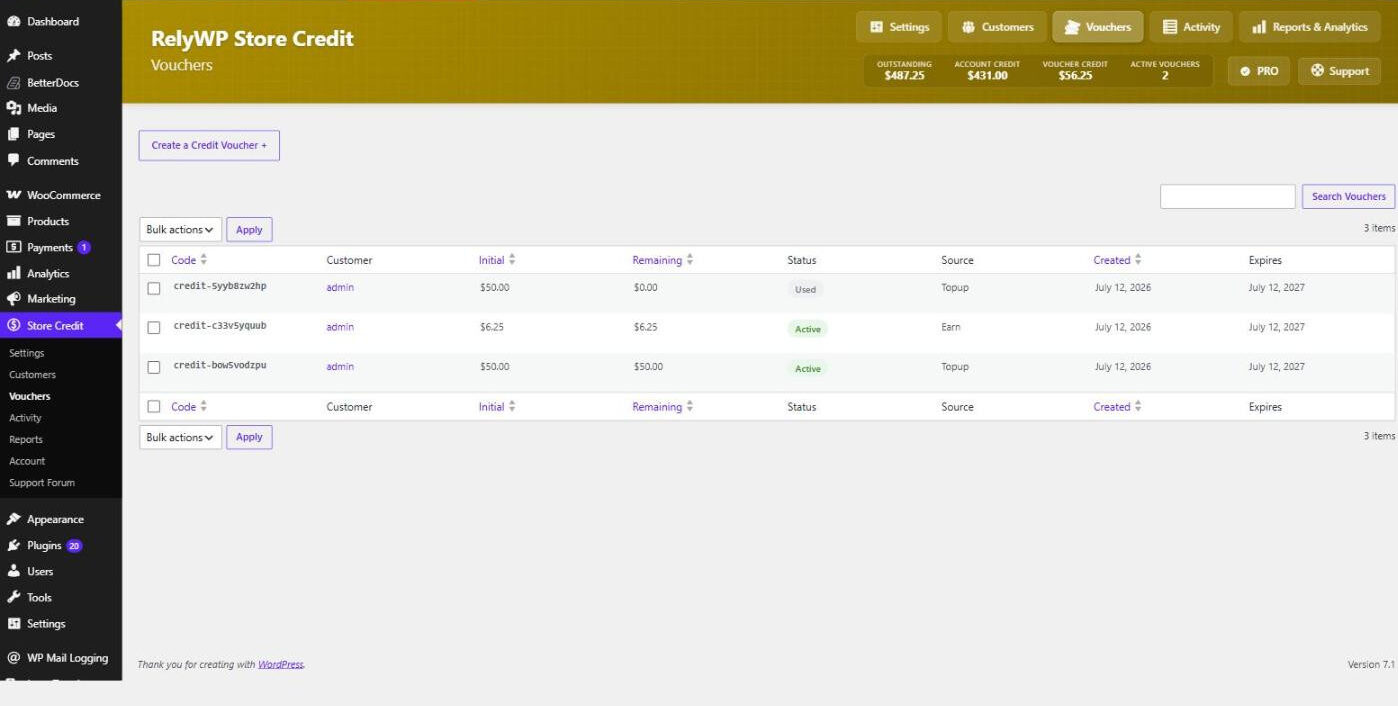
3. The Credit Redemption Tool at the cart and checkout
Customers who are signed in and have credit available see a redemption panel, at the cart or the checkout or both, depending on how you set it.
From there they can:
- Apply their account balance in full, or type in a smaller amount if partial redemption is switched on
- Pick one or more of their vouchers from a list
- Claim a voucher by typing its code
- Use an account balance and a voucher on the same order, if you allow the two to be combined
Redemption obeys whatever limits you set, including a minimum spend before credit can be used and a cap on how much of an order credit is allowed to cover. There is also a compact version that sits inside the cart totals as a single apply and remove toggle, if a full panel is more than you want.
4. A Store Credit page in My Account
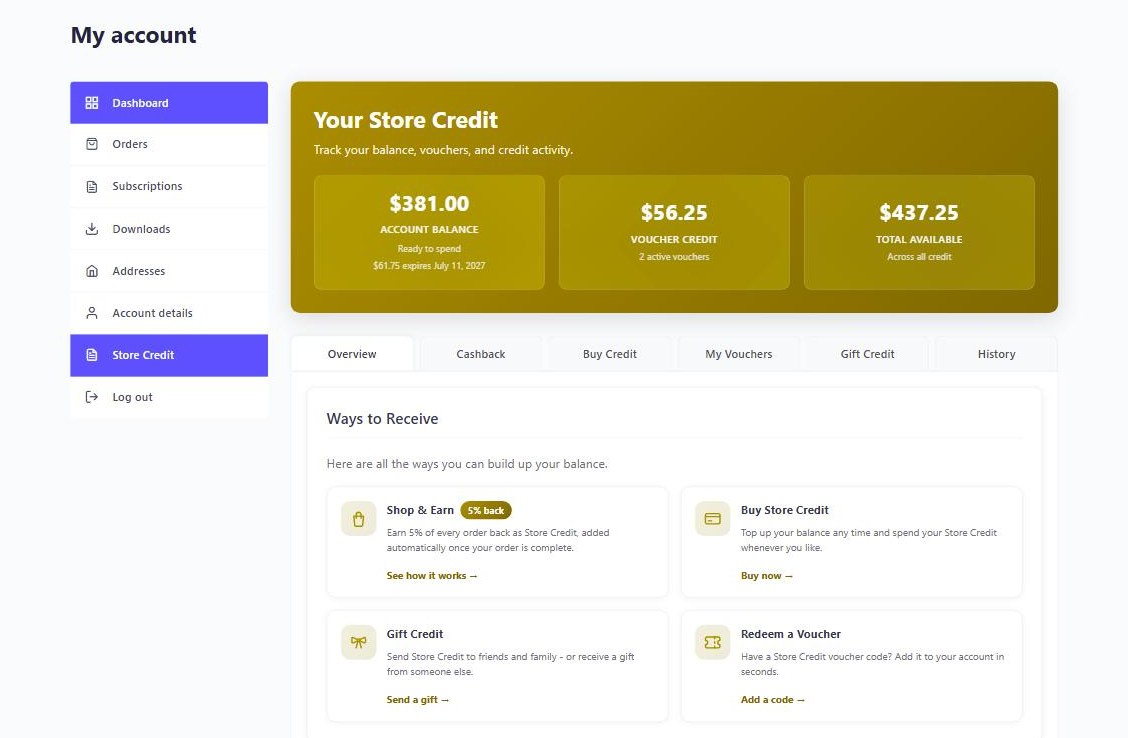
The plugin adds a Store Credit page under My Account, and you can rename the menu item to match whatever you call credit on your store.
Each section can be turned on or off individually: the current balance, the customer’s vouchers with options to apply or convert them, a top-up form, and a paginated history of every credit movement on the account. PRO adds cashback and gift credit sections to the same page.
If your theme or layout needs the pieces somewhere else, four shortcodes cover it: [sscp_balance], [sscp_credit_topup], [sscp_credit_history] and [sscp_balance_check]. That last one is a public voucher lookup that needs no login, which is handy for someone who has been given a voucher code and just wants to know what is left on it.
5. Let customers top up their own balance
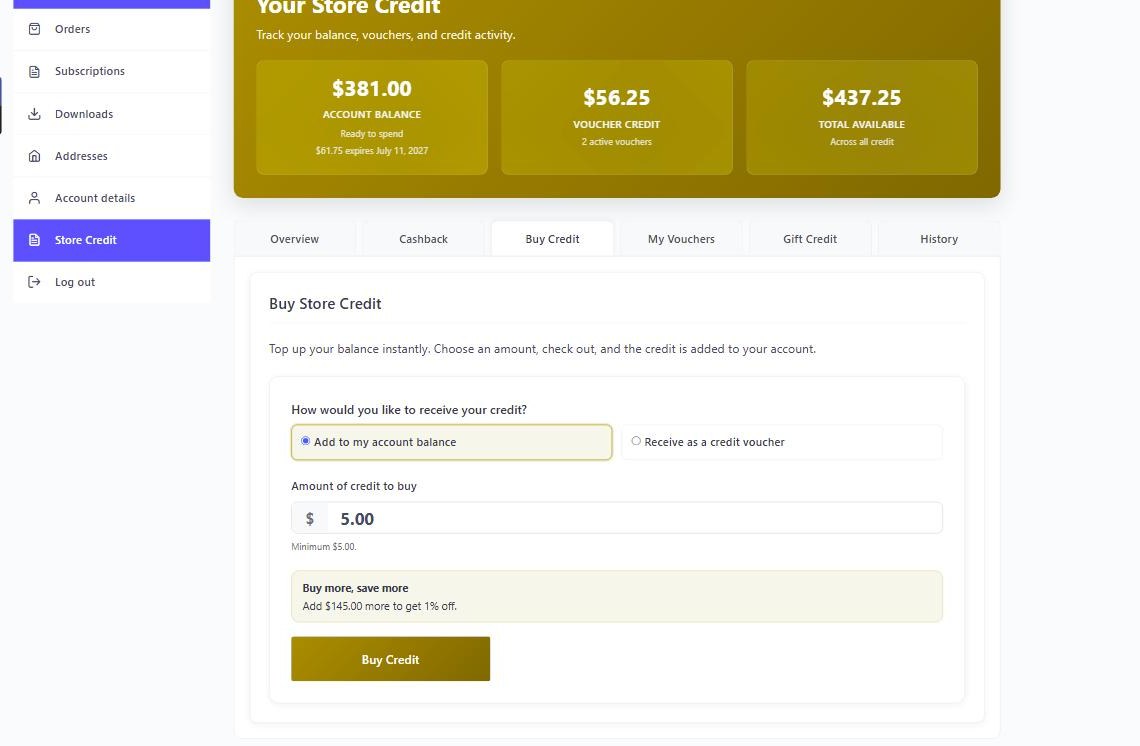
Customers can buy credit themselves. Set a minimum and maximum amount, choose whether it lands in their balance or arrives as a voucher, and the form is ready on the My Account page or anywhere you drop the shortcode.
You can also sell gift cards as ordinary catalog products, if you would rather have credit sitting on your shop pages next to everything else.
6. Refund an order to store credit
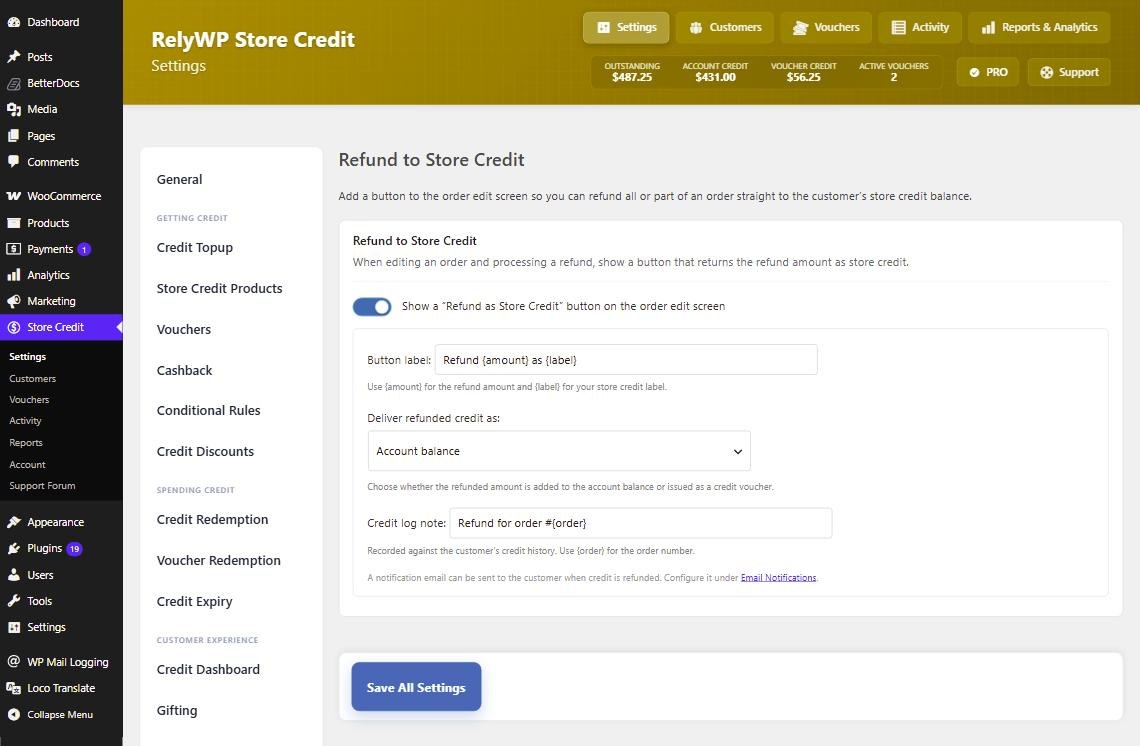
On the order screen you get a “Refund as Store Credit” button next to the usual refund controls. Use it and the value lands in the customer’s balance instead of going back to their payment method.
The button label and its behaviour are both configurable, and you can hide it entirely on stores where refunds should always go back the way they came.
7. Cashback on purchases (PRO)
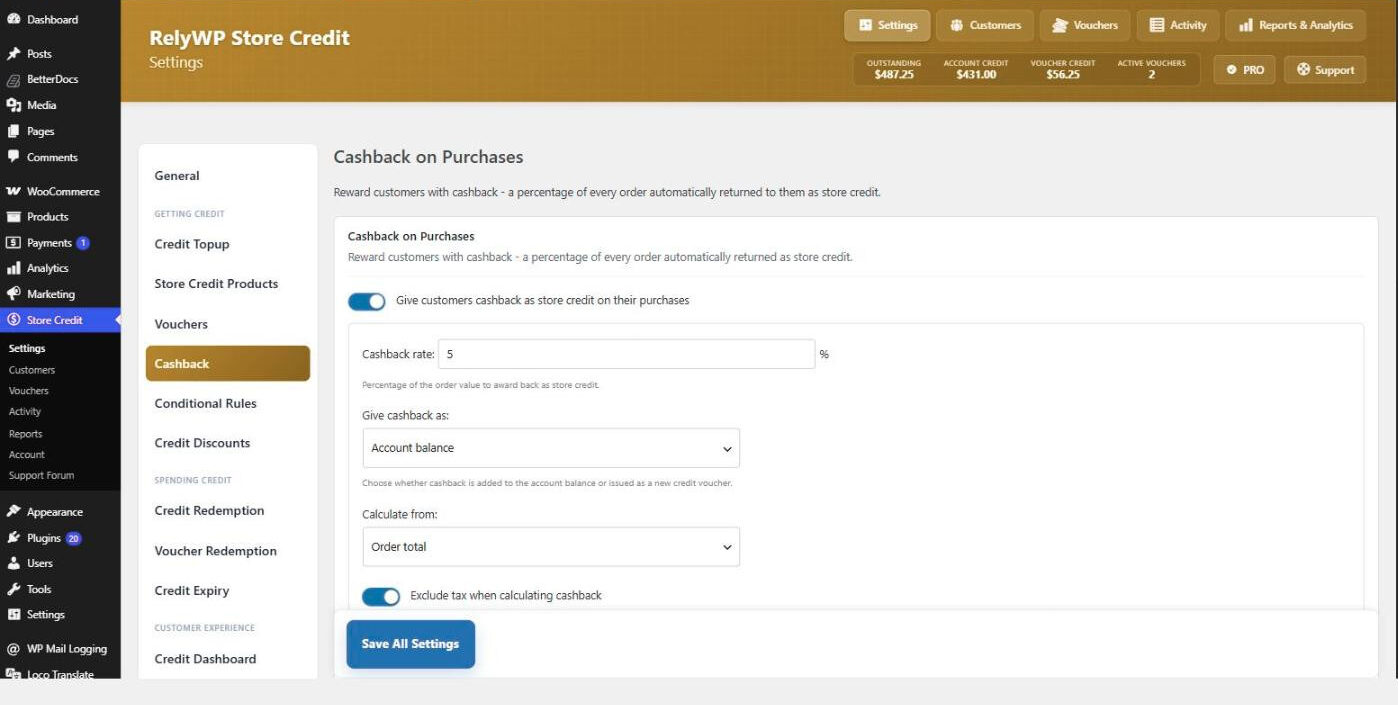
In PRO, orders can pay credit back automatically. Award a percentage or a fixed amount, and it lands in the customer’s balance ready for their next order.
A discount costs you margin on the order in front of you. Credit costs you margin on the next one, which the customer has to come back for.
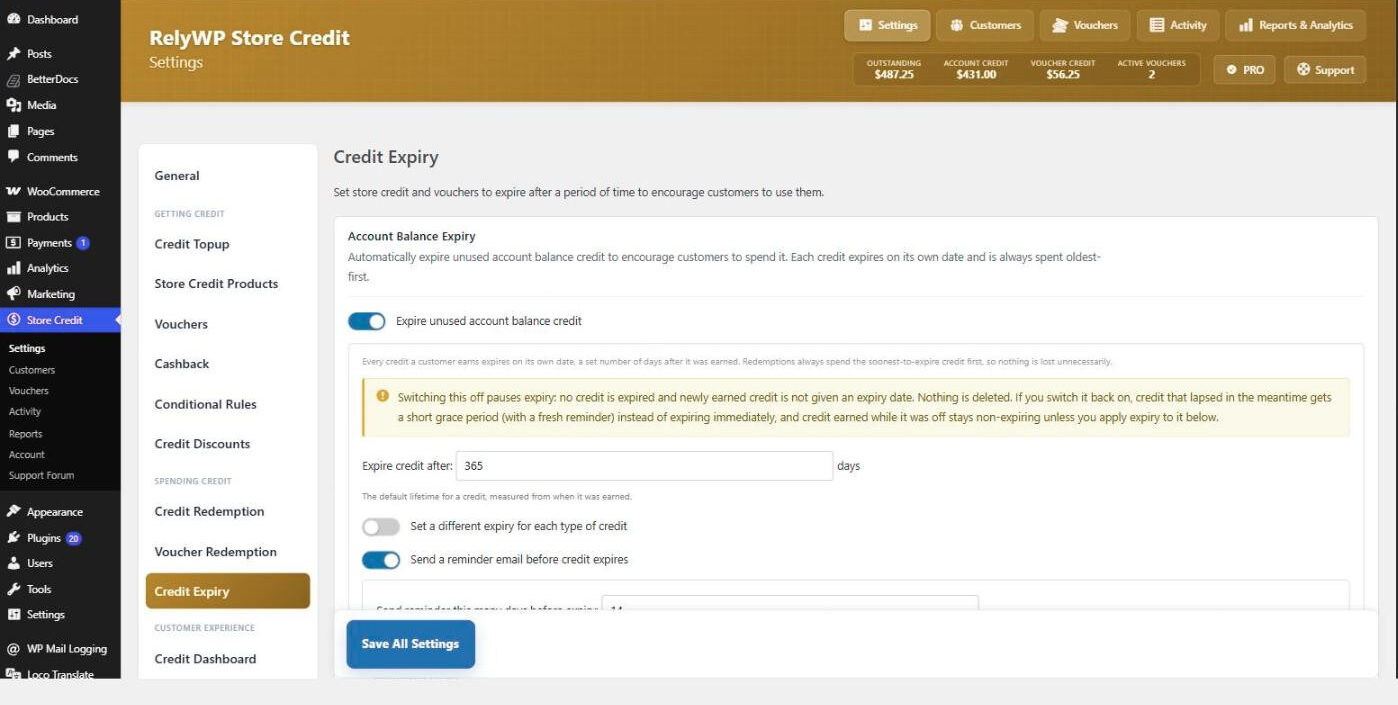
8. Conditional rules and credit expiry (PRO)
Conditional rules let you vary earning and spending by product, category, user role, order total, quantity or payment method. Double cashback on one category, no credit earned on sale items, credit spending switched off for wholesale accounts: that kind of thing.
Expiry handles the other end. Put a lifetime on issued credit and reminder emails go out before it lapses, so the outstanding total does not just climb forever.
9. Bulk credit, bulk discounts and gifting (PRO)
Bulk credit drops a balance onto every customer in a role at once, which is what you want after an outage or for a members-only promotion.
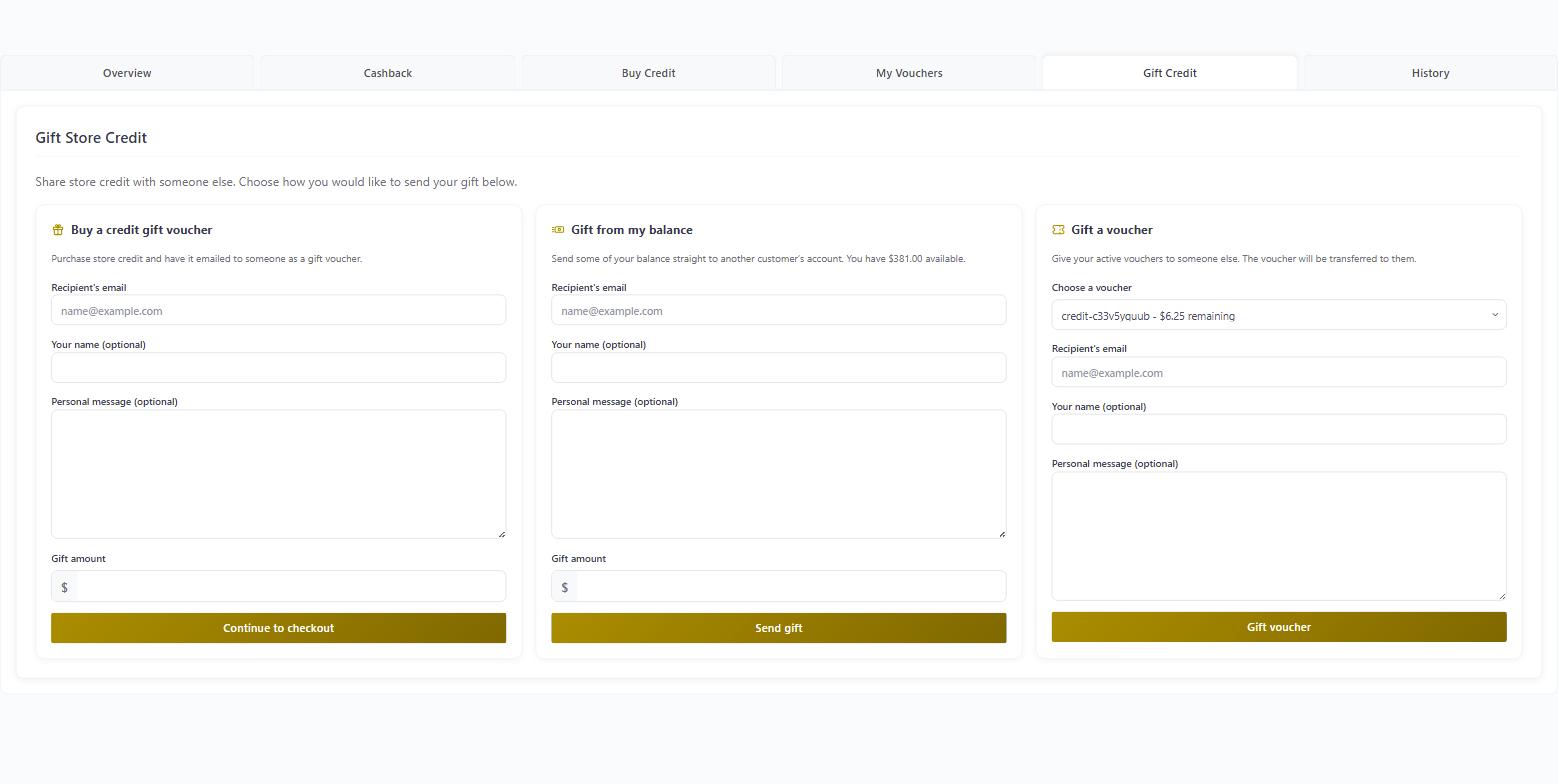
Bulk discounts work on the buying side: offer a better rate on larger top-ups, so $100 of credit costs less than $100. And gifting lets customers send credit to each other, either bought as a gift, sent from their own balance, or given as a voucher.
10. Admin tools, activity log and reports
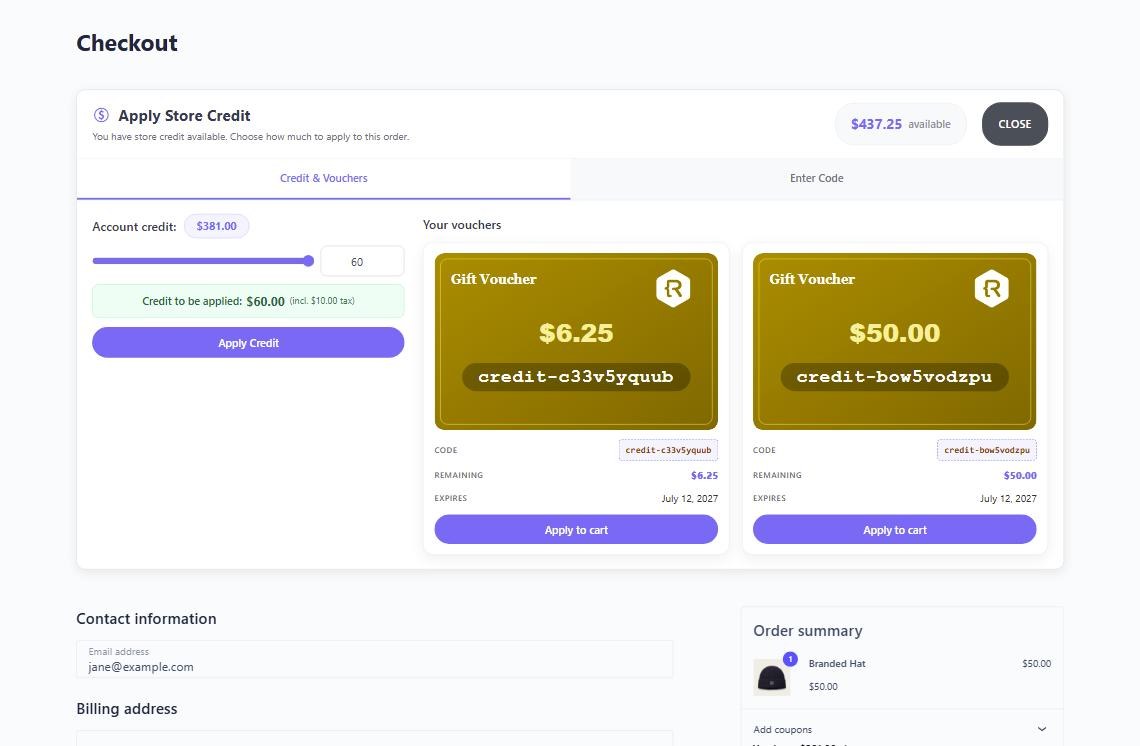
The Customers screen lists everyone with a balance and lets you adjust it up or down with a note attached, which is what you will use most often. Issuing and managing codes happens on the Vouchers screen. Behind both, the Activity log records every addition, deduction and adjustment made anywhere on the store.
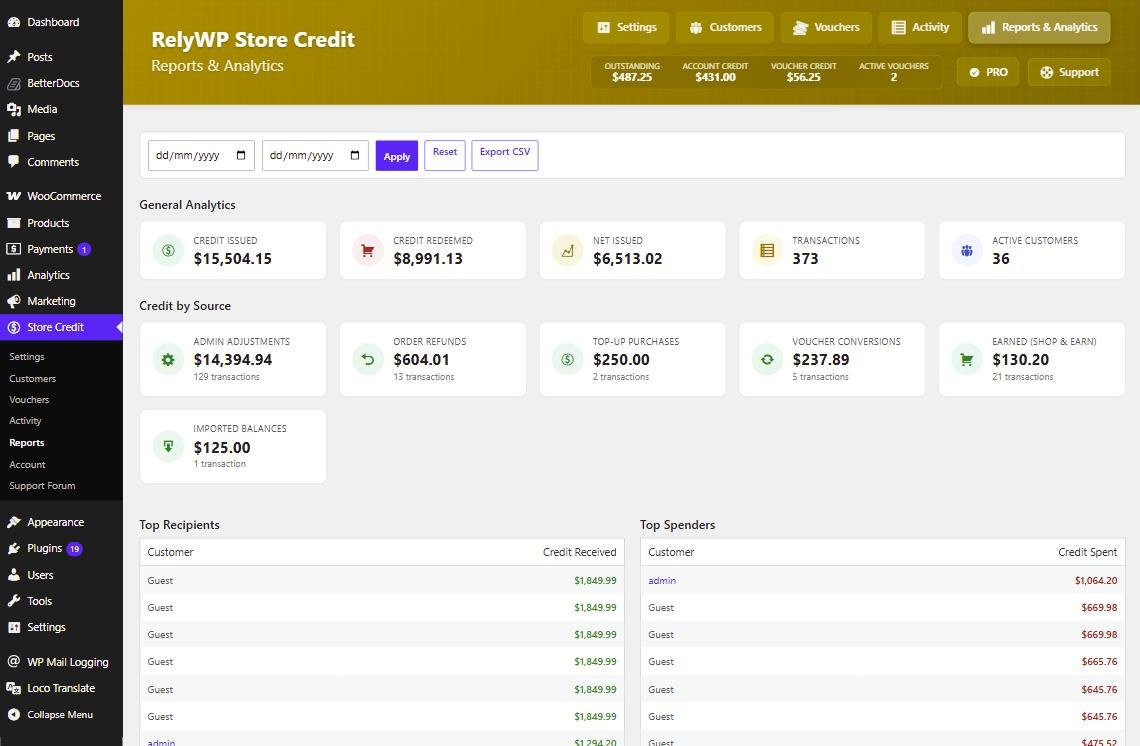
Reports cover credit issued, credit redeemed and credit still outstanding over a date range, broken down by where the credit came from. Outstanding credit is the number to watch, since it is money your store owes. All three screens export to CSV.
11. Email notifications and multi-currency
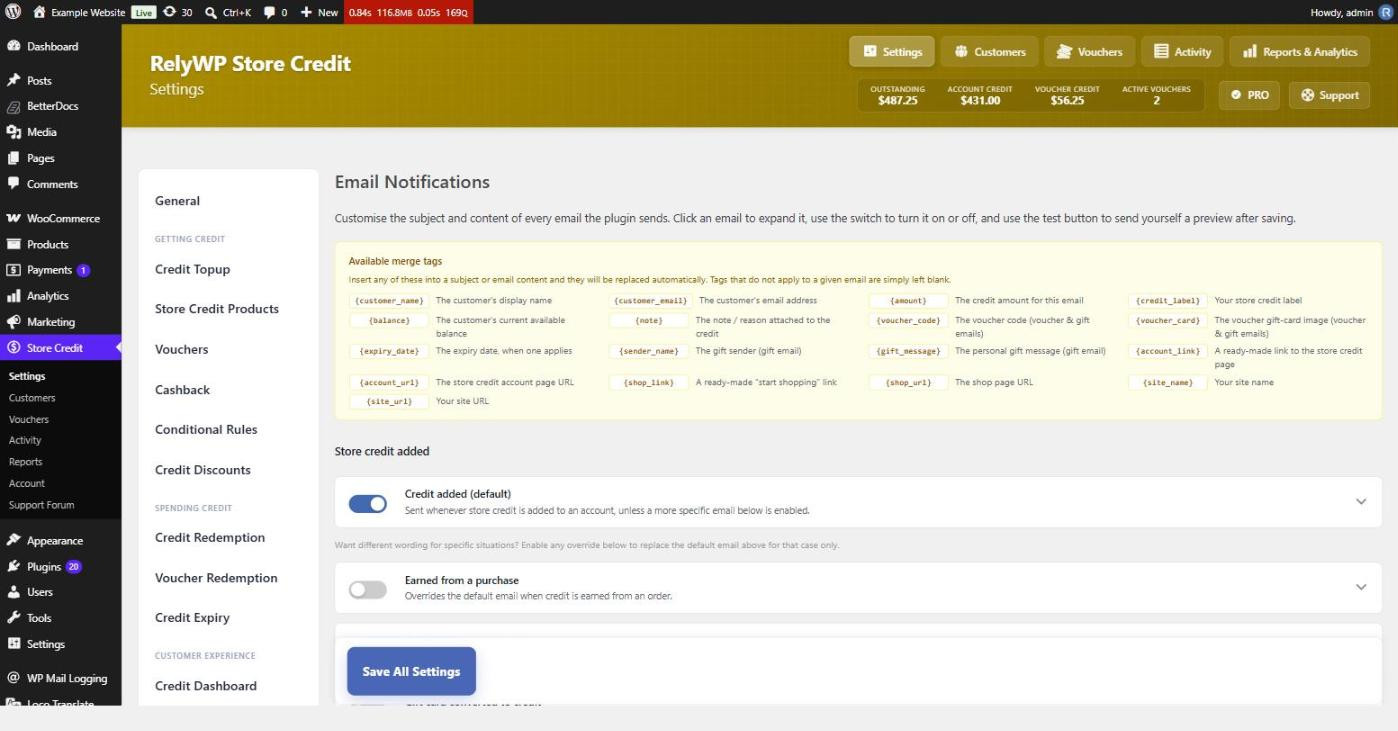
Every notification the plugin sends can be rewritten. Subject and HTML body are both editable, with merge tags like {customer_name}, {balance}, {amount} and {code} available in each. The free version covers credit added, credit deducted, refunded to credit and voucher created. PRO adds cashback, expiry reminders and gift emails. You can send yourself a test before saving.
For multi-currency stores, balances are held in your base currency and converted on the fly using rates from whichever currency switcher you already run. WPML, Weglot and WooCommerce Multi-Currency are all detected. If none is active, the plugin runs in single-currency mode.
12. Moving balances over from another wallet plugin
If you already run a wallet plugin, the migration tool imports existing customer balances, TeraWallet included, and writes a log entry per customer as it goes so the history stays traceable afterwards.
It is a one-time conversion, so run it on a staging copy first and check the totals before you do it for real.
Compatibility
Simple Store Credit works with High-Performance Order Storage and uses the modern WooCommerce order APIs throughout, so the admin tools behave the same on classic and HPOS order screens. The redemption tool and the compact cart widget both support the block-based Cart and Checkout as well as the older shortcode checkout. It needs WordPress 6.5 or newer, PHP 7.2 or newer, and WooCommerce 3.7 or newer.
50% off for launch
The free version is on WordPress.org now and covers the wallet, vouchers, refunds to credit, top-ups and the admin tools. PRO adds cashback, conditional rules, expiry, bulk credit and gifting.
Use the code LAUNCH50 for 50% off your first payment on any PRO plan. There is a 7 day free trial to start with, and a 14 day money-back guarantee after that.
The documentation covers setup, the redemption tool, vouchers and the developer hooks. If something is not behaving, start with the troubleshooting articles in there. Otherwise open a ticket and we will take a look.

Our plugins
Grow your WooCommerce store
Affiliates, loyalty points, store credit, tax exemption and more – trusted on 248,000+ sites.


Comments