






For most WordPress blogs, the best text to speech plugin creates natural-sounding audio once and then plays it for free every time someone listens.
AI Text to Speech does that with OpenAI voices you pay for per post through your own API key. GSpeech is the best hosted option, with a free plan and AI voices from $9.99 a month. If you only want a free “Listen” button and no account anywhere, AtlasVoice uses the voices already built into your visitors’ browsers.
Before you read on, you should know that we make AI Text to Speech. It’s our pick for blogs that want AI voices and their own audio files, but it has fewer users than every other plugin on this list. Each entry below lists real drawbacks, ours included.
Quick picks if you already know what you need:
- OpenAI voices, pay per post, audio saved on your own site: AI Text to Speech
- A hosted service with a free plan and many AI voices: GSpeech
- A free listen button with no account or API key: AtlasVoice
- News sites that want a hosted player and analytics: Trinity Audio
- Large publishers selling audio ads or podcasts: BeyondWords
- Listen buttons on any page, generated live: ResponsiveVoice
All of these plugins do the same basic thing: they add a player to your posts that reads the text aloud. They differ in where the voice comes from. Browser voices are free but sound different on every device. AI voices sound far more natural, but someone has to pay for each character that gets turned into audio, either you directly through an API key or through a monthly plan with a hosted service.
How we compared these plugins
We build WordPress plugins for a living, and AI Text to Speech is one of them, so we know the problems text to speech plugins run into: long posts, the cost per article, and where the audio files end up.
For this list we looked at the plugins that come up most often when people search for text to speech on WordPress. For each one we read the WordPress.org listing (version, active installs, rating and the free features), the pricing page and the documentation, and noted where the audio is created and stored. We didn’t install and run every service: several need an account and a sales call before you can see prices. Prices, installs and ratings were checked on 13 October 2026.
What are the best text to speech plugins for WordPress?
The table sums up each plugin, and the full write-ups follow below it. Prices are the lowest paid plan for one site.
| Plugin | Free version | Paid from | Voices | Where the audio is made | Best for |
|---|---|---|---|---|---|
| AI Text to Speech | Yes (you pay OpenAI per character) | $59/year | 13 OpenAI voices | Once, saved on your own server | AI voices you pay for per post |
| GSpeech | Yes (machine voices, 50,000 characters a month) | $9.99/month | Machine voices free; 300+ AI voices on paid plans | GSpeech Cloud | A hosted service with a free plan |
| AtlasVoice | Yes (browser voices) | $59/year | Browser voices free; AI voices in Pro | The visitor’s browser (MP3 files in Pro) | A free listen button with no account |
| Trinity Audio | Yes (5 articles a month) | Not published | 600+ voices | Trinity Audio’s servers | News sites that want a hosted player |
| BeyondWords | Plugin is free; plans by demo | Not published | ElevenLabs voices and voice clones | BeyondWords’ servers | Publishers with audio ads or podcasts |
| ResponsiveVoice | Yes (1 million characters a month) | $9/month | 158 voices; more with your own key | Live, each time someone listens | Listen buttons on any page |
1. AI Text to Speech
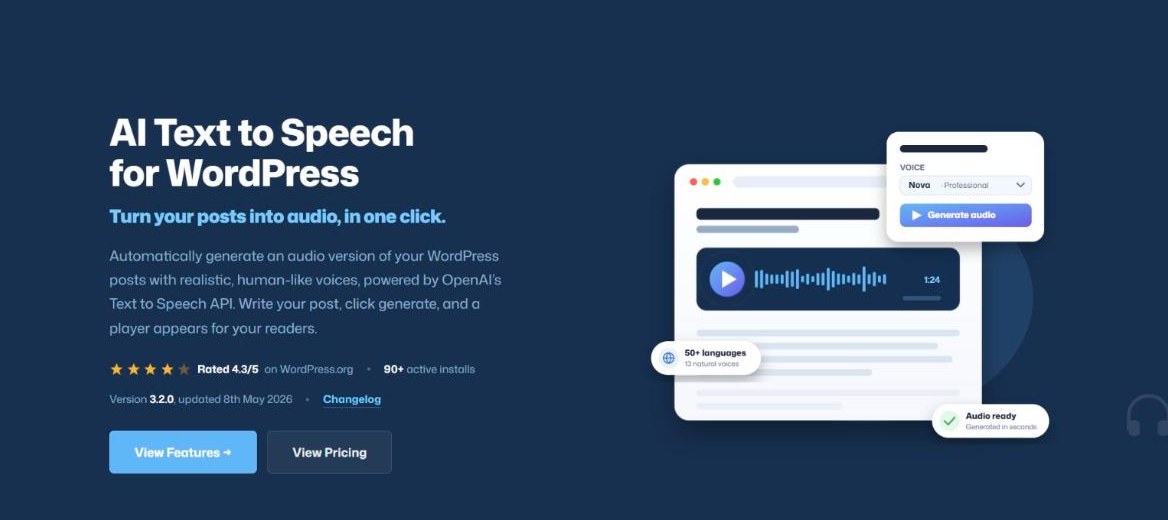
AI Text to Speech is our own plugin, so read this entry with that in mind. It turns a post into audio with OpenAI’s text to speech API, saves the file on your server and adds a player to the post.
You connect your own OpenAI API key, open a post and click to generate the audio. There are 13 voices and two models, GPT-4o mini TTS (the default) and the older TTS-1. The voice reads in whatever language the post is written in, and OpenAI supports more than 50 languages, although the voices are tuned mainly for English. The free version also has a generator page for turning any text into audio, five voice styles, a player shortcode, the option to read out the title, author and date, and a log of recent API requests.
The cost goes to OpenAI, not to us. Our docs estimate about $0.012 per 1,000 characters with GPT-4o mini TTS, so a 1,000-word post of around 6,000 characters costs roughly 7 to 9 cents to generate. The file is saved in your uploads folder, so it costs nothing extra however many people listen. OpenAI sets these prices and can change them, so check your OpenAI usage page after the first few posts.
PRO adds automatic audio when a post is published, a default voice, 26 voice styles and your own voice instructions, more than one voice in a post, pronunciation rules, text before and after the audio, player colours, listening statistics and the option to store the files in Dropbox.
There are some downsides. It only works with OpenAI, so you need an OpenAI API account with billing set up (a ChatGPT subscription doesn’t include API credit). In the free version you generate audio one post at a time. It also has a much smaller user base than the other plugins here: fewer than 100 active installs and a 4.3 rating from 6 reviews on WordPress.org.
Best for: blogs that want natural AI voices, pay only for what they generate, and keep the audio files on their own site.
Pros:
- Audio is created once and stored on your server, so plays cost nothing
- Pay-as-you-go cost through your own OpenAI account, with no monthly plan needed
- Free version includes the player, 13 voices and both OpenAI models
Cons:
- OpenAI voices only
- Needs an OpenAI API account with billing
- Small user base and only a few reviews
Pricing:
- Free: $0 on WordPress.org (plus OpenAI usage)
- PRO Yearly: $59 / year (1 site)
- PRO Lifetime: $149 one-time (1 site)
Licences for 5, 25 and 100 sites are also available. There’s no free trial, and there’s a 14-day money-back guarantee (OpenAI fees aren’t refundable, because they’re paid to OpenAI).
You can download the free version from WordPress.org, and our guide on how to add AI text to speech to WordPress posts goes through the setup step by step.
2. GSpeech

GSpeech is a hosted service with 3,000+ active installs and a 4.8 rating from 177 reviews, the most reviews of any plugin here. The plugin connects your site to the GSpeech Cloud with one click. You need a GSpeech account, but no API keys, because GSpeech handles the voice providers and billing.
Audio is created the first time a visitor asks for it, then stored and reused, so you only use credits when new audio is generated. The free plan gives you 50,000 characters a month of machine voices across 68 languages, which GSpeech says is roughly ten mid-length articles. The AI voices (more than 300, from OpenAI, Gemini and Google Cloud, in 98 languages) start on the Personal plan.
It offers a wide choice of player styles: full page, button, circle, floating and a “read highlighted text” mode, with themes and a Gutenberg block. Higher plans add play statistics, audio downloads and real-time translation into other languages.
The catch is that everything runs through GSpeech’s service. If you stop paying, or your AI credits run out in a month, the plugin falls back to machine voices. Credits are also counted per character, and premium voices use credits faster.
Best for: site owners who want a hosted service with a free plan and a wide choice of AI voices.
Pros:
- Free plan with machine voices on up to 10 sites
- No API keys to manage
- Many player styles and real-time translation on higher plans
Cons:
- AI voices need a paid plan, and the player falls back to machine voices when AI credits run out
- Your audio depends on the GSpeech service
Pricing:
- Free: $0 (50,000 machine-voice characters a month)
- Personal: $9.99 / month or $99.90 / year (1 site, 100,000 AI credits a month)
- Pro: $39.99 / month (3 sites, 1 million AI credits a month)
- Business: $79.99 / month (5 sites)
One-off credit packs start at $4.99. The pricing page doesn’t mention a free trial.
3. AtlasVoice (Text To Speech TTS Accessibility)
AtlasVoice is the easiest free option. The free version uses the speech engine built into each visitor’s browser, so there’s no account, no API key and no usage bill. It has 4,000+ active installs and a 4.8 rating from 93 reviews.
The free plugin includes a listen button, a floating player, read-along highlighting, a “listen to selection” option, text aliases for words the voice gets wrong, a Gutenberg block and basic analytics. Because the voice comes from the browser, it sounds different on Chrome, Edge, Safari and phones, and the languages on offer depend on the visitor’s device too.
Pro changes how it works. It adds AtlasVoice’s own AI voices, which the pricing page says are included at no extra cost, plus support for Google Cloud, OpenAI and ElevenLabs with your own keys (those providers bill you for usage). Pro also creates MP3 files that visitors can download, backs them up to Google Cloud Storage and adds audio schema markup.
Best for: a free listen button with no setup beyond installing the plugin.
Pros:
- Free version needs no account or API key, and includes read-along highlighting
- Pro includes its own AI voices and works with several providers
Cons:
- Free voices vary by browser and device
- No audio files in the free version
- Third-party voices in Pro cost extra from each provider
Pricing:
- Free: $0 on WordPress.org
- Starter: $59 / year (1 site)
- Professional: $149 / year (5 sites)
- Lifetime Starter: $199 one-time (1 site)
There’s a 14-day money-back guarantee, which the pricing page says has conditions.
4. Trinity Audio
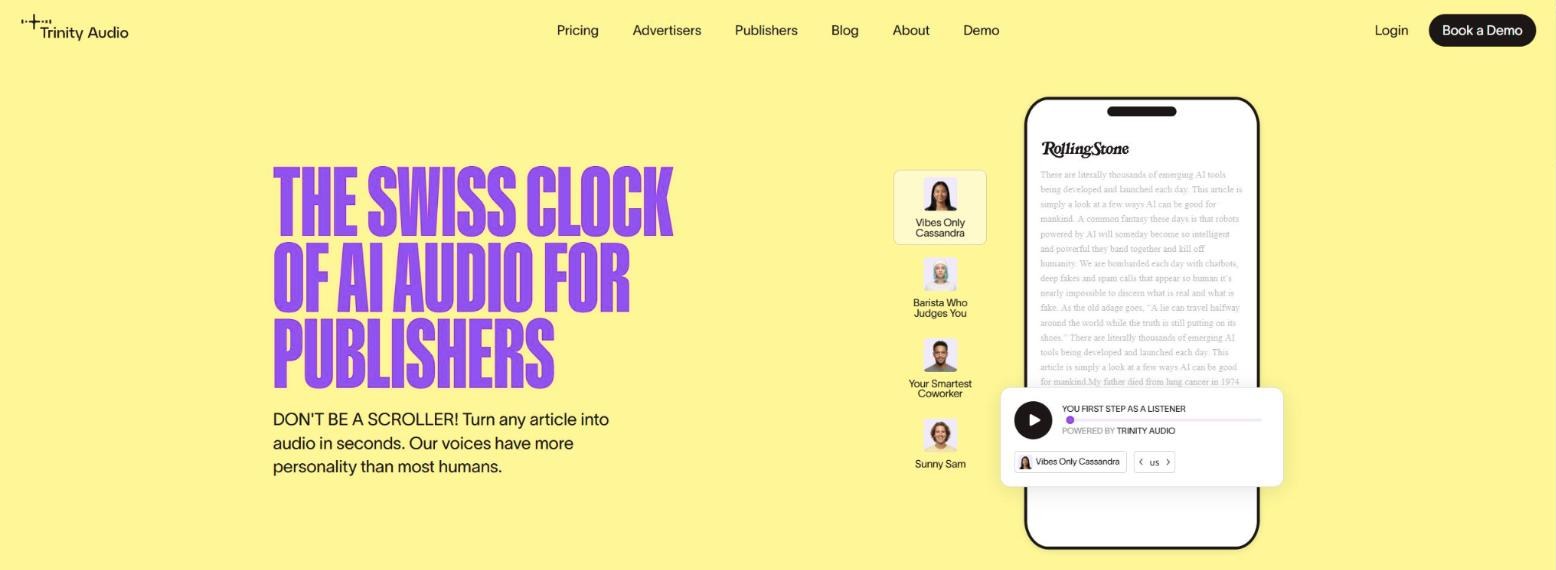
Trinity Audio is a hosted audio player aimed at publishers. You register from inside WordPress, accept their terms, and new posts get a player automatically. It has 2,000+ active installs and a 4.0 rating from 25 reviews.
The free plan covers 5 articles a month on one domain. Trinity lists more than 600 voices in 125+ languages, although some languages are only on paid plans. The player has a floating button, playback speeds, light and dark themes, and an analytics dashboard, and it shows a “Powered by Trinity Audio” credit.
There are limits to check before you commit. Once the month’s credits are used, new posts stop getting a player. The standard plugin only handles posts, so pages and custom post types need the paid JavaScript integration. We also couldn’t confirm paid prices: the public pricing page asks you to book a demo. One reviewer raised concerns about the content rights in the terms, so read those before you sign up.
Best for: news and magazine sites that want a hosted player with analytics and don’t mind a demo call.
Pros:
- Free plan to try it on real posts
- Large choice of voices and languages, with an analytics dashboard
Cons:
- Free plan only covers 5 articles a month, and only posts
- Paid prices aren’t published
Pricing:
- Free: 5 articles a month (1 domain)
- Paid plans: not published (book a demo)
The WordPress.org listing says paid plans come with a 30-day money-back guarantee.
5. BeyondWords
BeyondWords (formerly SpeechKit) is built for larger publishers. The plugin links your site to a BeyondWords project and turns selected posts into audio automatically, updating it when you edit the post. It has 800+ active installs and a 3.6 rating from 27 reviews, and it needs PHP 8.0 or newer.
Its voices are powered by ElevenLabs, including voice clones of your own presenters (with their permission). It goes further than the others on making money from audio: you can upload audio ads, connect an ad server through VAST and set different access for visitors, registered readers and subscribers. It also creates podcast feeds for Spotify and Apple Podcasts, playlists and word highlighting, with analytics on plays and listening time.
For a small blog it’s too much. Pricing isn’t published, and the pricing page asks you to book a demo with sales. Some reviews complain about support and price, and sites built with page builders such as Elementor need the separate Magic Embed script instead of the normal integration.
Best for: large publishers that want to sell audio ads, run podcasts from their articles or use cloned voices.
Pros:
- ElevenLabs voices and voice cloning
- Audio ads, access tiers and podcast feeds
- Detailed listening analytics
Cons:
- No public pricing, and mixed reviews on support
- Page builder sites need a separate embed script
Pricing:
- Plugin: free on WordPress.org
- Plans: not published (book a demo)
6. ResponsiveVoice
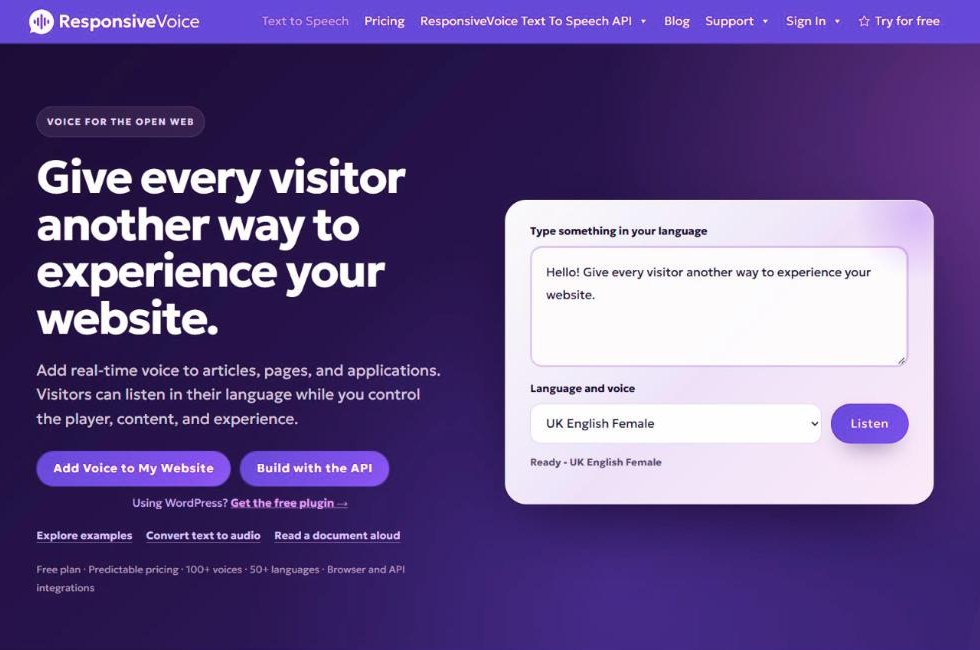
ResponsiveVoice has the most installs on this list, 7,000+, with a 3.9 rating from 34 reviews. Instead of creating audio files, it speaks the text live: the visitor’s browser sends the text to the ResponsiveVoice API when they press play.
You add a listen button with a Gutenberg block or shortcode, or turn on the WebPlayer to read a whole post. A free account and API key unlock the full set of 158 voices in 51 languages; without a key the plugin runs in demo mode. Paid plans can also use premium neural voices from Google Cloud, Microsoft Azure and OpenAI with your own key.
The free plan is unusually generous at 1 million characters a month, and commercial use is allowed, but it keeps the ResponsiveVoice branding and covers one site. Because nothing is stored, speech is generated each time someone listens, so check how your plan counts characters before a busy post goes out. Reviews mention thin documentation and trouble with Elementor.
Best for: adding listen buttons to many pages without generating or storing any audio.
Pros:
- Large free allowance with commercial use allowed
- Works on any page through a block or shortcode
Cons:
- No audio files you own
- Free plan keeps ResponsiveVoice branding
- Mixed reviews on documentation
Pricing:
- Free: 1 million characters a month (1 site)
- Starter: $9 / month (5 million characters, branding removed)
- Pro: $49 / month (50 million characters, up to 10 sites)
- Business: $149 / month
Annual billing saves 20%. Extra usage on paid plans costs $5 per million characters.
FAQ
Do text to speech plugins slow down a WordPress site?
They can, but it depends on the plugin. A player that loads scripts from an outside service adds weight to every page it appears on, while a plugin that stores the audio on your server only adds a small player. Run a page speed test before and after you install one, and turn the player off on pages that don’t need it.
How much does AI text to speech cost per article?
It depends on length and the voice. With your own OpenAI key, a 1,000-word post is about 6,000 characters, which our docs estimate at 7 to 9 cents to generate once. On hosted plans you pay a monthly fee for an allowance instead: GSpeech’s Personal plan includes 100,000 AI credits a month, which is roughly 16 posts of that length on standard AI voices.
What’s the difference between browser voices and AI voices?
Browser voices come free with the visitor’s operating system or browser, so they cost nothing but usually sound more robotic and change from one device to the next. AI voices are generated by a service such as OpenAI, Google or ElevenLabs. They sound close to a real person and are the same for every listener, but each character costs money to generate.
Does adding audio to posts help SEO?
As far as we know, Google doesn’t rank a page higher because it has an audio player. Add audio for readers who would rather listen, including people with visual impairments. Some plugins add audio schema markup, but that describes the audio rather than improving rankings.
What happened to the Play.ht WordPress plugin?
WordPress.org closed the Play.ht plugin on 2 March 2024 for a security issue, and it’s no longer available to download. Some older lists of text to speech plugins still recommend it, so check the WordPress.org page of any plugin before you install it.
Can I use text to speech on WooCommerce product pages?
Yes, if the plugin works on more than posts. GSpeech, AtlasVoice and ResponsiveVoice can be added through a block or shortcode wherever you need them. Trinity Audio’s standard plugin only handles posts. AI Text to Speech works on any public post type, which includes WooCommerce products, and has an [ai_tts_player] shortcode for placing the player yourself.
Which text to speech plugin should you use?
Start with where you want the audio to come from. If you want natural AI voices and would rather pay a few cents per post than a monthly fee, AI Text to Speech keeps the files on your own site, though we’re biased and it’s the smallest plugin here. If you’d rather not manage an API key, GSpeech has the best free plan of the hosted services. For a free listen button with no sign-up at all, AtlasVoice is the simplest choice. Trinity Audio and BeyondWords suit larger publishers who want analytics, ads or podcasts and are happy to talk to sales.
Whichever you pick, generate audio for one long post first, listen to all of it and check the cost before you turn it on across the whole site.

Our plugins
Grow your WooCommerce store
Affiliates, loyalty points, store credit, tax exemption and more – trusted on 248,000+ sites.

Comments