






We are happy to announce the launch of our newest plugin, Simple Points and Rewards for WooCommerce.
Note: this post is from November 2025, shortly after the plugin launched, and describes it as it was then (version 1.1). The plugin has had many updates since, including a prize wheel, guest points tracking, WooCommerce Subscriptions support, order streaks and store credit rewards. See the plugin page for the current feature list, or the changelog for every release.
Simple Points and Rewards lets your customers earn points for orders, sign-ups, referrals, birthdays and reviews, then swap them for discount vouchers or free products. Customers see everything in a Rewards section of their account, and you manage the whole program from inside WooCommerce.
We built it for store owners who want a loyalty program that is quick to set up and easy for customers to understand.
Here’s what it included at launch.
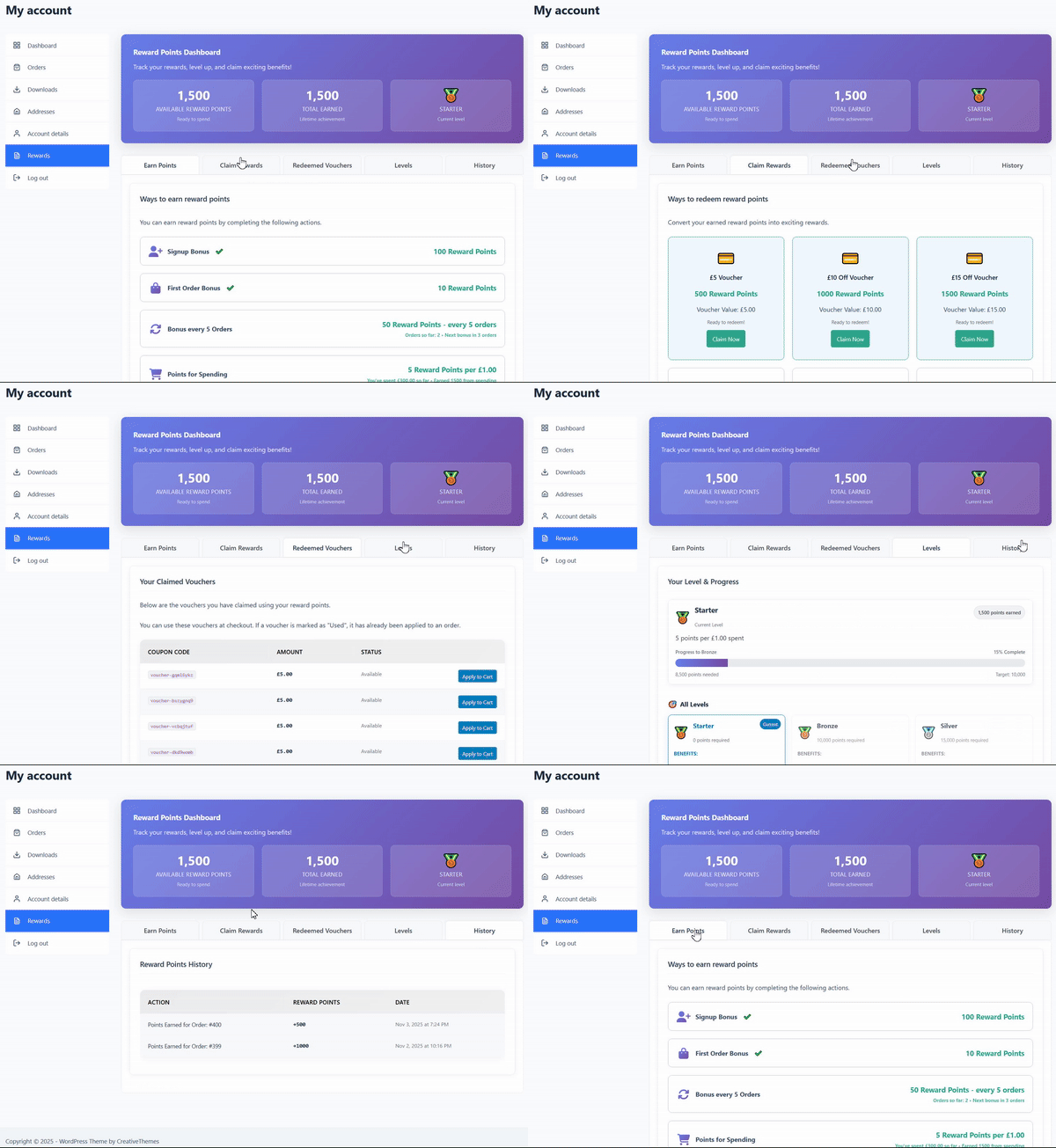
1. Rewards Dashboard
Your customers get their own “Rewards” section on their “My Account” page. From there they can see their current point balance, track their progress through the levels, view their badges, and check their full points history.
2. Ways to Earn Points
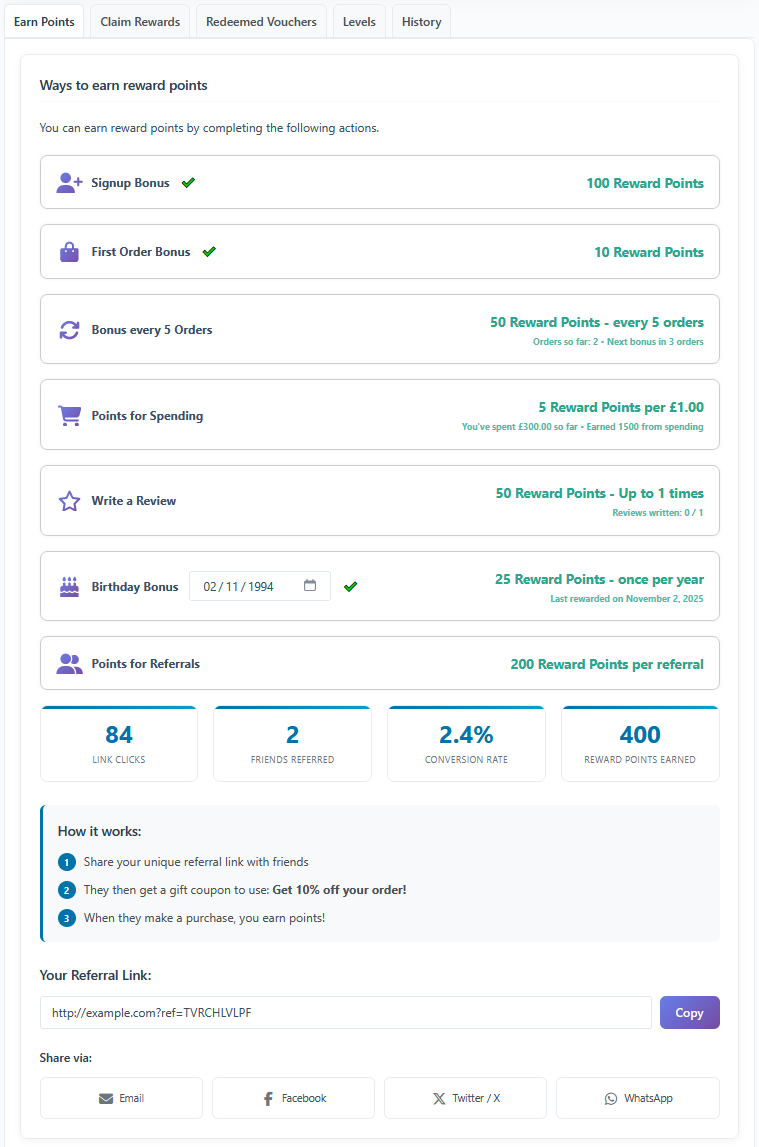
You choose which of these to turn on and how many points each one is worth:
- For Spending: points for every dollar spent (e.g., 5 points per $1).
- For Orders: a fixed or tiered number of points for placing an order (e.g., 100 points for an order over $100).
- Account Signup: points for creating an account.
- Referrals: points for referring friends who go on to buy.
- Birthdays: bonus points on the customer’s birthday.
- Product Reviews: points for leaving a product review.
3. Reward Options
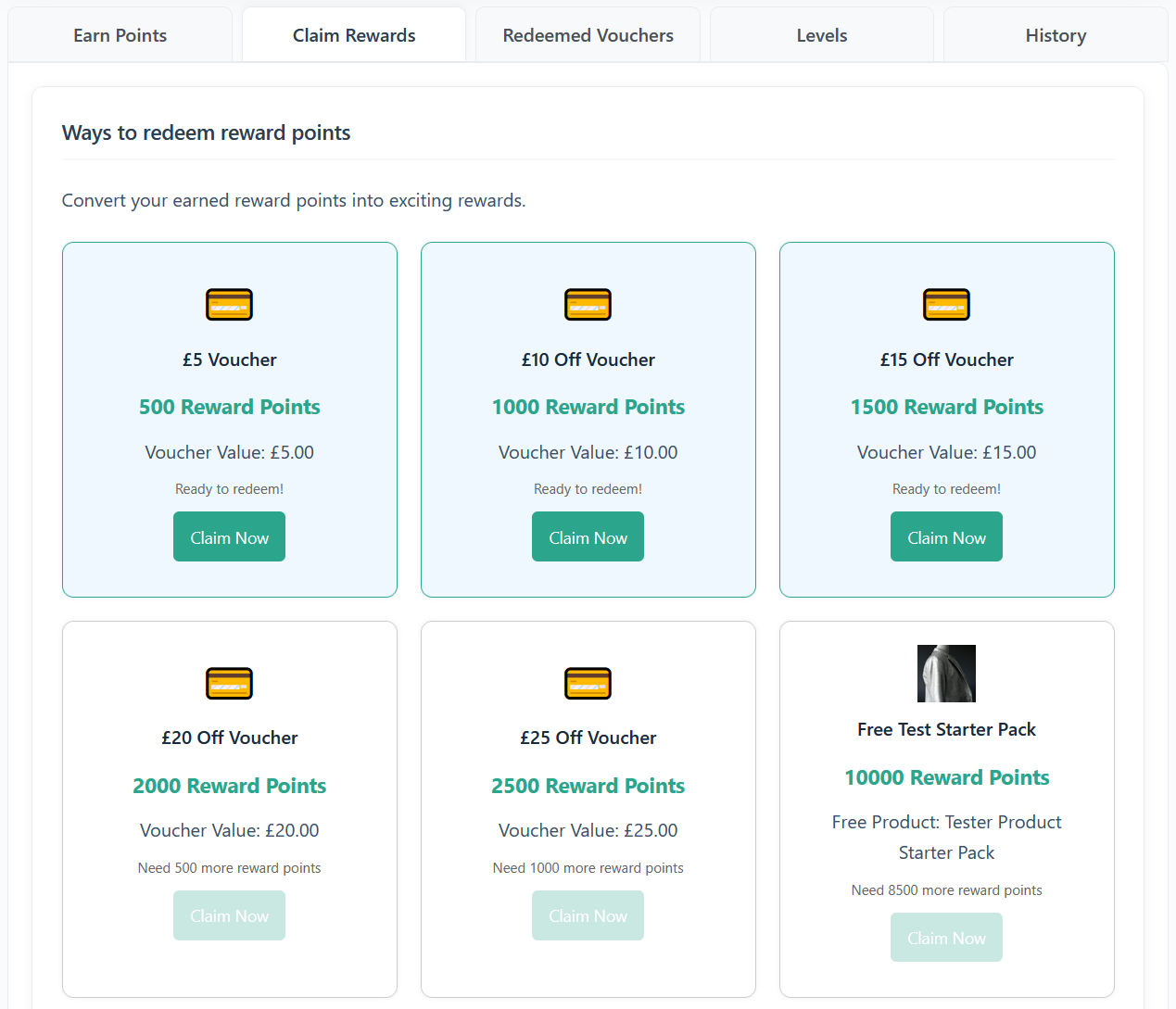
Customers can swap their points for two kinds of reward:
- Coupon Vouchers: discount vouchers of a set value (e.g., 500 points = $5 off).
- Free Products: a free product from your store once they have saved up enough points.
4. Levels & Badges System
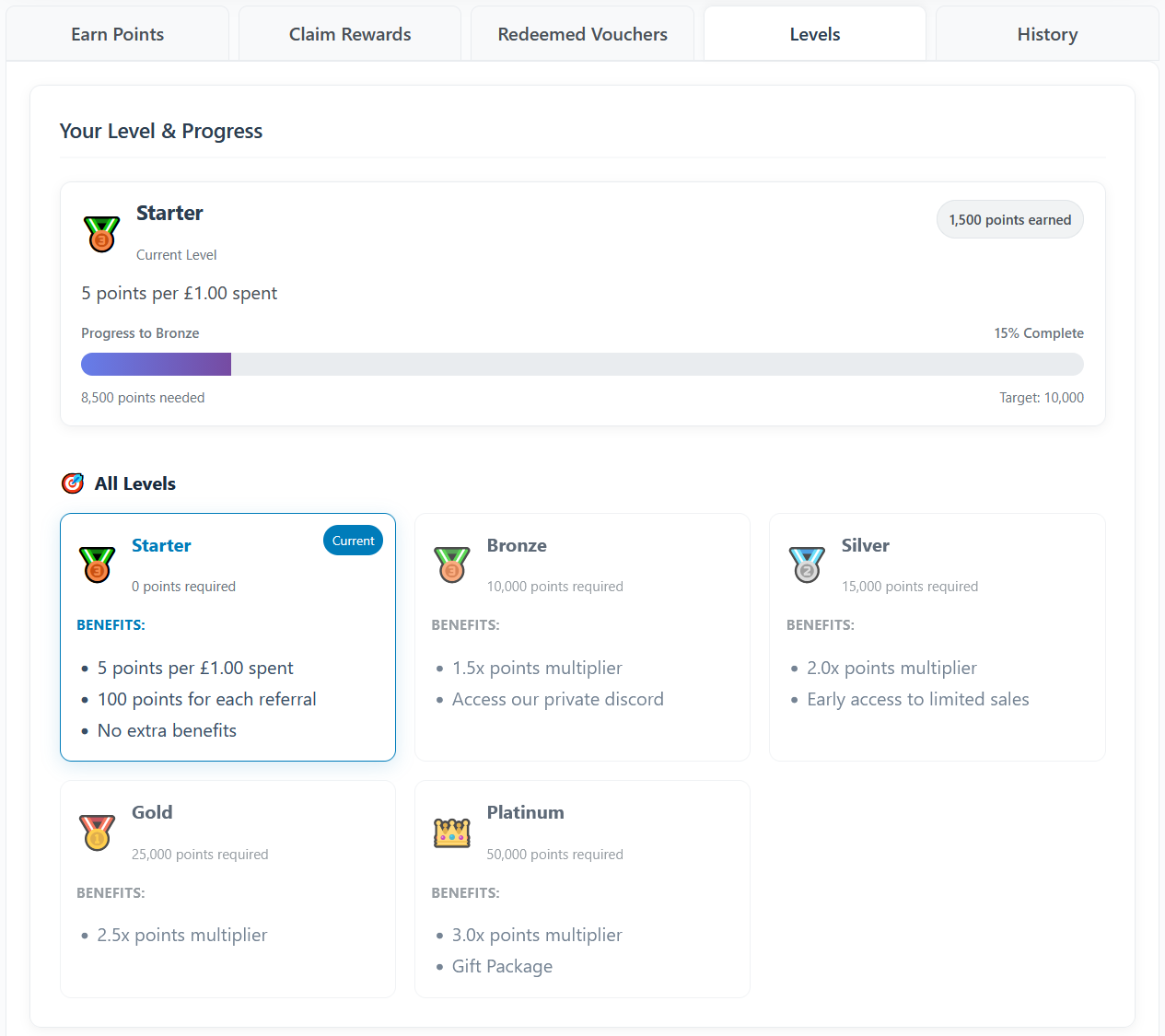
Levels give customers a reason to keep ordering. You can create loyalty levels and badges that customers earn as they collect more points, and give higher levels better perks, such as a higher points-earning rate.
5. Refer a Friend
The built-in referral system lets customers share a unique link or gift coupon with their friends. When a friend makes a purchase, the customer who referred them earns bonus points.
6. Site-Wide Floating Rewards Widget
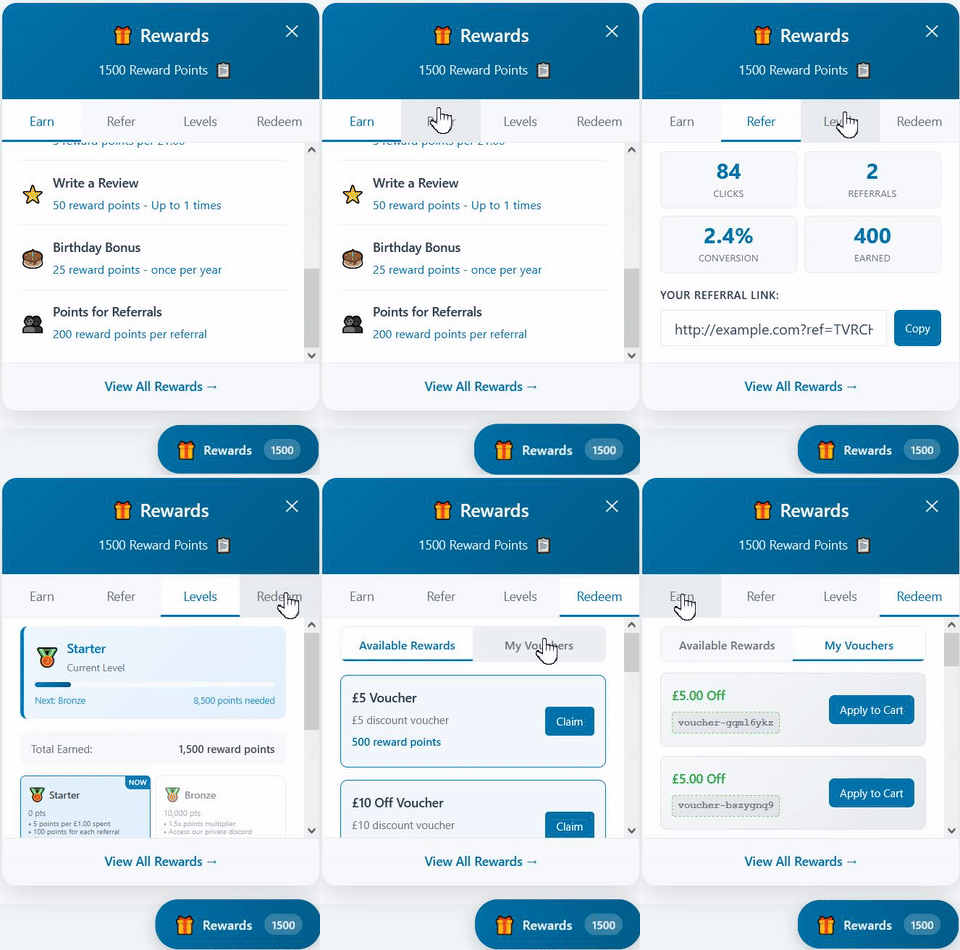
A floating widget on every page of your site keeps the rewards program in view. Customers (and guests) can use it to see how to earn points, check their balance and redeem rewards without leaving the page they are on.
7. Gift Widget for New Referrals
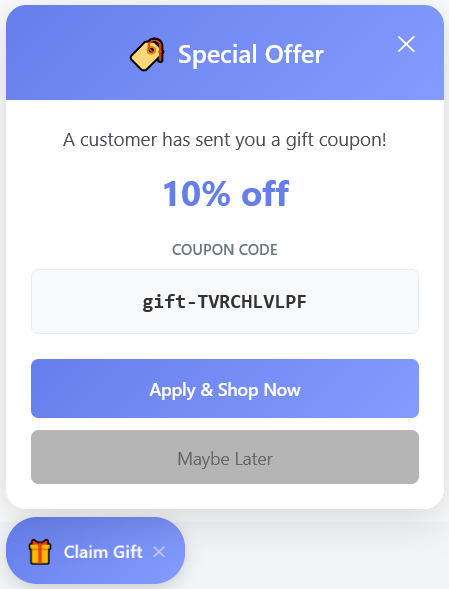
You can also turn on a “Gift Widget”. It appears for new visitors who arrive through a referral link and shows them the gift their friend has sent, such as a 10% discount coupon. It gives them a reason to place their first order.
8. Points Redemption at Checkout
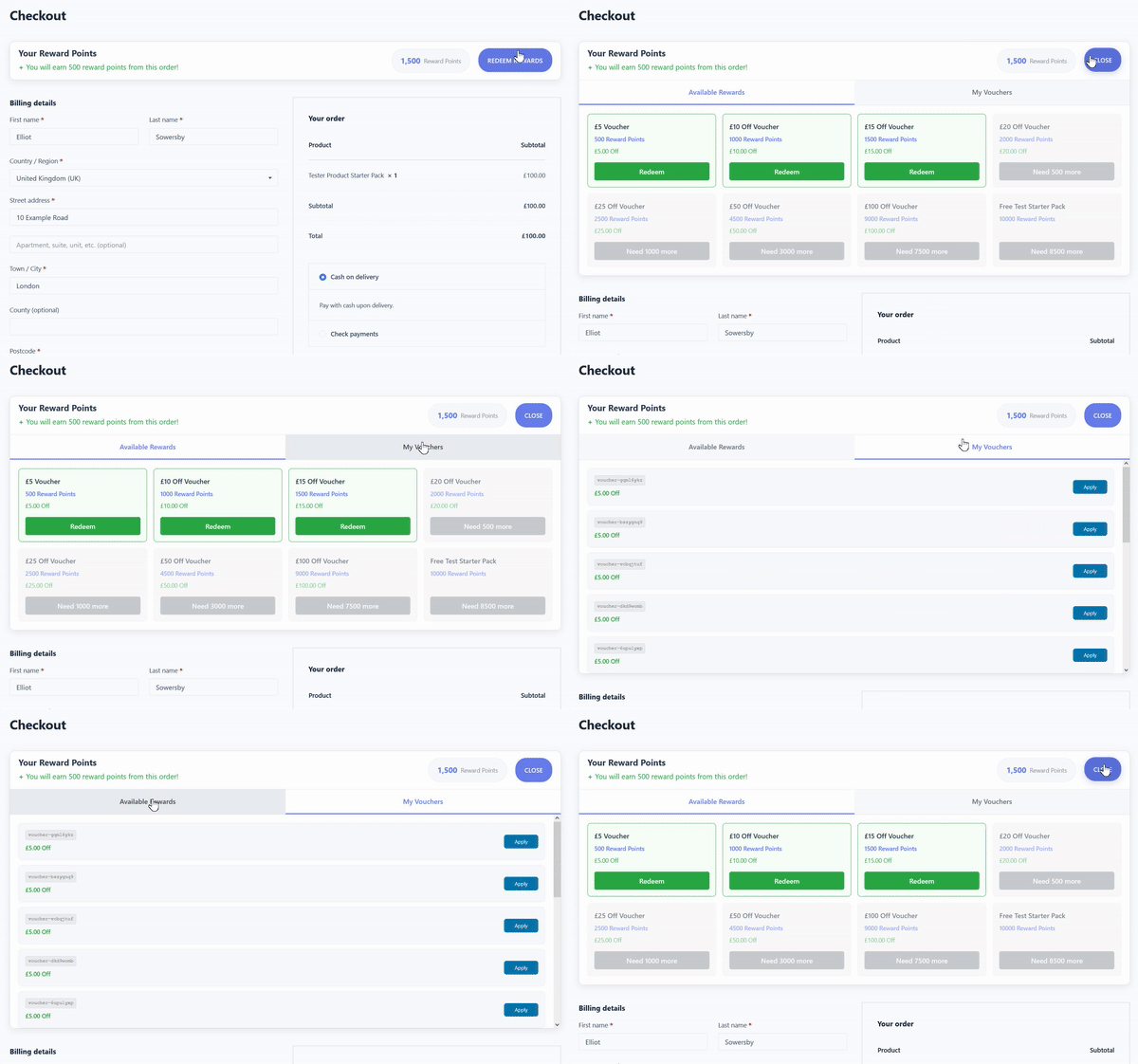
On the checkout page, customers can see how many points they will earn for their current order, and apply their available points as a discount with a single click.
9. Setup and Admin Tools
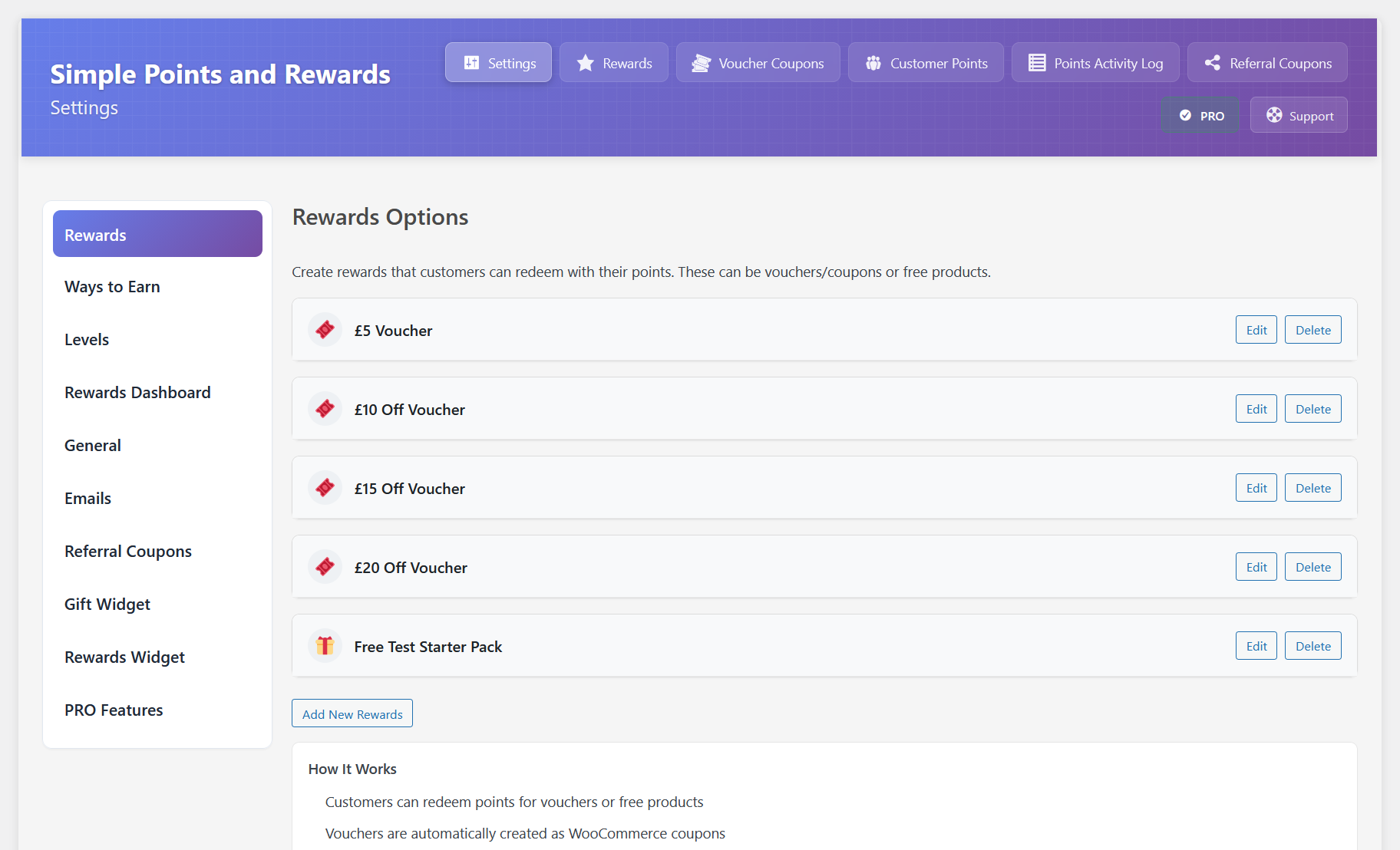
The settings page covers everything from earning rules and reward types to the design and wording of the widgets. You can also adjust a customer’s points by hand and see a log of all points activity.
10. Reports and Analytics
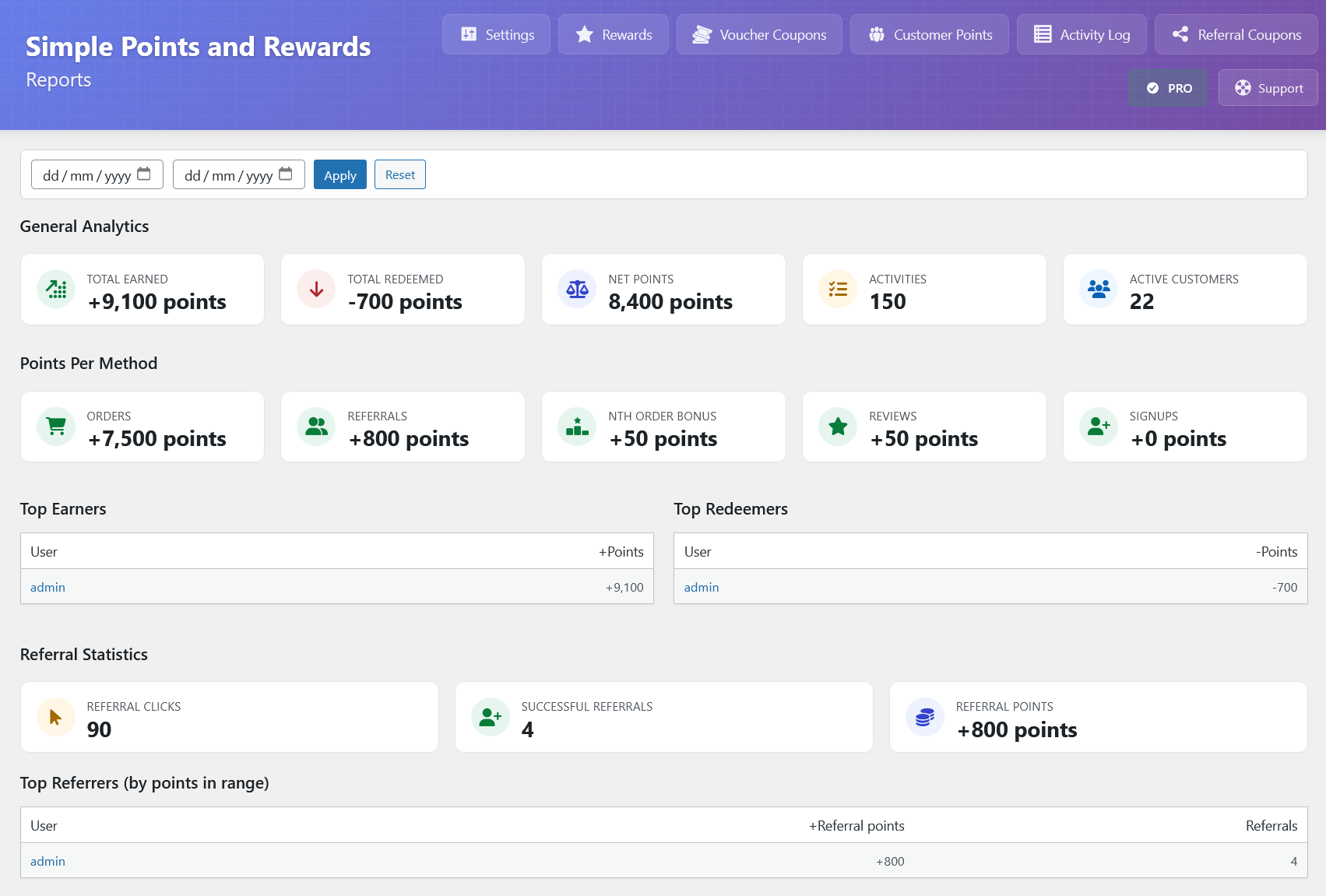
The Reports page shows whether your loyalty program is working. You can compare total points earned against points redeemed for any date range, see your top earners in a leaderboard, and keep track of your outstanding points liability, so you always know how many points are in circulation.
11. Email Customisation
You can edit the wording and branding of every email the plugin sends, including the emails for points earned, rewards redeemed and level-ups.
12. Multi-Currency Support
Simple Points and Rewards works with multi-currency WooCommerce setups. Points are calculated from your store’s base currency, whatever currency the customer pays in.
Get started
You can start with the free version on WordPress.org. PRO adds more ways to earn, such as birthday and review points, plus conditional earning rules, and comes with a 7-day free trial and a 14-day money-back guarantee.

Our plugins
Grow your WooCommerce store
Affiliates, loyalty points, store credit, tax exemption and more – trusted on 248,000+ sites.

Comments