






Version 3.2.0 of our AI Text-to-Speech plugin is now available.
This update adds three new voices, a redesigned admin area, player colour options, and several fixes that make audio generation for long posts faster and more reliable.
Three New Voices: Marin, Cedar, and Verse
We’ve added three brand-new voices from OpenAI: Marin, Cedar, and Verse.
Whether you’re after something crisp and authoritative, warm and conversational, or something with a little more flair, these additions give you even more ways to match the perfect voice to your content.
Customise Your Audio Player Colors
PRO users can now fully customise the look of the audio player to match their brand.
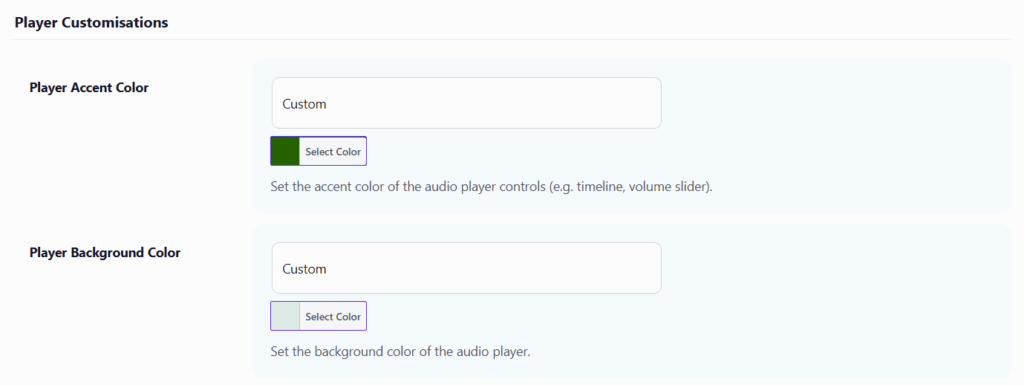
The new accent color and background color settings let you change the player’s appearance to match your site’s design.
Example settings:
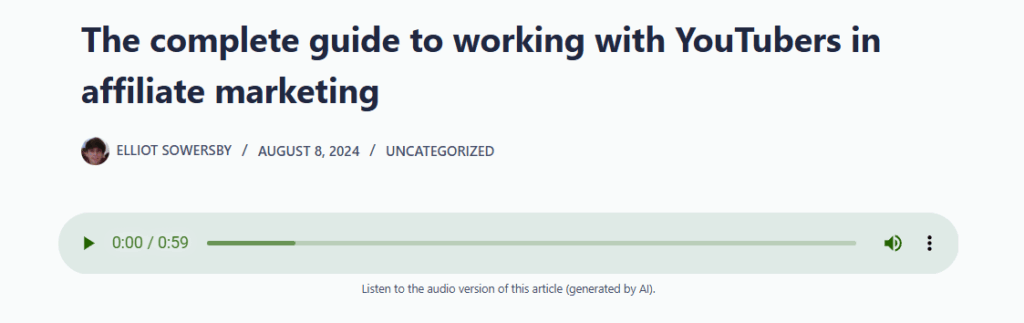
Example player:
New Admin Design
We’ve given the plugin’s admin pages a complete redesign.
The new layout is cleaner and more intuitive, and a brand-new header bar has been added across all plugin pages, giving you quick access to navigate between the Generator, TTS Files, Logs, and Settings pages in a single click.
Custom Voice Style Instructions: Now Always Visible
Previously tucked away, the Custom Voice Style Instructions field is now always visible directly on the post editor page.
This means you can fine-tune the tone and style of each post’s audio without needing to dig through options.
Performance Improvements for Larger Posts
Generating audio for long-form content is now faster and leaner.
We’ve reduced memory usage and database overhead during audio generation for larger posts, helping the process run more efficiently on all types of hosting environments.
Full Changelog
- New: Added 3 new voices from OpenAI (Marin, Cedar, and Verse).
- New: (PRO) Added options to customise the audio player colors (accent and background).
- Improvement: Redesigned the admin pages within the plugin, and added a new header bar with quick links to the different pages.
- Tweak: Moved the “Custom Voice Style Instructions” field to be always visible on the post editor page.
- Tweak: Reduced memory and database overhead when generating audio for larger posts.
- Tweak: Admin-generated TTS files (from the generator page) now appear on the TTS Files page, and files generated with Dropbox storage are no longer incorrectly removed from the list.
- Fix: Added missing escaping for some strings.
- Fix: Improved long-content chunking to keep OpenAI TTS requests within token limits.
- Fix: Improved TTS generation error messages to show actionable OpenAI API details instead of generic alerts.
- Fix: Changed the generated audio file format to MP3 to prevent inaccurate player duration displays.
- Fix: Fixed undefined variable $post_types on the admin enqueue posts styles function.
- Security: Made a few precautionary code security improvements.

Our plugins
Grow your WooCommerce store
Affiliates, loyalty points, store credit, tax exemption and more – trusted on 248,000+ sites.

Comments